8
35 Baby food
01:00 00:05-02:00 / 5 mins 95
-
24
hr
36 Cabbage rolls
00:20 00:01-01:00 / 1
min
95
-
24
hr
37 Jelly
03:00 00:05-01:00 / 5
mins
100
-
24
hr
38 Favorite dish
00:30 00:05-05:00 / 1
min
100 60-170 / 1 24
hr
39 Lasagna
00:35 00:05-02:00 / 5
mins
145
-
24
hr
40
00:30 00:05-02:00 / 5
mins
130
-
24
hr
41 Pizza
00:35 00:05-02:00 / 5
mins
160
-
24
hr
42 Baked potatoes
00:50 00:05-02:00 / 5
mins
155
-
24
hr
43 Keep Warm
24 hours 60
Operation
1. Basic Operation:
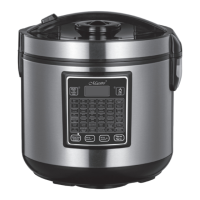
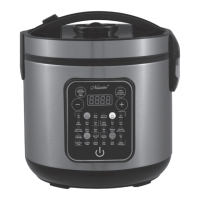
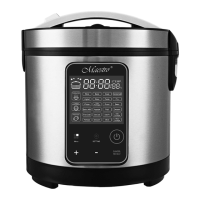
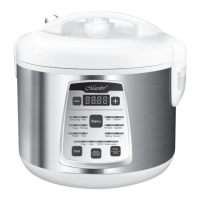
1) Press“ Menu” button, till the program you wanted lighted on, press “ Start” button to start
cooking. The display shows the default cooking time and count down.
2) After the cooking is nished, the MULTI COOKER has beep sounds and enters into keep warm
mode automatically except yoghurt. The display shows keep warm time and counts up.
2. How to adjust cooking time:
1) Press“ Menu” button, till the program you wanted lighted on, the display shows default
cooking time.
2) Press the button “-” and “ +“ to decrease or increase the cooking time.
3) Press “ Start” button to conrm. The cooker start to cook and the display shows the cooking
time and counts down.
3. How to adjust cooking temperature:
There are 7 programs can be adjusted cooking temperature: Pilaf, Cake, Bake, Deep Fry,
Roast, Steak and favorable dish.
1) Press“ Menu” button, till the program you wanted lighted on, the display shows default
cooking time.
2) Press” Temperature/Timer” button, the display shows the default cooking temperature. If
the default cooking temperature is keeping on ashing in the display, it mean the cooking
temperature of this program is adjustable, if no ashing, it means that the cooking temperature
is not adjustable.
3)Press button “-“and “ +” to decrease or increase the cooking temperature.
4) Press “ Start” button to conrm. The cooker start to cook and the display shows the default
cooking time and counts down.
5. How to set delay timer
1) Press“ Menu” button, till the program you wanted lighted on, the display shows default
cooking time.
2) Press “Temperature/Timer” button twice, the indicator of delay timer on the button lighted on.
The display shows “ 00:00” and keep on ashing.
NOTE: If the display shows “00:00” but not ashing, it means that program doesn’t have delay
timer function.
3) Press” -” button to set delay hour and press “ +” to set delay minute.
4) Press “ Start” button to conrm. The cooker start to cook and the display shows the delay time


 To Next Page
 Loading...