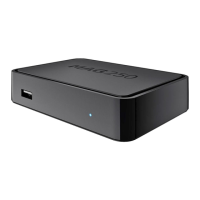
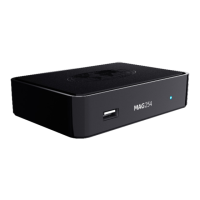
Steps you can take to help freezing issues.
● We recommend using your View TV Abroad BOX hard wired rather then using a WIFI,
obviously this is not always possible due to the location of your router, if this is the case we
recommend using powerline adapter, please contact us to advise or check our FAQ page
on our website click on this link https://www.viewtvabroadinabox.com/faqs/
Recommended PowerLine products:
UK - TP Link Powerline Adapter
USA - TP Link PowerLine Adapter
Europe/Spain - TP Link PowerLine Adapter
Japan - TRENDnet Powerline
● NOTE : We have found on lower speeds, between 3 and 4 Mbps the PowerLine solution is
a much better solution than using WIFI
If your having issues with buffering/freezing on the Box from your location to our servers
which are in Western Europe there are a number of factors you need to be aware of.
● NOTE : Firstly we need you to test your speeds not just to your Local server which I'm sure
will give you very fast results but also your speeds to a London server as this will give us
more detailed information on how the international routing is performing from your location
as this is key to the Box working.
Please go to www.speedtest.net on either a Windows or a Mac computer initially doing speedtest
to your local server, we need to know the Download speeds and Ping ?
The next test to do is to a London server - Click on the speedtest link again and at the top of the
page your see SETTINGS, click on this and scroll to the bottom left of the screen/page. You will
see on the site you can select change server - do this and search for any London server. Repeat
the test and again provide me with the results, Download speeds and Ping ?
Can you then also do a speed test through the Box, to do this go to Settings on the main menu
ribbon where you see TV/Videoclub. When on Settings scroll to 'Go to Inner Portal' from here go to
Settings and then select Speedtest. Give me the download speeds given by the Box ?
★ The information we require will need to be sent to support@viewtvabroad.com
★ TIPS : Please be-aware in the meantime you can download content from the Videoclub and
7 days catch-up which could be an initial solution to the problems you are experiencing.
- 12



 To Next Page