13
CV inputs
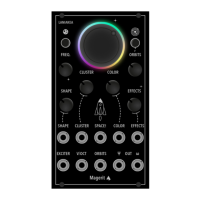
V/OCT
EXCITER
CALIBRATION
FIRMWARE UPDATE
Once you have set the base frequency with the FREQ. knob, connect a signal to this input to play your favorite
melodies.
New particles are generated and the resonator is triggered when a signal is received at this input. (The resonator
also runs if nothing is patched to this input). EXCITER works as a Low Pass Gate / VCA. Its decay and ltering can
be congured in the ORBITS menu. Connect any envelope, like an AD or an ADSR or even a trigger generator to
this input!
Diconnect all CV inputs and press both buttons for two seconds. The led ring will display a rotating
colorful pattern. Introduce a 1V signal to the V/OCT input and press any button once. Then, introduce a
3V signal and press any button. Great! The module is now calibrated.
Remember that the calibration and the parameters of the SPACE! and ORBITS menus are stored auto-
matically.
The update process is very simple. In order to know which rmware version is running in the module, press any
button for two seconds (press only one button). Depending on how the LEDs blink you will know which version
you have. For example, if the upper part of the LED ring blinks only 1 time and the lower part blinks 3 times, the
current version of your LANIAKEA rmware is v1.3.
Turn off your Eurorack system and use a Micro USB cable to connect the module to your computer (Windows or
Mac). Then turn on the rack. In the following link you will nd the Magerit Updater, a small script that allows you
to update the Magerit modules in a very simple and intuitive way:
https://magerit.es/update/?lang=en


 To Next Page
 Loading...