S.T.E.A.M Master
Guide Book
13
How to Use Engine Block
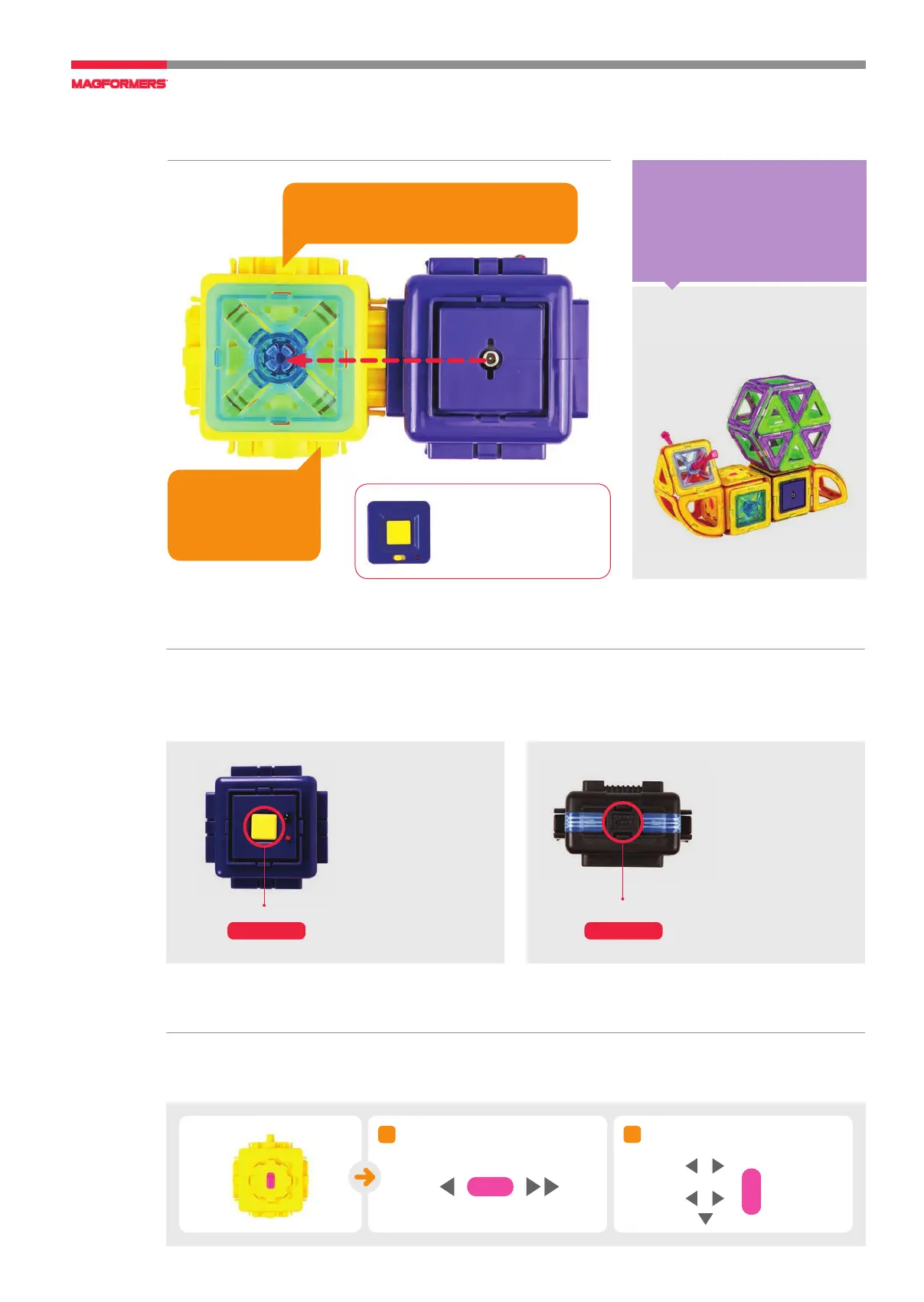
When you connect the Engine Block to the Power Generator (or the Battery Pack), it rotates.
The Engine Block has a pink button on both sides.
The Snail
crawls!
Speed control button can
control the rotation speed.
Pink Button
Pink Button
Only the blocks plugged in the
direction of the arrow rotate.
02
01
How to Use Power Generator
The Power Generator and the Battery Pack deliver energy to Magformers to make them move
(and shine). All moving pieces must be connected to the Power Generator or the Battery Pack to move.
(Power Remote Control is available only for the Power Generator.)
Power Button
Power Generator
Power Button
Battery Pack
The Square Auto Connector rotates and
makes the Snail crawl forward.
The Engine Block
receives power from
the Power Genera
-
tor and rotates.
Power Remote Control
Models including the Power
Generator can be controlled
with the Remote Control.
Warnings
• Turn off after using it.
• The resonable charging
time is 2 hours.
Do not overcharge.
• Do not disassemble it.
Warnings
• If the Battery Pack moves
slowly or does not work
smoothly, there might
be a power issue. Please
change the batteries.
• Please make sure to turn
off the power after use
since it may drain the
battery.
• Please do not throw, or
drop Battery Pack.



 To Next Page