Need help?
Do you have a question about the Magic Chef MAF105BKD0 and is the answer not in the manual?
Warnings related to water submersion, liquid contact with electrical parts, and proper plugging.
Advice on filling, venting, oil usage, hot surfaces, and appliance placement.
Guidance on who can use the appliance and the need for supervision or instruction.
Instructions on using only undamaged units, cord care, and avoiding stovetop placement.
Keep cord from heat, avoid wet hands, no external timers or extension cords, avoid combustible materials.
Do not use for other purposes, operate unattended, keep away from exhaust, note hot surfaces, unplug if smoke.
Proper cooldown, surface use, food cooking color, and warranty implications for misuse.
Automatic shut-off activated by inner temperature control system to prevent overheating.
Unit automatically shuts down when timer reaches zero; fan runs for 20s cooldown.
Air fryer operates best on a dedicated circuit to avoid overloading.
Appliance complies with EMF standards for safe use when handled per manual.
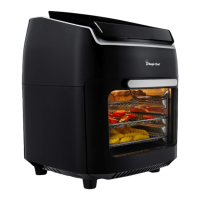
Identifies and describes key parts and optional accessories like baskets, forks, shafts, and grabber tools.
Instructions on assembling skewer racks onto the rotisserie shaft for kabob making.
Explains the role of the drip tray in catching food drippings and ease of cleaning.
Describes the use of racks for primary cooking and dehydrating, allowing multi-tray cooking.
Shows time and temperature settings, switching between them during cooking.
Pre-set cooking modes and buttons to adjust temperature in 5-degree increments.
Buttons to adjust cooking time; function to start/stop rotisserie rotation.
Controls powering on, starting cooking at default settings, and stopping the process.
Illuminates the interior, allowing food progress checks; opens pause cooking.
Steps to take before initial operation, including reading materials and cleaning.
Advice on flipping food, pre-heating, batch size, oil usage, and using pre-made dough.
Instructions for cleaning the appliance, emphasizing no abrasive materials and dishwasher-safe accessories.
Guidelines for storing the cooled, clean appliance in a dry place, covered to prevent dust.
Guidance on proper disposal of electronic waste and packaging materials.
Covers repair/replacement of defective parts for one year from purchase under normal use.
Lists conditions that void the warranty, such as power failure, misuse, or accidents.
Steps for making a claim, including required documentation and responsibility for costs.
 General
| Brand | Magic Chef |
|---|---|
| Model | MAF105BKD0 |
| Category | Fryer |
| Language | English |

 To Next Page