6
replacIng screens
SCREENS ARE FRAGILE - BE C
AREFUL
Remove old screen & clean all residue from
the rails
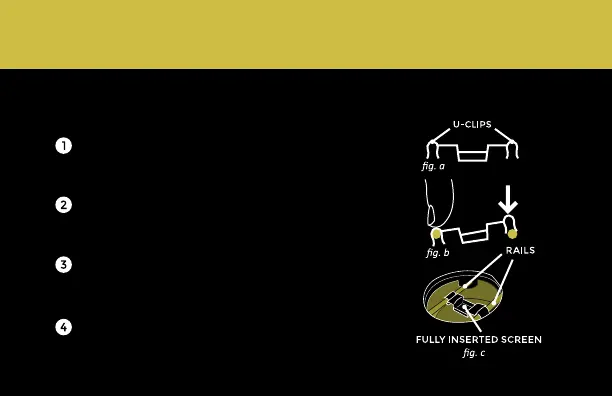
Prepare your new screen by making sure the
U-CLIPS are facing straight down (see fig. a)
Align each clip with the rails & press each clip
onto the rail with your finger (see fig. b)
Make sure the clips are fully seated on the
rails (see fig c.)



 To Next Page