EasyManua.ls Logo

Magic FLEXBOX - User Manual

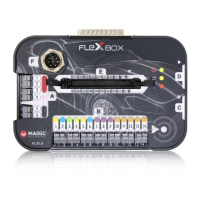
Magic FLEXBOX
4 pages
Print Icon
To Next Page IconTo Next Page
Loading...
SKU: FLX1.9
FLX2.14
FLEXBOX PROGRAMMING TOOL FOR THE
AUTOMOTIVE SECTOR
USER
FLEXBOX - BORN TO BE FLEXIBLE
This manual contains information on the features and operation of FLEXBox when used
with the FLX2.14 FLEXBox OBD Female cable.
The manual illustrates the basic instructions for proper operation and describes the
functions that are enabled when connecting with the FLX2.14 cable.
Question and Answer IconNeed help?

Do you have a question about the Magic FLEXBOX and is the answer not in the manual?

Summary

User Manual FLEXBOX

Setup Phase

First Function Operation

First Function Overview

Details the initial connection and LED status for the first function of the FLEXBox.

Second Function Operation

Second Function Overview

Details the second operational mode of the FLEXBox, including connection and tapping sequence.

Third Function Operation

Third Function Overview

Details the third operational mode, focusing on automatic ignition control via K-LINE.

Fourth Function Operation

Fourth Function Loop Mode

Explains the loop mode for switching between 0V and 14V and how to reset the function.

Magic FLEXBOX Specifications

General IconGeneral
BrandMagic
ModelFLEXBOX
CategoryMotherboard
LanguageEnglish