6
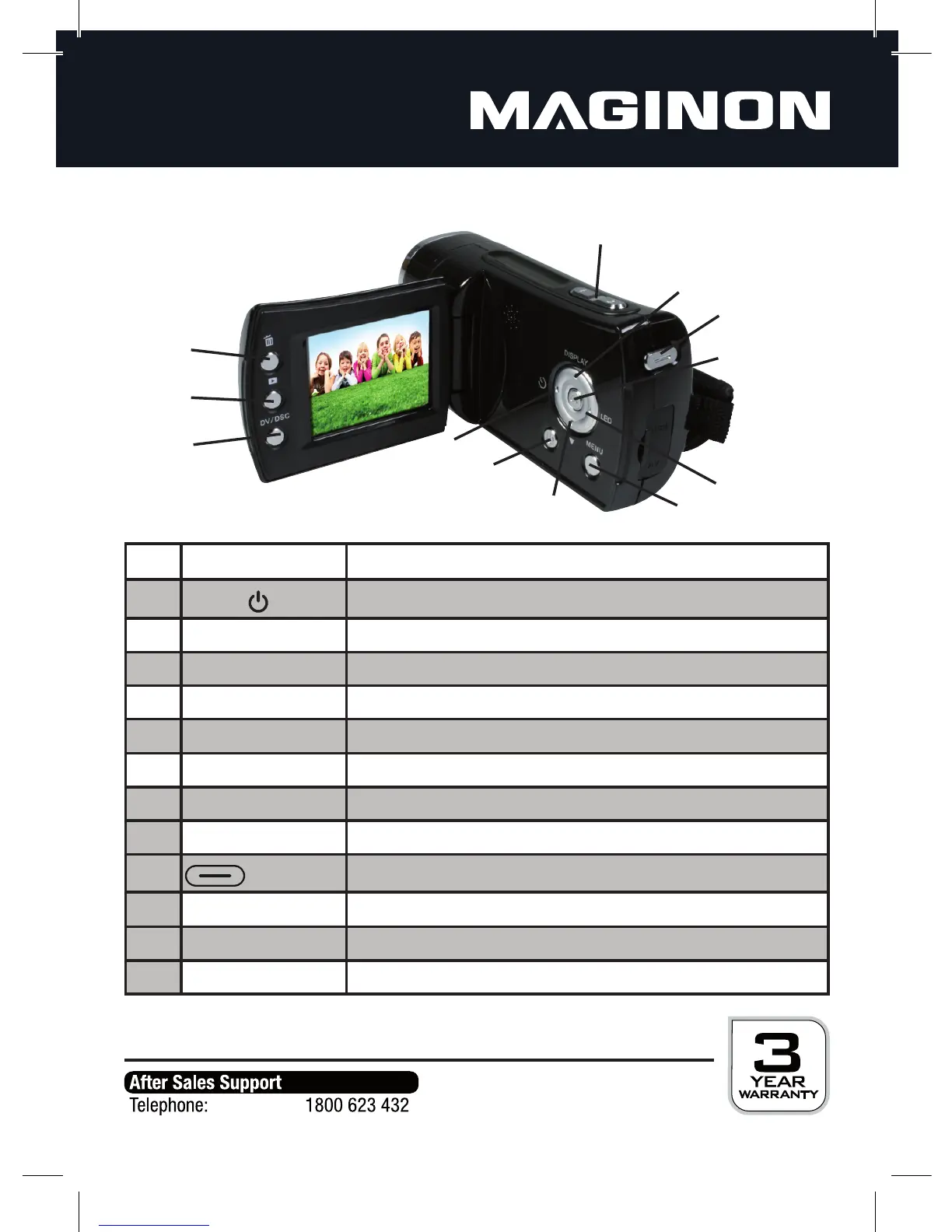
Key Function
1
ON/OFF
On and o switch.
2 MENU Show and hide menu.
3 DISPLAY Enable or disable monitor display / menu: Upwards (UP)
4
e
Select self-timer or series / menu: To the left (LEFT)
5
Set EV-value / menu: Downwards (DOWN)
6
LED
Turn additional ash on and off / menu: To the right (RIGHT)
7
OK
Con rmation of a selection
8
T / W
Zoom in and out
9
Start and end video recording / take photo
10
F
Delete recording
11
7
Change to playback mode
12 DV/DSC Change recording mode: VIDEO / PHOTO / AUDIO
4
3
2
1
5
6
6
8
9
10
11
12
4. This is your digital video camera
4.1. Device overview



 To Next Page