EasyManua.ls Logo

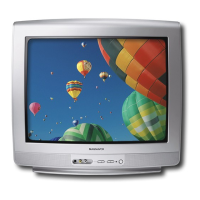
Magnavox 20MT4405 - User Manual

Magnavox 20MT4405
34 pages
Print Icon
To Next Page IconTo Next Page
Loading...
20MT4405
3139
125
35882-Englis
h

Other manuals for Magnavox 20MT4405

Questions and Answers

  • L
    lozanorodneyAug 14, 2025
    How to troubleshoot no power on my Magnavox CRT TV?
    • H
      hayleyconleyAug 14, 2025
      If your Magnavox CRT TV isn't powering on, first, check the power cord. Unplug it from the TV, wait 10 seconds, and then plug it back into the wall outlet. Make sure to plug the power cord directly into the wall socket, not an extension cord. If you must use an extension cord, verify that the fuse on the power strip is working.
  • T
    tiffanynguyenAug 17, 2025
    What to do if Magnavox 20MT4405 CRT TV is not responding to the remote control?
    • B
      Beth StokesAug 17, 2025
      If your Magnavox CRT TV isn't responding to the remote control, ensure the batteries are correctly inserted according to the diagram in the battery compartment. You can also try resetting the TV by unplugging it from the wall outlet for 10 seconds and then plugging it back in.
  • C
    cscottAug 21, 2025
    Why is my Magnavox 20MT4405 CRT TV remote control not working?
    • J
      Jessica WardAug 21, 2025
      If the remote control for your Magnavox CRT TV isn't working, first, make sure the batteries are correctly inserted as shown in the battery compartment. As an alternative, reset the TV by disconnecting the power plug from the wall outlet for 10 seconds and then reconnecting it.
  • D
    Donald DoyleAug 25, 2025
    Why is the sound not in stereo on my Magnavox 20MT4405?
    • H
      Hunter WoodardAug 25, 2025
      If the sound on your Magnavox CRT TV is not in stereo, it could be due to a few reasons. First, not all broadcasts are transmitted in stereo. Try tuning to several major network stations to confirm if the station you've selected is broadcasting in stereo. Also, check if SAP is turned ON, as this automatically sets the sound mode to MONO. Finally, make sure the sound mode is set to STEREO. Note that when using an AV input, the television will not display STEREO even though it is producing stereo sound.
  • M
    Matthew BassAug 28, 2025
    How to fix Magnavox 20MT4405 displaying wrong channel or no channels above 13?
    • L
      lhopkinsAug 28, 2025
      If your Magnavox CRT TV is displaying the wrong channels or no channels above 13, go to TUNER MODE in the television menu and select the correct signal source. Then, perform the automatic installation again.
  • S
    Sarah GrayAug 30, 2025
    What to do if channel numbers do not follow the channel number of the programs on Magnavox 20MT4405 CRT TV?
    • S
      Sean RichmondAug 31, 2025
      If the channel numbers on your Magnavox CRT TV do not match the program numbers, go to TUNER MODE in the television menu and select the correct signal source, then perform the automatic installation again.
  • P
    Paul LopezSep 3, 2025
    How to get the AV channels on Magnavox 20MT4405 CRT TV?
    • T
      Theresa MontgomerySep 4, 2025
      To access the AV channels on your Magnavox CRT TV, repeatedly press the CH+ / CH- button on the remote control to select the desired AV channel. Note that SVHS can only be selected if an S-VHS device is connected and powered on.
  • F
    Felicia ChavezSep 6, 2025
    Why my Magnavox 20MT4405 makes disturbing sounds (buzzing, clicking, cracking, humming, whistling)?
    • H
      hoganyolandaSep 7, 2025
      It's normal to hear disturbing sounds like buzzing, clicking, cracking, humming, or whistling from your Magnavox CRT TV when you are less than 2 meters (6 feet) away and the sound is muted. If the issue only occurs on one channel, it might be a signal problem. Contact your cable provider or local broadcaster about that specific channel.
  • A
    Aaron AndradeSep 10, 2025
    Why does my Magnavox 20MT4405 CRT TV display white lines in letterbox when viewing a DVD disc?
    • B
      Brendan HansenSep 10, 2025
      When viewing a DVD disc on your Magnavox CRT TV, white lines may appear in the letterbox area because some DVDs are encoded with extra video information for better picture quality. This issue is inherent to some discs and does not necessarily indicate a problem with the TV.

Summary

Product Registration Benefits

Safety Symbols

Risk of Electric Shock Symbol

Warning about not opening the unit and referring servicing to qualified personnel.

Fire or Electric Shock Symbol

Apparatus should not be exposed to rain or moisture.

Prevent Electric Shock Symbol

Match wide blade of plug to wide slot, fully insert.

Important Safety Instructions

General Safety Guidelines

Emphasizes reading and following all safety instructions for safe operation.

Installation and Environmental Safety

Guidelines for proper installation, ventilation, heat sources, and placement.

Electrical and Grounding Safety

Instructions on plugs, cords, lightning, and grounding connections.

Usage and Maintenance Precautions

Covers cleaning, servicing, tilt stability, and battery usage.

Basic Antenna and Cable Connections

Cable Box Connection

Component Video Input Connection

Remote Control Operations

Navigation and Input Buttons

Explains the function of number, CH+/-, A/CH, STATUS/EXIT, and CURSOR buttons.

Auto Program Feature

Picture Menu Controls

Sound Menu Controls

Understanding SmartLock Controls

SmartLock Blocking Options Overview

Details on Access Code, Channel Block, Block All, No Rating, Movie Ratings, TV Ratings, and Unrated.

Setting Up SmartLock Access Code

Creating a New Access Code

Step-by-step guide to set up a new 4-digit access code for SmartLock.

Channel Blocking

Selecting Channels to Block

How to use SmartLock to block specific channels or A/V inputs.

All Channel Blocking and Clearing

Movie Rating Blocking

Setting Movie Rating Restrictions

How to block programs based on MPAA movie rating categories.

TV Rating Blocking

Setting TV Rating Restrictions

How to block programs based on TV industry rating categories and sub-ratings.

SmartLock Blocking Options

Troubleshooting Common Issues

Installation and Sound Problems

Solutions for issues related to TV installation and sound quality.

Remote Control and Display Problems

Solutions for remote control not working or display issues with DVD discs.

Product Specifications

Limited Warranty Information

Warranty Coverage and Exclusions

Explains coverage periods, what's covered, and conditions not covered by the product warranty.

Obtaining Warranty Service

Contact information and procedures for requesting warranty service.

Magnavox 20MT4405 Specifications

General IconGeneral
Screen Size20 inches
Display TechnologyCRT
Aspect Ratio4:3
Resolution480i
Weight40.8 lbs
Dimensions24.1" x 18.1" x 19.7"
Audio OutputMono
Display TypeCRT
InputsRF, Composite

Related product manuals