PRECAUTIONSSETUP
VCR FUNCTIONSDVD FUNCTIONS
Español INFORMATION
INSTRUCCIONES EN
ESPAÑOL INCLUIDAS.
DIGITAL
AUDIO OUT
COAXIAL
AUDIO
OUT
DVD VCR
DVD/VCR
S-VIDEO
OUT
COMPONENT
VIDEO OUT
AUDIO IN
VIDEO IN
AUDIO OUT
VIDEO OUT
L
LY
R
L
R
R
C
B
/
P
B
C
R
/
P
R
DVD/VCR
AUDIO OUT
VIDEO OUT
L
R
V
A
DI
I
VIDE
IN
rear of T
rear of your RF
modulator
AUDIO IN TO TVANT. IN
LR
CHANNEL
43
VIDEO IN
ANT. IN
Set channel 3 or 4
rear of this unit
RF coaxial cable
RF coaxial
cable
VHF / UHF
antenna
cable TV
company
or
RCA video cable
RCA audio cable
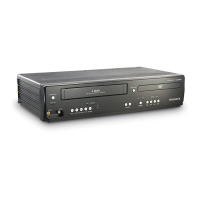
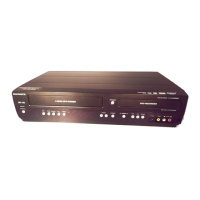
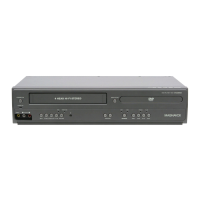
DVD/CD Player with Video Cassette Recorder
DV225MG9
Owner’s Manual
Please read before using this unit.
PRECAUTIONS
Laser Safety .................................................................................................................2
Important Safeguards .............................................................................3
Location and Handling ...........................................................................................4
Avoid the Hazards of Electrical Shock and Fire ............................................. 4
Moisture Condensation Warning .......................................................................4
About Copyright ....................................................................................................... 4
Notice for Progressive Scan Outputs ................................................................4
Symbols Used in This Manual ..............................................................................4
Maintenance ..............................................................................................................4
About Cassette Tapes and Discs .............................................................5
Playable Media ..........................................................................................................5
Unplayable Discs ...................................................................................................... 5
SETUP
Connections .............................................................................................6
Connection to a TV ..................................................................................................6
Connection to an Audio System .........................................................................7
Connection to an External Tuner .......................................................................7
Preparation for Use .................................................................................8
Turning on Unit for the First Time ..................................................................... 8
Clock Setting .............................................................................................................. 8
Function Overview ..................................................................................9
Front Panel Indicator Lights .................................................................................9
Selecting DVD or VCR Operation ........................................................................9
Front & Rear Terminals ...........................................................................................9
Remote Control ........................................................................................................10
Installing the Batteries for the Remote Control ...........................................10
VCR FUNCTIONS
Playback .................................................................................................11
When You Playback a Cassette Tape Recorded in Hi-Fi Stereo .............11
Other Operations ....................................................................................11
Index Search ..............................................................................................................11
Time Search ...............................................................................................................11
Auto Repeat ...............................................................................................................12
Recording ................................................................................................ 12
Recording & One-touch Timer Recording (OTR)..........................................12
Timer Recording ......................................................................................................12
Notes for Timer Recording & One-touch Timer Recording (OTR) .........13
Satellite Link ..............................................................................................................14
Copying a Cassette Tape ......................................................................................14
DVD FUNCTIONS
Playback .................................................................................................15
On-Screen Display ..................................................................................16
Search Functions ....................................................................................17
Using Track Search ..................................................................................................17
Using Title / Chapter Search ................................................................................17
Using Time Search ..................................................................................................17
Marker Setting ..........................................................................................................17
Repeat / Random / Programmed Playback ...........................................18
Repeat Playback .......................................................................................................18
Repeat A-B Playback ..............................................................................................18
Random Playback ....................................................................................................18
Programmed Playback ..........................................................................................18
Special Settings ......................................................................................19
Subtitle Language ...................................................................................................19
Audio Language ......................................................................................................19
Camera Angles .........................................................................................................19
Black Level Setting ..................................................................................................19
Stereo Sound Mode ................................................................................................19
Virtual Surround.......................................................................................................19
DVD Setting ............................................................................................20
LANGUAGE Setting .................................................................................................20
DISPLAY Setting .......................................................................................................21
AUDIO Setting ..........................................................................................................21
PARENTAL Setting ...................................................................................................22
OTHERS Setting ........................................................................................................22
Reset to the Default Setting (Except for PARENTAL Setting) ..................23
INFORMATION
Troubleshooting Guide ..........................................................................23
Specifications .........................................................................................24
Language Code List ................................................................................24
LIMITED WARRANTY ...............................................................................24
Español ...................................................................................................25
Quick Use Guide......................................................................................27
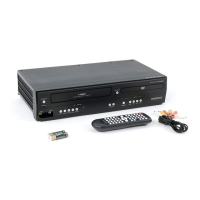
Supplied Accessories
remote control unit
(NB622UD /
NB672UD)
RCA audio/video cables
(WPZ0102TM018 /
WPZ0102LTE01)
batteries
(AA x 2)
owner’s manual
(1VMN25153)
Owner’s Manual
© 2008 Funai Electric Co., Ltd.
If you need additional operating assistance after
reading this Owner’s Manual, please call
TOLL FREE : 1-800-605-8610
or visit our Web site at
http://www.funai-corp.com
If your TV has antenna in jack only, it is still possible to
connect this unit to your TV by using an RF modulator. In
this case, follow the instructions below.
1) Disconnect the power cords of the unit from the AC outlet.
2) Make the connection as illustrated below.
3) Set your RF modulator’s channel 3/4 switch to either
3 or 4, whichever the TV channel is least used in your
area. If your RF modulator has a modulator/antenna
switch, set it according to the manual supplied with the
RF modulator.
4) Plug in the power cords of the unit to the AC outlet.
5) Turn on your TV and choose the same channel as
you set the RF modulator’s channel 3/4 switch to. For
more details, follow the manual supplied with the RF
modulator.
Note:
• RF modulator is not supplied with this unit. You need to
purchase this separately.
• The picture quality may suffer if this unit is connected to an RF
modulator.
Connecting to RF Modulator (Not Supplied)
Contents
E8E62UD-DV225MG9.indd 1E8E62UD-DV225MG9.indd 1 2008/02/13 16:27:432008/02/13 16:27:43


 To Next Page


 General