PRECAUTIONSSETUP
DVD FUNCTIONS
INFORMATIONEspañol
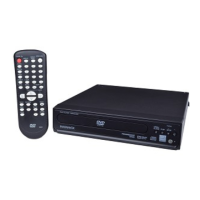
remote control
(NB093UD)
• AA 1.5 V
battery x 2
not supplied.
audio/video cables
(WPZ102SCP002)
quick start guide
(1VMN29294)
owner’s manual
(1VMN29293)
STANDBY-ON
AUDIO
SUBTITLE
ANGLE
REPEAT
CLEAR
A
-
B
PAUS E
SETUP
TOP MENU
MENU
ENTER
MODE
ZOOM RETURN
SLOW
SKIP
OPEN/CLOSE
DISPLAY
SEARCH
MODE
12
3
45
6
78
9
0
+10
PLAY
REV FWD
STOP
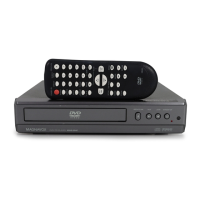
Owner’s Manual
DVD/CD Player
MDV2100/F7
Supplied Accessories
Owner’s Manual
Please read before using this unit.
If you need additional operating assistance after
reading this owner’s manual, please call
TOLL FREE : 1-800-605-8610
or visit our web site at
www.magnavox.com/support
Contents
If your TV has antenna in jack only, it is still possible to
connect this unit to your TV by using an RF modulator. In
this case, follow the instructions below.
1) Disconnect the power cords of the devices from the
AC outlet.
2) Make the connection as illustrated below.
3) Set your RF modulator’s channel 3/4 switch to
either 3 or 4, whichever the TV channel is least used in
your area. If your RF modulator has a modulator/
antenna switch, set it according to the manual
supplied with the RF modulator.
4) Plug in the power cords of the devices to the AC outlet.
5) Turn on your TV and choose the same channel as
you set the RF modulator’s channel 3/4 switch to.
For more details, follow the manual supplied with the
RF modulator.
rear of TV
rear of your RF
modulator
AUDIO IN TO TVANT. IN
LR
CHANNEL
43
VIDEO IN
ANT. IN
Set channel 3 or 4
rear of this unit
RF coaxial cable
RF coaxial
cable
VHF / UHF
antenna
cable TV
company
or
video cable
audio cable
L
R
VIDEO
OUT
AUDIO
OUT
COMPONENT
VIDEO OUT
VIDEO
OUT
AUDIO
OUT
COAXIAL
DIGITAL
AUDIO OUT
S-VIDEO
OUT
CR/PR
CB/PB
Y
L
R
Connecting to RF Modulator (Not Supplied)
Note:
• RF modulator is not supplied with this unit. You need to
purchase it at your local store.
• The quality of picture may become poor if this unit is
connected to an RF modulator.
© 2010 Funai Electric Co., Ltd.
INSTRUCCIONES EN
ESPAÑOL INCLUIDAS.
PRECAUTIONS
Safety Instructions .....................................................................2
About the Discs ..........................................................................5
Playable Discs .......................................................................................... .5
Unplayable Discs .................................................................................... .5
SETUP
Connections .............................................................................. .6
Connection to a TV ................................................................................ .6
Connection to an Audio System ...................................................... .7
Rear Terminals ......................................................................................... .7
About the Remote Control ........................................................8
Remote Control ...................................................................................... .8
Installing the Batteries for the Remote Control .......................... .8
DVD FUNCTIONS
Playback ....................................................................................9
MP3 Playback ...........................................................................10
Search Functions ......................................................................10
Using Track Search ............................................................................... .10
Using Title / Chapter Search ............................................................. .10
Using Time Search ................................................................................ .10
On-Screen Display ....................................................................11
Repeat / Random / Programmed Playback .............................12
Repeat Playback .................................................................................... .12
Repeat A-B Playback ............................................................................ .12
Random Playback ................................................................................. .12
Programmed Playback ........................................................................ .12
Special Settings ........................................................................13
Subtitle Language................................................................................. .13
Audio Language .................................................................................... .13
Camera Angles ....................................................................................... .13
Black Level Setting................................................................................ .13
Stereo Sound Mode ............................................................................. .13
Virtual Surround .................................................................................... .13
DVD Setting ..............................................................................14
LANGUAGE Setting ............................................................................... .14
DISPLAY Setting ..................................................................................... .15
AUDIO Setting ........................................................................................ .15
PARENTAL Setting ................................................................................ .16
OTHERS Setting...................................................................................... .16
Reset to the Default Setting
(Except for PARENTAL Setting) ........................................................ .17
INFORMATION
Troubleshooting Guide ............................................................17
Specifications ...........................................................................18
LIMITED WARRANTY .................................................................18
Español .....................................................................................19

 Need help?
 Connectivity
 Weight and Dimensions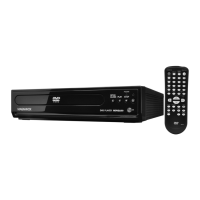

 To Next Page