EasyManua.ls Logo

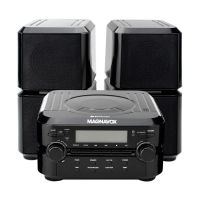
Magnavox MM435 - User Manual

Magnavox MM435
21 pages
Print Icon
To Next Page IconTo Next Page
Loading...

Questions and Answers

  • A
    Allison DavisJul 27, 2025
    How to fix Magnavox CD Player when it has no power?
    • J
      juliejonesJul 27, 2025
      If your Magnavox CD Player has no power, the AC power cord might not be properly connected. Ensure the AC cord is plugged into a wall outlet providing AC 120V~; 60Hz.
  • K
    Kayla RamirezJul 31, 2025
    Why is there no sound coming from my Magnavox MM435 CD Player?
    • L
      lori51Jul 31, 2025
      If there's no sound or the sound is weak on your Magnavox CD Player, first, check the volume level on the unit itself. Increase the volume by turning the VOLUME Control Knob clockwise. Also, ensure the volume level of any paired or connected device is not too low. If it is, increase the volume on that device as well.
  • J
    John MortonAug 4, 2025
    What to do if my Magnavox CD Player CD does not play?
    • D
      Daniel LoganAug 4, 2025
      If the CD is not playing on your Magnavox CD Player: 1. Ensure the unit is in CD mode by pressing the FUNCTION Button repeatedly until “Cd” appears on the display. 2. Make sure the CD disc is correctly installed on the center spindle with the label side facing up. 3. If the issue persists, the disc might be dirty or scratched. Try using other discs to see if that resolves the problem.
  • D
    Dr. Benjamin MarshallAug 8, 2025
    Why is the Bluetooth not working on my Magnavox MM435?
    • J
      John OlsonAug 9, 2025
      If the BT function isn't working on your Magnavox CD Player: * Ensure the unit is in BT mode by pressing the FUNCTION Button repeatedly until “bt” appears on the display. * Make sure the external BT device is paired to the unit. * Verify that the external BT device is close to the unit.
  • D
    David JohnsonAug 13, 2025
    Why is the radio not working on my Magnavox MM435?
    • M
      markrobinsonAug 13, 2025
      If the radio is not functioning on your Magnavox CD Player, make sure the unit is in radio mode. Press the FUNCTION Button repeatedly until either the “AM” or “FM” indicator appears on the display.
  • J
    Judith SmithAug 18, 2025
    What to do if my Magnavox MM435 has sound distortion?
    • A
      Amy MartinAug 18, 2025
      If you are experiencing sound distortion with your Magnavox CD Player, it could be due to the volume level being too high. Try reducing the volume level by turning the VOLUME Control Knob counterclockwise. Also, check the volume level of any connected or paired device; if it's too high, reduce its volume as well.
  • L
    lawrencedustinAug 21, 2025
    How to improve radio reception on Magnavox MM435?
    • B
      baldwinjanetAug 21, 2025
      If the radio reception is poor on your Magnavox CD Player, the direction or location may not be ideal for radio reception. Try turning the unit to a new direction or moving it to a new location.

Summary

IMPORTANT SAFETY INSTRUCTION

Safety Symbols and Warnings

Explains symbols like Caution, Danger, Warning, and their associated safety instructions.

CARE AND MAINTENANCE

LOCATION OF CONTROLS

Main Unit Controls

Identifies and labels the various buttons and knobs on the front panel of the main unit.

CONNECTION

Power Source Connection

Explains how to connect the unit to a standard AC power outlet.

OPERATION

General Operation

Describes basic operations like turning on/off, selecting playback modes, and adjusting volume.

Clock Setting

Provides step-by-step instructions for setting the unit's actual time.

ALARM SET

Setting Alarm Time and Wake-up Mode

Guides on setting alarm times and choosing wake-up sources (buzzer, CD, radio).

BLUETOOTH FUNCTIONALITY

Bluetooth Pairing Procedure

Steps for pairing the unit with external Bluetooth devices for audio playback.

RADIO OPERATION

Tuning and Band Selection

Instructions for selecting radio bands and tuning to stations.

CD PLAYBACK

PROGRAMMED CD PLAYBACK

AUXILIARY INPUT

TROUBLESHOOTING GUIDE

Common Issues and Solutions

Lists common problems and their corresponding causes and resolutions.

LIMITED WARRANTY INFORMATION

Magnavox MM435 Specifications

General IconGeneral
BrandMagnavox
ModelMM435
CategoryCD Player
LanguageEnglish

Related product manuals