Need help?
Do you have a question about the Magnavox MRD-200 and is the answer not in the manual?
Important initial instructions and contact information for product support.
Phone number for immediate assistance with Magnavox products.
Details on the advantages of registering your Magnavox product.
Explanation of safety symbols and section for recording product details.
Essential safety guidelines and precautions for operating the apparatus.
Information regarding copyright protection technology used in the product.
Information on FCC regulations and guidelines for safe installation.
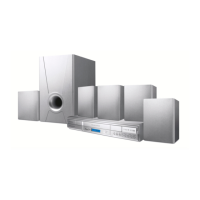
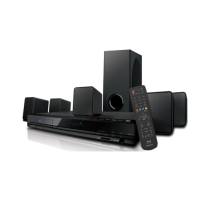
Greeting and overview of the DVD Home Cinema System features.
Details on disc types supported and DVD region coding information.
Explanation of NTSC, PAL, and SECAM color systems and compatibility.
Buttons for controlling disc playback, searching, and navigating menus.
Buttons for adjusting volume, sound modes, and accessing system settings.
Buttons for powering the unit and managing disc insertion/removal.
Buttons for playback control, status display, and audio adjustments.
Connectors for antennas and video signal outputs (Component, S-Video, Composite).
Ports for digital audio outputs, analog audio inputs/outputs, and speaker terminals.
Step-by-step guide for initial setup of the DVD Receiver.
Instructions for installing remote batteries and connecting antennas.
Instructions for connecting the DVD Receiver to a TV using composite video.
Instructions for connecting the DVD Receiver to a TV using component video.
Instructions for connecting the DVD Receiver to a TV using an S-Video cable.
Guide for connecting front, center, and surround speakers to the DVD Receiver.
Connecting to TVs and external audio devices like CD recorders.
Connecting VCRs or satellite boxes for audio and surround sound.
Steps for connecting a VCR to record DVDs, noting copy protection.
Step-by-step guide for playing a disc.
Explanation of how to navigate and use DVD Disc Menus.
Features like pausing, selecting tracks, searching, stopping, and resuming.
How to access and navigate the DVD Receiver's System Menu.
How to select subtitle and audio track languages for DVDs.
How to play discs in slow motion and fast forward/reverse.
How to select specific titles/chapters and search by time.
How to view disc status and enlarge/pan the video image.
How to select camera angles and play discs frame-by-frame.
How to use PBC on VCDs and play MP3 files.
How to set the DVD Receiver to repeat tracks, chapters, discs, or segments.
How to create and play a custom sequence of tracks.
How to set the DVD Receiver's color system to match your TV and DVDs.
How to select the picture format (Letterbox, Pan & Scan, Widescreen).
How to manage the screen saver and set the video output format.
How to set digital audio output and activate Night Mode for volume leveling.
How to adjust speaker delay times and volume levels for optimal sound.
How to select languages for DVD audio, subtitles, and menus.
How to change the language of the DVD Receiver's System Menu.
How to set parental control levels to restrict disc playback.
How to set or change the parental control password.
How to reset the DVD Receiver to its original factory settings.
How to adjust overall volume and individual speaker levels.
How to select preset audio modes for enhanced sound effects.
How to select and utilize various surround sound modes.
Instructions for finding, tuning, and storing radio stations.
How to set the DVD Receiver to turn off automatically after a set time.
Steps to resolve issues with power, picture, and distorted or no sound.
Steps to resolve issues with disc playback, remote control, and audio CDs.
Detailed technical specifications for various system components.
Specifications for the laser, power supply, and remote control.
Definitions of technical terms used throughout the manual.
Details on who is covered, what is covered, and what is excluded by the warranty.
Information on product exchange locations and consumer rights.
 General
| Brand | Magnavox |
|---|---|
| Model | MRD-200 |
| Category | Home Theater System |
| Speaker Configuration | 5.1 channel |
| Remote Control | Yes |
| Progressive Scan | Yes |
| Playable Media Format | CD, DVD |
| Supported Media | CD-R, CD-RW |
| Surround Sound | Dolby Digital |
| Inputs | Composite Video |
| Outputs | Composite Video |

 To Next Page