EasyManua.ls Logo

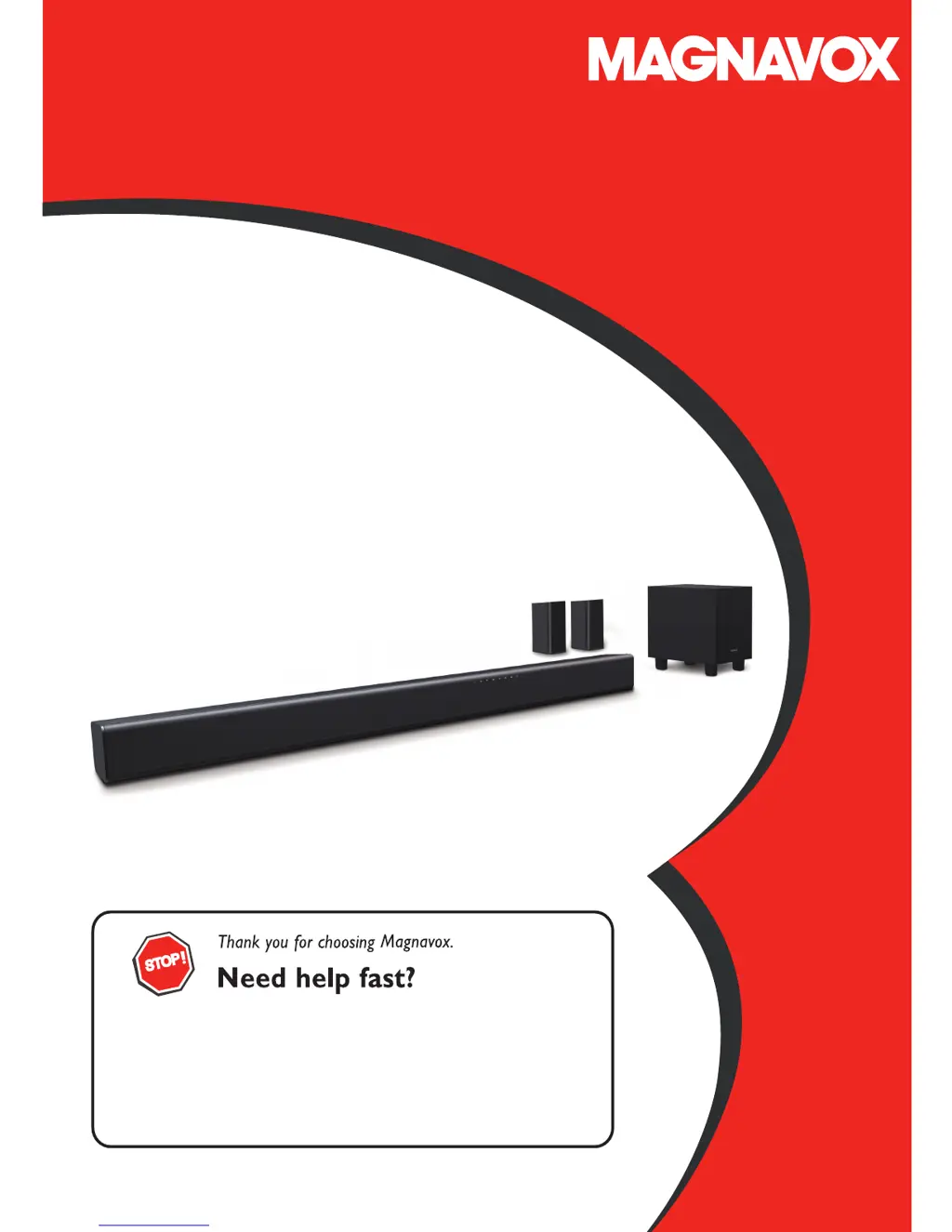
Magnavox MSB5660 - User Manual

Magnavox MSB5660
20 pages
Print Icon
To Next Page IconTo Next Page
Loading...
Owner’s Manual
Read your Quick Start Guide and/or Owner's Manual first for quick tips
that make using your MAGNAVOX product more enjoyable.
If you have read your instructions and still need assistance,
you may access our online help at
www.magnavox.com/support/
or call 1-866-341-3738
© 2016 Funai Electric Co., Ltd.
MSB5660
5.1ch Soundbar with Wireless Subwoofer

Questions and Answers

  • J
    jason87Aug 14, 2025
    Why is there no sound from my Magnavox Speaker System?
    • O
      Omar GutierrezAug 14, 2025
      If you're not getting any sound, make sure both the TV (or other device) and the Soundbar are turned on. Check that the connections to the TV or device are properly made. Try pressing the INPUT source buttons on your Soundbar’s Remote Control to select the correct audio input. Also, make sure the Soundbar isn't muted by pressing VOL +/ to unmute it. For optical audio connections, select another audio signal on the connected external device. If you are using an optical sound connection, ensure that the optical cable connector is completely inserted into the terminal until you hear a click. If you experience chatter or distorted sound, try lowering the volume.
  • C
    Christopher WilsonAug 18, 2025
    What to do if my Magnavox MSB5660 remote control is not working?
    • W
      walkeraprilAug 18, 2025
      If the remote isn't working, first ensure the Soundbar's AC power cord is plugged into an outlet. Then, check the batteries in the remote, ensuring they're correctly inserted (+/-). Aim the remote directly at the center of the unit. As a test, you can use a digital or phone camera, point the remote at the camera lens, and press any button on the remote. If these steps don't resolve the issue, and you suspect an electrical system failure, unplug the AC power cord and contact the service center.
  • D
    Debra HensonAug 21, 2025
    How to fix no power on Magnavox MSB5660?
    • S
      Steven OlsonAug 21, 2025
      If there's no power and the LED lights are off, check that the AC power cord is properly connected. Try unplugging the AC outlet, wait 15-20 seconds, and then plug it back in.
  • R
    rgeorgeAug 25, 2025
    What to do if my Magnavox MSB5660 subwoofer or satellite speakers have no sound?
    • B
      Brian DuffyAug 26, 2025
      If there's no sound from the subwoofer or satellite speakers, check if the PAIRING indicator on the rear of the subwoofer is lit. Confirm that all speakers and the subwoofer are outputting sound by performing a speaker check. If the satellite speakers aren't emitting sound, press the surround sound button on the remote control to turn surround sound on.
  • S
    Scott GonzalesAug 28, 2025
    Why won't my device connect via Bluetooth to my Magnavox MSB5660?
    • P
      Paul MaciasAug 28, 2025
      If an external device won't connect via Bluetooth, first confirm that the device is compatible with the audio signals supported by the Soundbar and that Bluetooth is enabled on the external device. If reconnecting fails, delete the registered profile of the Soundbar from the Bluetooth device and try again. If another Bluetooth device is already connected to the Soundbar, disconnect it and then try again.
  • E
    Elizabeth JohnsonAug 31, 2025
    How to resolve distorted sound on Magnavox MSB5660 Speaker System?
    • K
      kterryAug 31, 2025
      To address distorted sound, try adjusting the sound settings of the connected device. Additionally, decrease the volume on the connected Bluetooth compatible device.
  • L
    Lisa MartinSep 3, 2025
    How to improve Bluetooth sound quality on Magnavox MSB5660 Speaker System?
    • C
      Courtney WalkerSep 3, 2025
      If the sound quality from a Bluetooth device is poor, the Bluetooth reception may be weak. Make sure there are no obstructions between the Bluetooth device and the Soundbar. If the sound quality doesn't improve, move the Bluetooth device closer to the Soundbar.
  • A
    Alexander HernandezSep 7, 2025
    Why is my Magnavox MSB5660 Bluetooth connection unstable?
    • S
      Samantha SmithSep 7, 2025
      If the Bluetooth connection is unstable, the Bluetooth reception might be poor. Ensure there are no obstacles between the Bluetooth device and the Soundbar. If the connection doesn't stabilize, try moving the Bluetooth device closer to the Soundbar.
  • P
    Peggy CurtisSep 12, 2025
    What causes abnormal noise from Magnavox MSB5660 Speaker System?
    • A
      Alexander NashSep 12, 2025
      If you're hearing abnormal noise, make sure all cables are fully plugged in.

Summary

Important Safety Instructions

General Safety Instructions

Follow all safety instructions and warnings for product operation.

Main Unit Overview

Main Unit Panel Descriptions

Details of the top, front, side panels and back connectors of the main unit.

Subwoofer and Satellite Speakers

Subwoofer Back Panel Connectors

Description of connectors on the rear of the subwoofer.

Remote Control Operation

Remote Control Button Functions

Detailed explanation of how to use each button on the remote control.

Connections and Wiring

Connecting to Television Audio

Diagrams and instructions for connecting the soundbar to a TV.

Connecting External Audio Sources

How to connect other devices like MP3 players or game consoles.

Speaker System Setup

Connecting Satellite Speakers to Subwoofer

Guide for wiring the satellite speakers to the subwoofer unit.

Basic Soundbar Operation

Turning On and Subwoofer Pairing

Steps to power on the unit and ensure subwoofer detection.

Volume and Sound Modes

Adjusting Volume and Muting

Instructions for controlling the soundbar's volume and muting audio.

Advanced Soundbar Usage

Bluetooth Connectivity and Playback

Steps for pairing and playing audio from Bluetooth devices.

Information and Troubleshooting

Troubleshooting Common Issues

Solutions for problems like no power, no sound, or distorted audio.

Magnavox MSB5660 Specifications

General IconGeneral
BrandMagnavox
ModelMSB5660
CategorySpeaker System
LanguageEnglish

Related product manuals