EasyManua.ls Logo

Magnavox MSH318 - User Manual

Magnavox MSH318
22 pages
Print Icon
To Next Page IconTo Next Page
Loading...
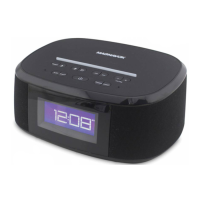
MODEL: MSH318
PLEASE READ BEFORE OPERATING THIS EQUIPMENT.
OWNER'S MANUAL
ALEXA PORTABLE
SPEAKER VOICE ACTIVATED
WATER PROOF
Size: 148.5(W) x 210(H)mm (A5)

Questions and Answers

  • Y
    yorkpaulAug 3, 2025
    How to fix no sound on Magnavox Speakers?
    • J
      joseph28Aug 3, 2025
      If your Magnavox Speakers have no sound or the sound is weak, check the volume level. If the volume is at the minimum, raise it by pressing the + button on the top of the Clock. Also, ensure that the volume level of your paired or connected device is not too low; if it is, increase the volume on that device.
  • S
    Seth DunnAug 12, 2025
    What to do if Wi-Fi is not functioning on Magnavox Speakers?
    • B
      Brittney KhanAug 12, 2025
      There might be a few reasons why Wi-Fi is not functioning on your Magnavox Speakers. First, ensure that the Clock has been added to the Wi-Fi network and that you have signed in to your Amazon account. Second, check if the Clock is in standby mode; if so, press and hold the " " button to turn it on. Finally, make sure that the Clock and your mobile devices are connected to the same 2.4G Wi-Fi network.
  • M
    Mike GarrettAug 23, 2025
    What to do if FM reception is weak on Magnavox Speakers?
    • M
      Mark PenaAug 23, 2025
      To address weak FM reception on your Magnavox Speakers, unwind the FM wire antenna to its full length and/or reassemble it in a different direction or location to improve reception.

Summary

Important Safety Instructions

Electrical Shock Prevention

Precautions against electric shock from internal components and external exposure.

Environmental and Accessory Warnings

Warnings about exposure to rain/moisture and using recommended accessories.

Detailed Safety Guidelines

Hazard Avoidance and Servicing

Button Cell Installation and Precautions

Wi-Fi Setup Procedure

Amazon Account and App Preparation

Steps to create an Amazon account and download necessary mobile applications.

Device Network and Time Zone Setup

Configuring the device's Wi-Fi network and time zone settings.

Wi-Fi Connection Process

Powering and Initializing Connection

Connecting to AC power and initiating the Wi-Fi connection sequence.

Entering Wi-Fi Setup Mode

Activating the speaker's setup mode to establish a Wi-Fi connection.

Connecting to Wi-Fi Network

Device Discovery via App

Using the mobile app to automatically scan and discover available devices.

Device Selection for Connection

Selecting the correct device model (MSH318) from the list for connection.

Wi-Fi Network Configuration

Manual Wi-Fi Settings Adjustment

Accessing phone Wi-Fi settings to connect to the device's network.

Network Selection and Password Entry

Choosing the desired Wi-Fi network and entering the password for connection.

Finalizing Wi-Fi Setup

Integrating with Amazon Account

Linking the device to an Amazon account to enable Alexa features.

Amazon Account Integration

Sign In or Create Amazon Account

Signing into an existing Amazon account or creating a new one.

Alexa Operation and Voice Commands

Alarm and Radio Functions

Audio Playback Modes

Cleaning and Troubleshooting

Magnavox MSH318 Specifications

General IconGeneral
BrandMagnavox
ModelMSH318
CategoryClock Radio
LanguageEnglish

Related product manuals