EasyManua.ls Logo

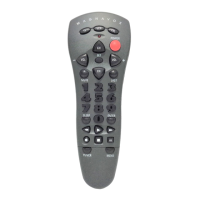
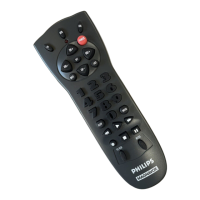
Magnavox REM110 - User Manual

Magnavox REM110
7 pages
Print Icon
To Next Page IconTo Next Page
Loading...
Thank you for purchasing a Philips Magnavox 3 device univer-
sal remote control. This universal remote control will operate
your Television,Video Cassette Recorder, and Cable Converter
Box. Before you can use your new remote control,you will
need to program it to operate the specific components you
wish to control. This remote features:
Channel Scan,a convenient way to "channel surf"
by scanning channels.
Auto Scan code search to help program remote
control for a variety of components, including
older/discontinued models.
Built-in Sleep Timer.
Controls for basic functions, including Power,
Channel Selection,Volume, Play and Record.
KEYS AND FUNCTIONS
2
1
2
3
4
6
9
10
12
13
14
12
11
9
3
7
4
8
5
REM110
Universal Remote

Questions and Answers

  • C
    Chad DanielJul 29, 2025
    How to reset Magnavox Universal Remote?
    • A
      ashleyjacobsJul 29, 2025
      To clear all set up codes and restore functions to default on your Magnavox Universal Remote, press SET until the red light blinks twice, release SET, and then enter 9-8-1.
  • J
    Jennifer RamirezAug 2, 2025
    Why is my Magnavox Universal Remote not working with all devices?
    • J
      James GriffinAug 3, 2025
      If your Magnavox Universal Remote isn't controlling your home entertainment components or the commands aren't working correctly, try all the listed codes for the component brand you're setting up. Also, verify that all your components can be operated with an infrared remote control.
  • J
    Jason OlsonAug 6, 2025
    Why volume buttons don't work on Magnavox REM110 Universal Remote?
    • R
      Robert JamesAug 6, 2025
      If the VOL+, VOL- and MUTE keys are not functional on your Magnavox Universal Remote, make sure that the volume control is locked to a component that has volume capabilities and is programmed into the remote control.
  • G
    gbeasleyAug 11, 2025
    How to fix Magnavox REM110 Universal Remote when red light doesn't blink?
    • A
      Alicia HansenAug 11, 2025
      If the red indicator light on your Magnavox Universal Remote doesn't blink when you press a key, replace the batteries with two 'AA' alkaline batteries.
  • D
    Douglas WestAug 15, 2025
    Why CH+, CH- and LAST buttons don't work on Magnavox REM110 with RCA TV?
    • M
      Mr. Michael SmithAug 15, 2025
      Due to an RCA design (1983-1987), only the original remote control will operate these functions. Thus, CH+, CH- and LAST do not work for your RCA TV when using Magnavox Universal Remote.
  • R
    Ryan RobertsAug 20, 2025
    What to do if Magnavox REM110 Universal Remote red light blinks but nothing happens?
    • D
      David StephensAug 20, 2025
      If the red indicator light blinks when you press a key on your Magnavox Universal Remote, but your home entertainment component isn't responding, ensure you're aiming the remote directly at the component and are within 15 feet of it.
  • H
    hernandezphillipAug 25, 2025
    What to do if Auto Scan doesn't find code on Magnavox REM110 Universal Remote?
    • K
      kevin91Aug 25, 2025
      If the Auto Scan on your Magnavox Universal Remote didn't find a working code, try Auto Scan again after clearing out the component key. To do this, press and hold SET until the Red Light blinks twice, then release. Next, enter 9-9-2. Then, press and release the component key to be cleared twice.

Summary

Universal Remote Keys and Functions

Setting Up Your Remote Control

About Batteries

Details battery type, installation, and usage notes.

Replacement and Code Saver

Explains battery replacement and code retention features.

Programming Your Remote Control

Guides on programming the remote for specific devices.

Other Remote Control Features

Volume Lock

Feature to control volume independently across modes.

Punch Through

Allows VCR keys to control VCR in any mode.

Sleep Feature

Timer function for automatic power-off.

Troubleshooting

Indicator Light Issues

Solutions for problems with the remote's indicator light.

Key Functionality Problems

Troubleshooting for non-responsive keys or functions.

Auto Scan Failure

Steps to take if Auto Scan cannot find a working code.

Magnavox REM110 Specifications

General IconGeneral
BrandMagnavox
ModelREM110
CategoryUniversal Remote
LanguageEnglish

Related product manuals