Magner350 USER Guide
Magner INT 35
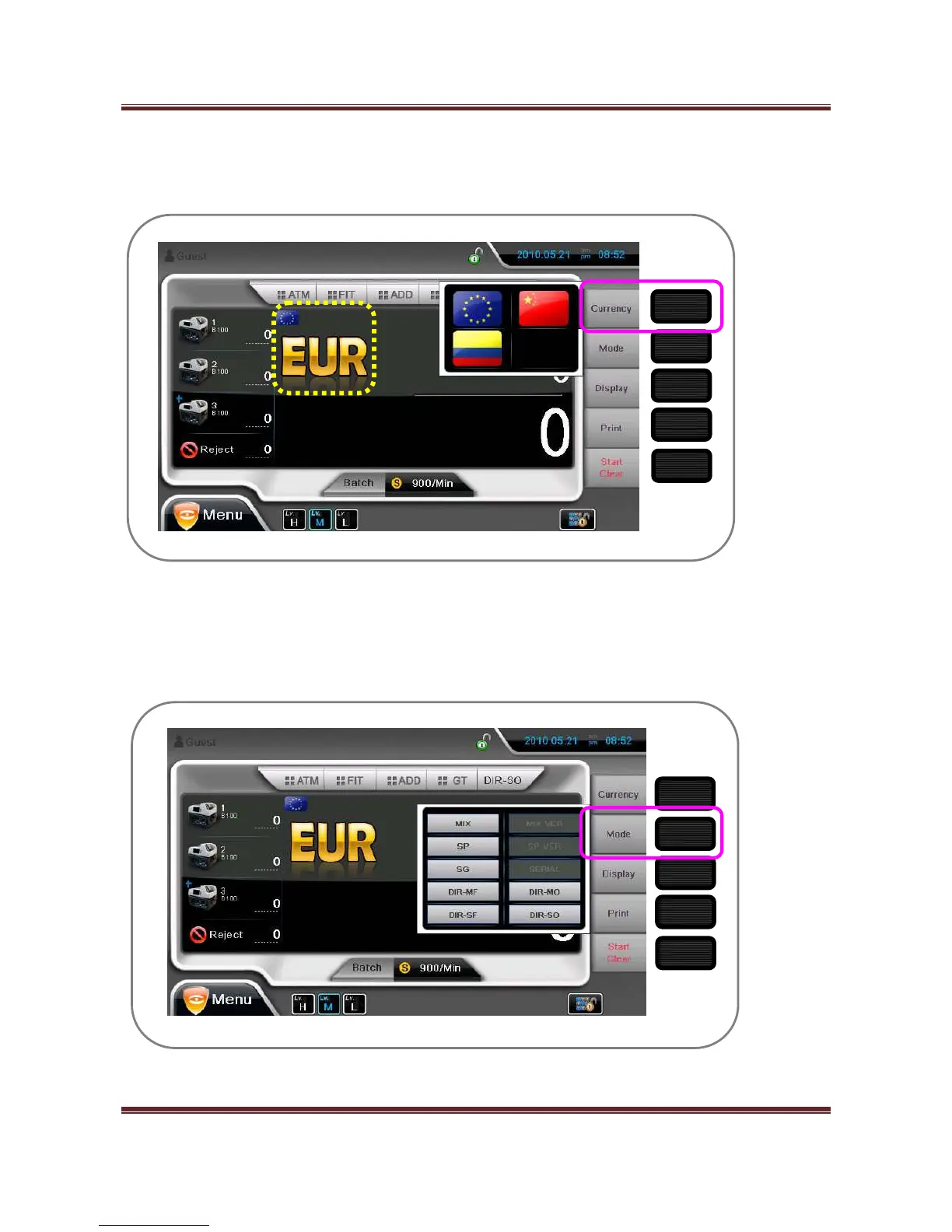
3-1. Currency
By holding Currency key, local currencies that machine have is shown.
By touching national flag, the currency can be selected.
By pressing Currency icon or Currency key shortly, local currency is changed in order.
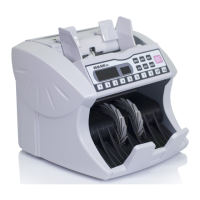
3-2. Mode
By holding Mode key, drop-down menu of Operation Mode 2 is shown.
By this key, Operation Mode can be selected directly.
3-3. Display


 To Next Page