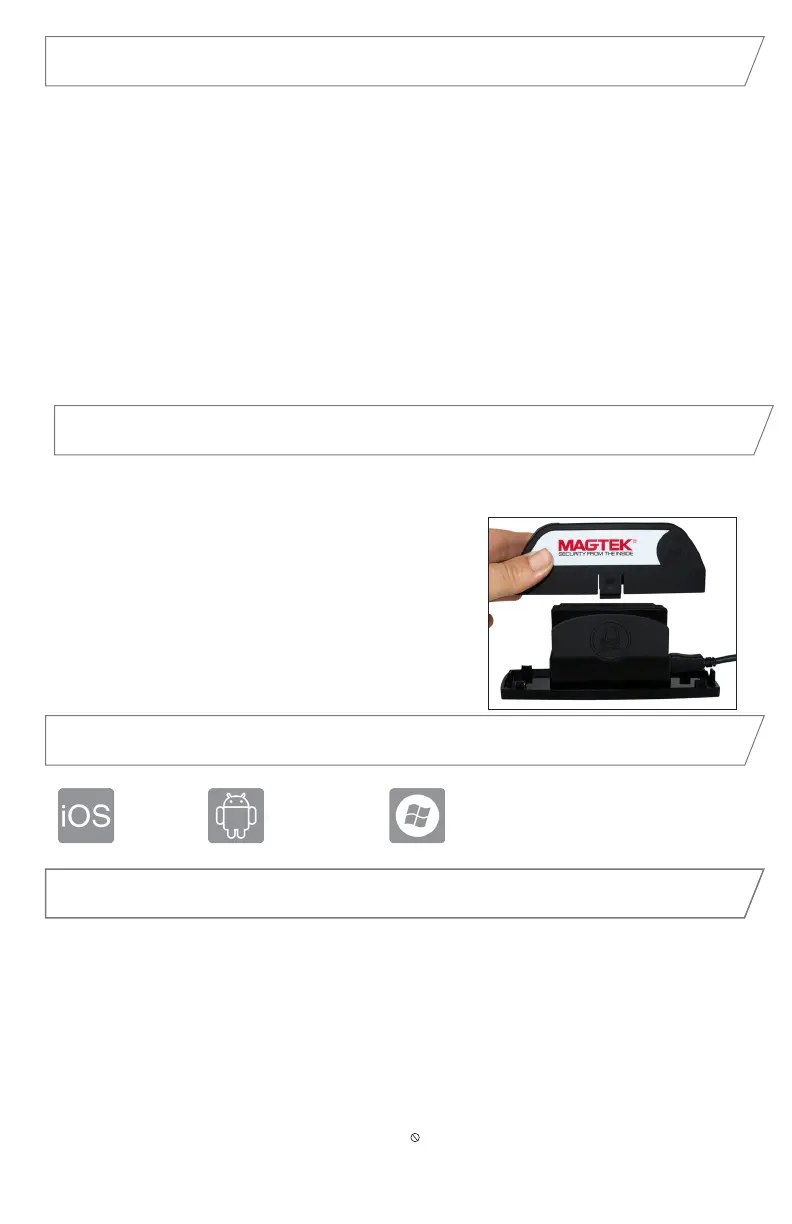
With the optional docking station for surface-mounted applications, simply press eDynamo
onto any smooth, clean surface. The micro-suction base offers the optimal level of
stickiness so cardholders can swipe with condence
without requiring any mounting hardware or alterations
to the mounting surface. In addition, the docking station
includes recessed panels to apply your own branding.
Connect the USB cable to eDynamo. Place eDynamo
on the base. Then connect the top case over eDynamo
connecting to the base.
Part Number: 21079809
Device modes
www.magtek.com
Tested Operating Systems
iOS 7.1
and above
Android 4.4.2
and above
USB: Win 7,
Win 8.1,Win 10
Compliance
FCC WARNING STATEMENT: This equipment has been tested and was found to comply with the limits for a Class B digital device pursuant to Part 15 of FCC Rules. These limits are designed to provide
reasonable protection against harmful interference when the equipment is operated in a residential environment. This equipment generates, uses, and can radiate radio frequency energy and, if not installed
and used in accordance with the instruction manual, may cause harmful interference with radio communications. However, there is no guarantee that interference will not occur in a particular installation.
FCC COMPLIANCE STATEMENT: This device complies with Part 15 of the FCC Rules. Operation of this device is subject to the following two conditions: (1) this device may not cause harmful interference, and
(2) this device must accept any interference received, including interference that may cause undesired operation.
CANADIAN DOC STATEMENT: This digital apparatus does not exceed the Class B limits for radio noise from digital apparatus set out in the Radio Interference Regulations of the Canadian Department of
Communications.
Le présent appareil numérique n’émet pas de bruits radioélectriques dépassant les limites applicables aux appareils numériques de la classe B prescrites dans le Réglement sur le brouillage radioélectrique
édicté par le ministère des Communications du Canada.
This Class B digital apparatus complies with Canadian ICES-003.
Cet appareil numériqué de la classe B est conformé à la norme NMB-003 du Canada.
CE STANDARDS: Testing for compliance with CE requirements was performed by an independent laboratory.
The unit under test was found compliant with standards established for Class B devices.
UL/CSA: This product is recognized per Underwriter Laboratories and Canadian Underwriter Laboratories 1950.
RoHS STATEMENT: When ordered as RoHS compliant, this product meets the Electrical and Electronic Equipment (EEE) Reduction of Hazardous Substances (RoHS) European Directive 2002/95/EC. The
marking is clearly recognizable, either as written words like “Pb-free”, “lead-free”, or as another clear symbol ( ).
Pb
• Airplane Mode: ship mode, will not advertise/communicate over Wireless.
• Reset Mode: to reset to Airplane Mode, hold the pushbutton for 5 to 10 seconds.
• Discoverable Mode: press the pushbutton briey to get to this waiting/ready state.
Device is not connected to USB but advertises over Wireless.
• Pairing Mode: to pair the reader via Wireless, hold the pushbutton for two seconds, the
LED will ash three times, release the pushbutton. The device will advertise over Wireless
and the Wireless Status LED will ash once every two seconds. Find and pair on the
terminal.
• Connected Mode: connected to a USB host, or paired to Wireless host, the device
does not advertise and is not discoverable.
• Tamper Mode: self-test has failed or a tamper has been detected, the device must be
returned to manufacturer for a factory reset.
Optional Docking Station


 To Next Page
 Loading...





