Connecting to Power
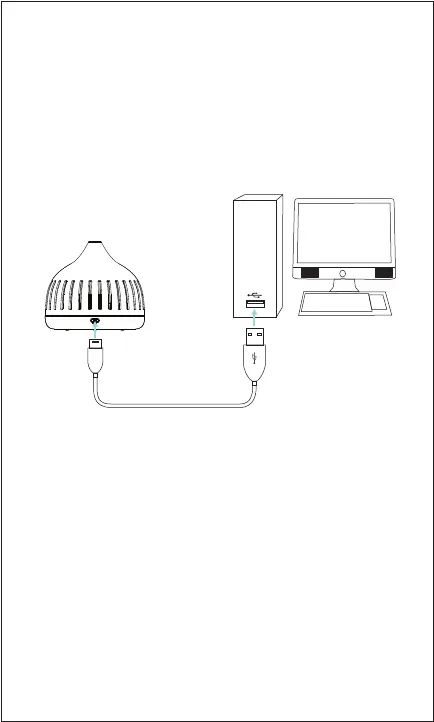
Plug the small connector of the included USB power
cable into the power port on the diuser. Plug the
large connector into the USB port on a computer, or
into a compatible 5V USB adapter
(not included) and
plug into a wall socket.
Using the Diuser & Lights
Install a scent pad and connect to power.
When the diuser is connected to power, it will automatically
power on. The LED lights will turn on and cycle through
dierent colors.
To power the diuser o, disconnect it from power.
Storing the Diuser
When not using the diuser for a long period of time, it is
recommended to remove the scent pad and dry the
surrounding area with a tissue.
The diuser is best stored in an airtight box or bag (not
included) away from heat, sunshine and moisture.


 To Next Page