P13
The next parts can be set according to your preference.
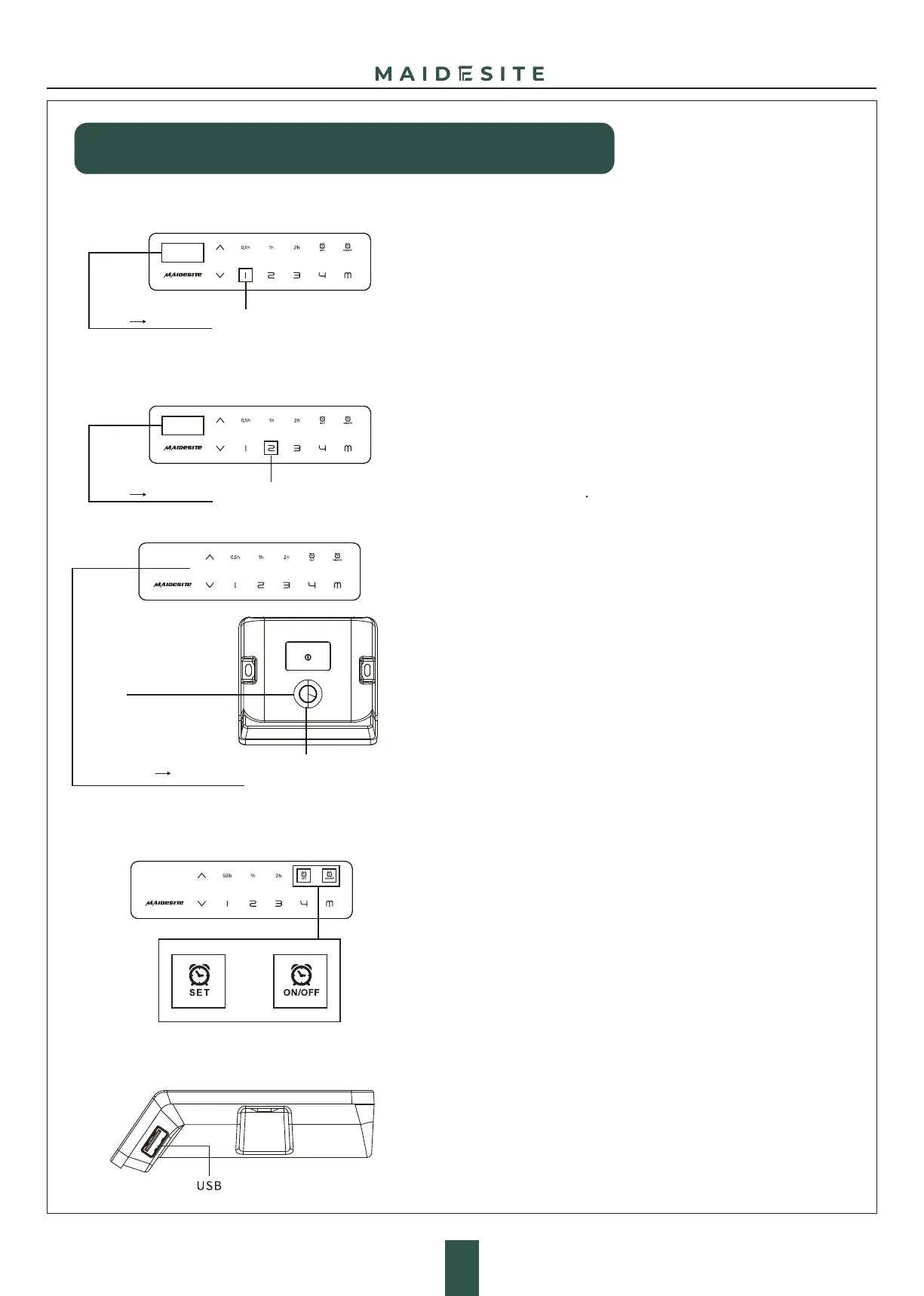
Switch the movement mode of the memory height:
Enter the RST mode (see instruction above).
Touch and hold the '1' key for 5s, the display shows one of the following:
'10.1': One-touch movement (Default)
'10.2': Constant-touch movement.
Change height unit(cm/inch):
Enter the RST mode (see instruction above).
Touch and hold the '2' key for 5s, the display shows one of
the following:
'10.3': height display in cm (Default),
'10.4': height display in inch
Child Lock
'RST' '10.1/10.2'
'RST' '10.3/10.4'
Hold for 5s
Hold for 5s
Touch and hold the Child Lock key for 4s: the displays shows 'LOC',
and all keys at front are locked.
Touch and hold the Child Lock key again for 4s to unlock.
Sit-stand Reminder:
First time use: The sit-stand reminder is active by default and the default
time is 30 minutes. Touch the 'ON/OFF' key to turn on or off the sit-stand
reminder.
Touch the 'SET' key and then choose one of the reminder time.
Please make sure that the sit-stand reminder is ON before setting
the time.
When the reminder time runs out, the hand control vibrates.
Touch any key to stop the vibration and turn off the reminder.
When the height of the desk is greater than 100 cm, the reminder will stop
the timing and reset. When the height of the desk is less than 100 cm,
the timing will restart.
Note: When there is no action, the reminder will be turned off after
about 30 seconds of vibration
Height setting
Hold for 4s
'LOC'
Child Lock
USB Charging port:
Output: DC 5V/0.8A


 To Next Page
 Loading...