
 Need help?
Do you have a question about the Maintronic Casambi CRD400 INS and is the answer not in the manual?
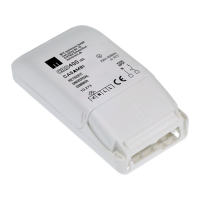
Overview of the product's features and design.
Steps for connecting the dimmer to the power supply and load.
Process for calibrating the dimmer to the connected load.
Steps to integrate the dimmer into a network and make it operational.
How to control the dimmer after setup.
Setting up the functionality of the push-button input.
Specifies the recommended applications and environments for the dimmer.
Details the operational capabilities and features of the CRD400 INS.
Provides physical size details and installation guidelines for the device.
Lists the terminal connections and their purposes for wiring.
Illustrates wire types and preparation for connections.
Shows the electrical schematic for connecting the device.
Details the automatic calibration process for the dimmer.
Explains different modes for measuring load characteristics.
How to determine the maximum number of identical luminaires.
Lists supported lamp types and their corresponding dimming modes.
Instructions for checking and installing firmware updates via the Casambi App.
Steps to integrate the device into an existing Casambi network.
Controlling the dimmer using the Casambi smartphone application.
Using the physical button on the device for control.
Describes available configurations for push-button input functionality.
Details the power output and load capacity for different load types.
Explains how temperature and heat dissipation affect the dimmer's performance.
Describes the device's behavior and protection during short circuits.
Discusses potential acoustic noise from the dimmer and its causes.
Explains causes of flickering and distinguishes them from device defects.
Lists states and values that can be queried via the Casambi App.
Details configurable settings for the dimmer functionality.
Provides a sequence of actions to restore the dimmer to factory settings.
Provides introductory remarks and general advice about the document.
Contextual information about the manual's content and updates.
Information on obtaining support and further resources.
Legal disclaimers, trademarks, and terms of use.
 General
| Brand | Maintronic |
|---|---|
| Model | Casambi CRD400 INS |
| Category | Lighting Equipment |
| Language | English |

 To Next Page