Page 3 of 16
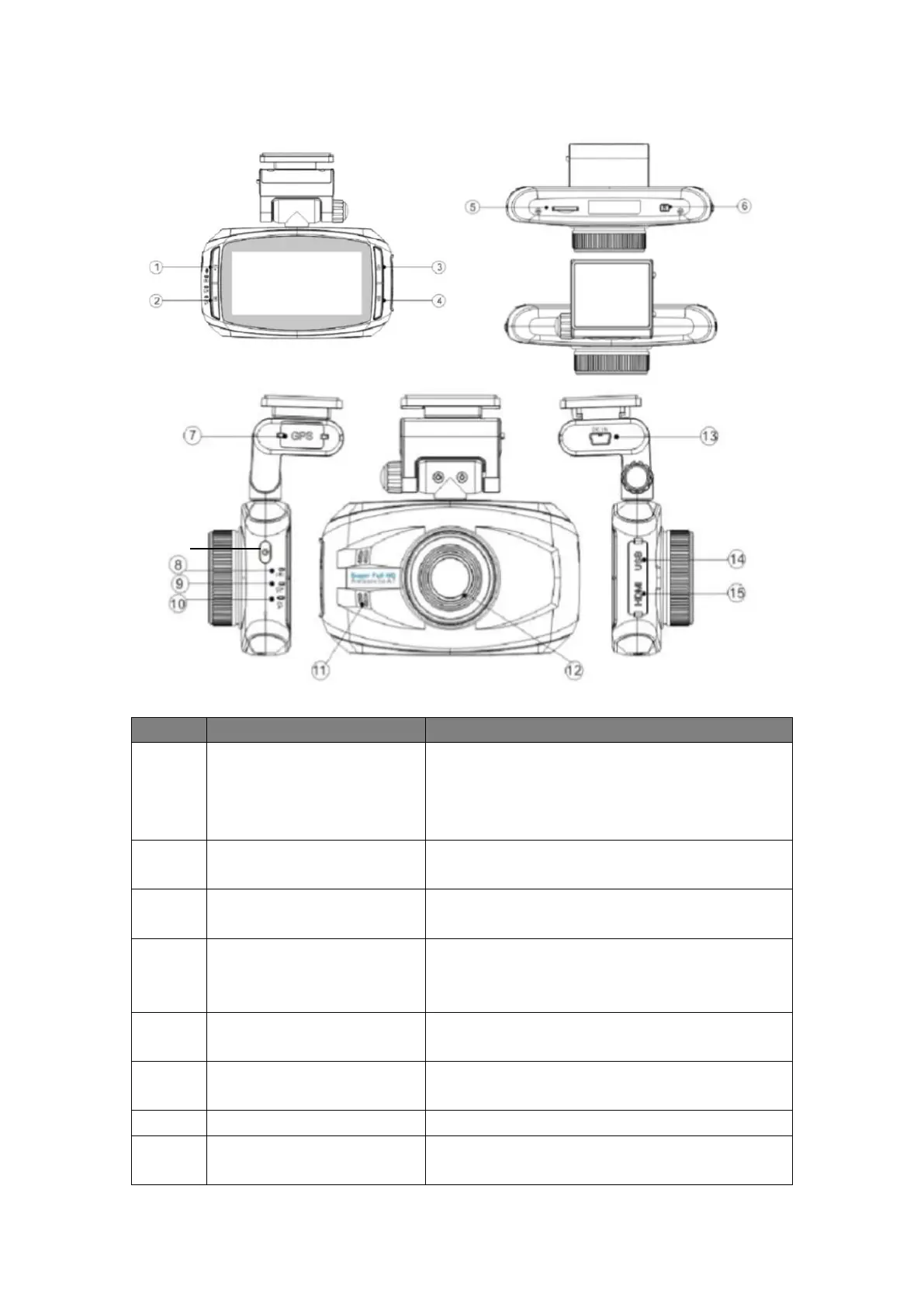
1.3 Product Overview
Button Illustration
1. Long press to enable/disable Microphone while
recording
2. Press to stop/start recording; take a picture;
start/stop playback
Press to bring up the Record/Picture/Preview/
System menu;
1.Press to go upward in the menu;
2. Press to adjust EV value while recording.
1.Press to go downward in the menu;
2.Press to switch among Record/Picture/ Preview
Mode
Insert the SD card with the gold plate facing the
back of the camera; Press to eject the SD card
Press to reset the camcorder in abnormal
situations.
When the battery is charging, this indicator will
show red light.


 To Next Page
 Loading...