Page 3 of 16
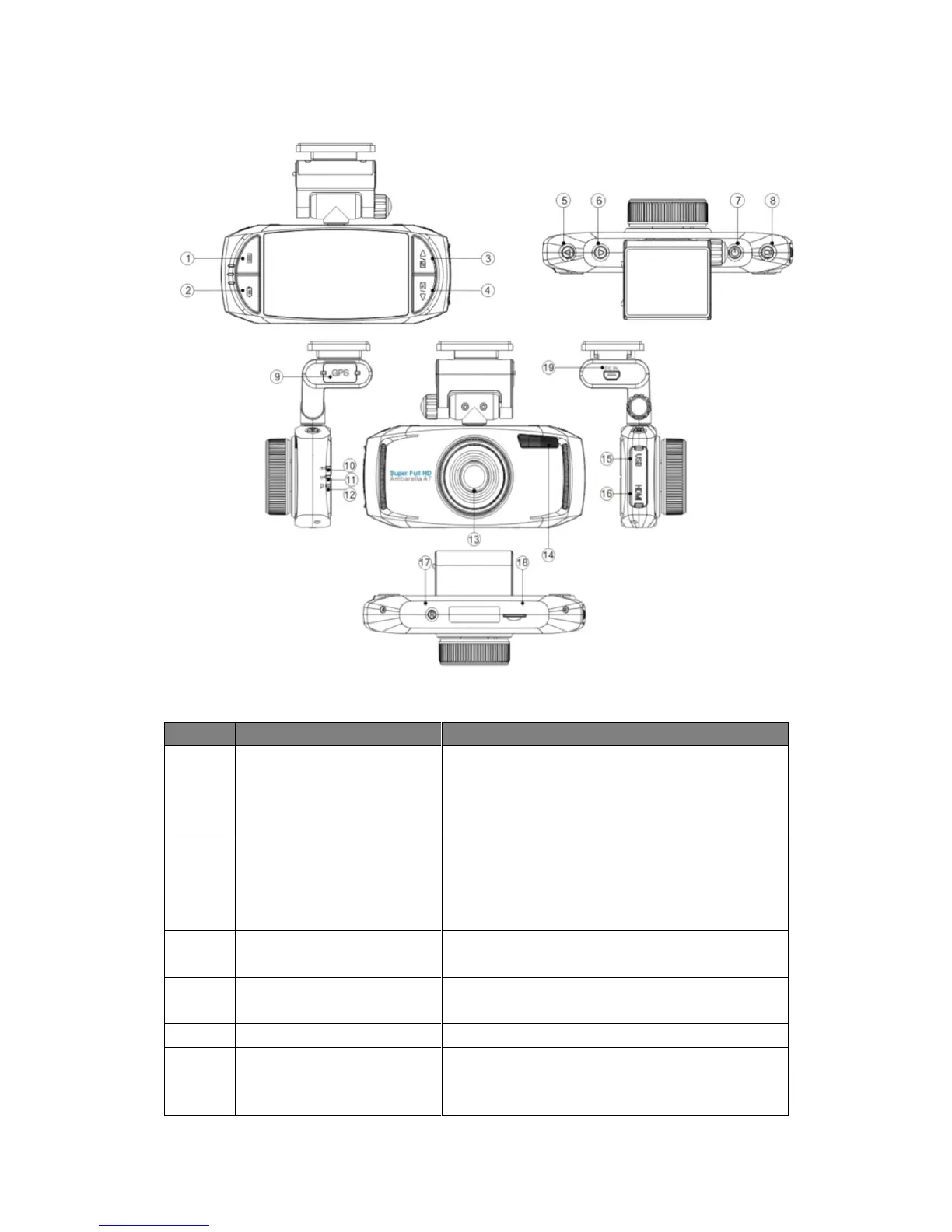
1.3 Product Overview
Button Illustration
1.Press to bring up the Record/Picture/Preview/
System menu;
2. Press to achieve emergency recording while the
device is recording.
Press to switch among Record/ Picture/Preview
Mode.
1.Press to go upward in the menu;
2.Press to enable/disable Microphone
1.Press to go downward in the menu;
2.Press to enable/disable Microphone
1.Press to go left in the menu;
2. Press to enable/disable front LED light
Press to go right in the menu;
1.Long press to turn on/off the device
2.Short press to turn on/off the screensaver
function (recording continues)



 To Next Page