
 Need help?
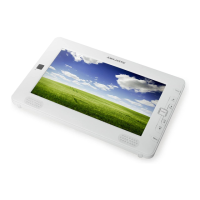
Do you have a question about the Majestic TVD-934N and is the answer not in the manual?
Safety warnings including electric shock, fire hazards, and misuse while driving.
Guidelines for using the remote control, including aiming, handling, and environmental considerations.
Explains the buttons and controls on the main unit of the portable TV.
Details the various input/output ports and connection interfaces available on the device.
Illustrates the remote control, identifying each button and its corresponding function.
Describes the initial welcome screen and user setup options upon first power-on.
Explains how to access and navigate the channel editing menu.
Displays the interface for managing and viewing the TV channel list.
How to select and manage favorite channels or channel groups.
Procedures for locking specific channels to prevent unauthorized viewing.
How to mark channels to be skipped during channel scanning or browsing.
Functionality to reorder channels within the channel list.
Details on editing channels, including sorting, renaming, and deleting.
Information regarding the operation of the radio channel list.
How to delete all stored channels and restore options.
Guide to the installation menu, including scan options.
Steps for performing an automatic scan to find available channels.
Detailed steps for scanning channels by channel or frequency.
How to toggle the Logical Channel Numbering (LCN) mode on or off.
Accessing and navigating the system setup menu for device configuration.
Options for setting audio and subtitle languages, and teletext language.
Configuration for TV system settings like region, video resolution, and aspect ratio.
Detailed settings for region, time zones, and display modes.
How to set the local time and date on the device.
Instructions for setting timers for recording or other functions.
How to set up parental controls for menus and channels using a password.
Customizing On-Screen Display (OSD) timeout and transparency.
How to create, rename, and manage favorite channel groups.
Accessing tools like factory reset, software upgrades, and device information.
Displays system version, date, and other relevant hardware/software information.
Restores the device to its original default settings.
Instructions for updating the device firmware using USB or Micro SD cards.
How to play multimedia files like MP3, JPEG, and MPEG4 from USB or Micro SD.
Details on playing music and image files, including playlist management.
Proper procedure for safely disconnecting USB or Micro SD devices.
Information on available games like Othello and Sodolcu.
Managing recorded programs, including locking, deleting, and renaming.
Further details on managing recordings, renaming files, and disk information.
Settings for digital video recording, including timeshift and recording formats.
How to record programs and use the timeshift function.
Quick key functions for channel, volume, and mode switching.
How to select audio tracks and adjust audio modes.
How to mute and unmute the audio output.
Managing favorite channels and groups via the FAV button.
How to switch to the previously viewed channel.
Using the EPG to view channel listings and program schedules.
Accessing EPG details, time bar, and timer functions.
Selecting subtitle languages and accessing teletext services.
Navigating menus and viewing channel information.
Using Page Up/Down keys for channel list navigation.
Controls for recording, pausing, stopping, and fast forwarding/rewinding playback.
Using the PVR function to select and display recorded files.
 General
| Brand | Majestic |
|---|---|
| Model | TVD-934N |
| Category | Portable TV |
| Language | English |

 To Next Page