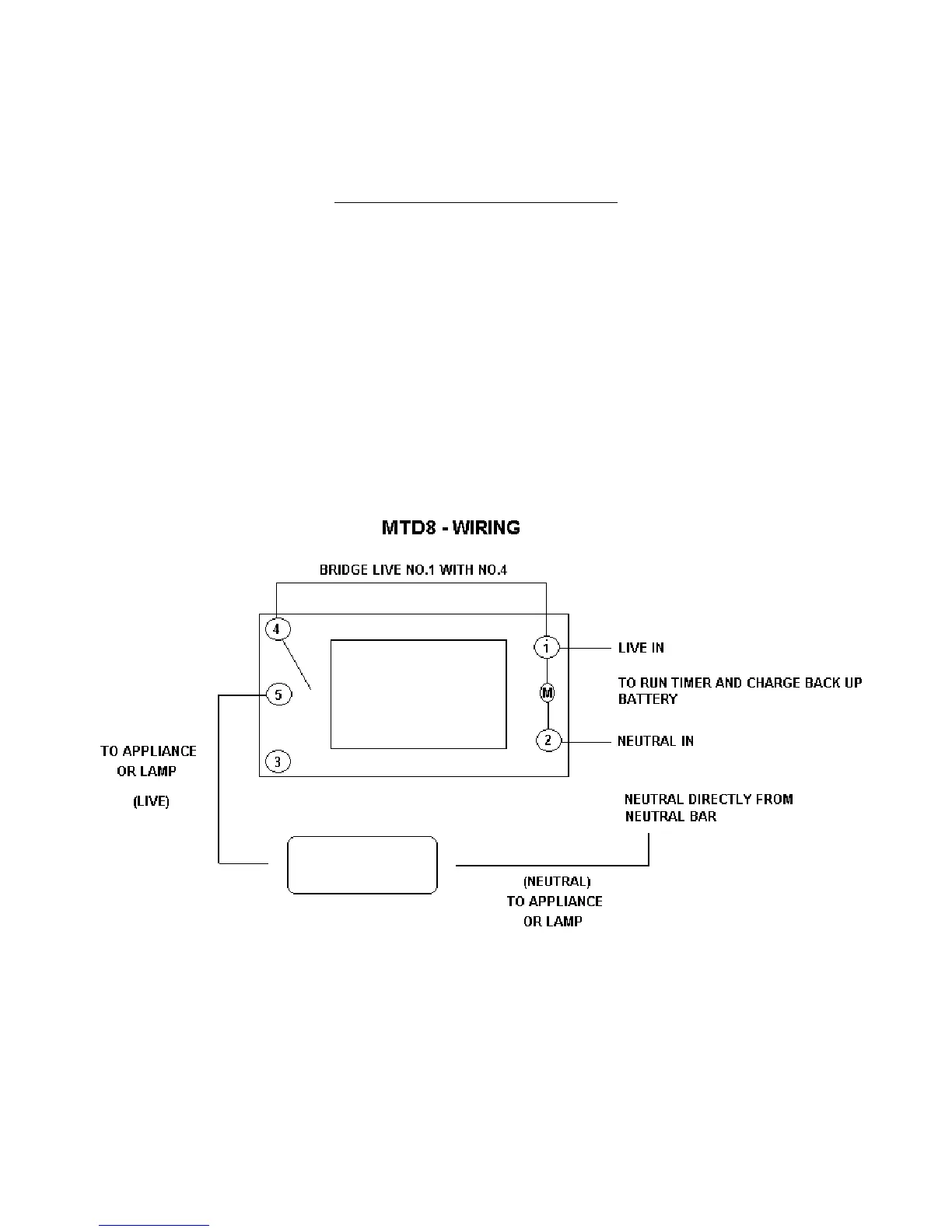
SETTING FOR PROGRAMS
Press the
(timer) button and release. The first ON setting can be made now.
1. Press the W+ (week) button to set the day or blocks of days. Set the time by pressing the H+ (hour)
button and then M+ (minute) button.
2. Press the (timer) button again to finish the first ON setting and enter into the first OFF setting.
3. Press the (timer) button again to finish the first OFF setting and enter into 2
nd
ON setting.
4. Most important setting. Press the Manual button and switch the timer off. When the timer is
programmed press c+, the clock is displayed. Now it is important to switch the timer on manually again,
turn it off and then put it on auto mode otherwise the timer will not engage as programmed.
5. The timer will switch on if the setting tells it to switch on after the current time otherwise it will only
switch on at the next time programmed.


 To Next Page