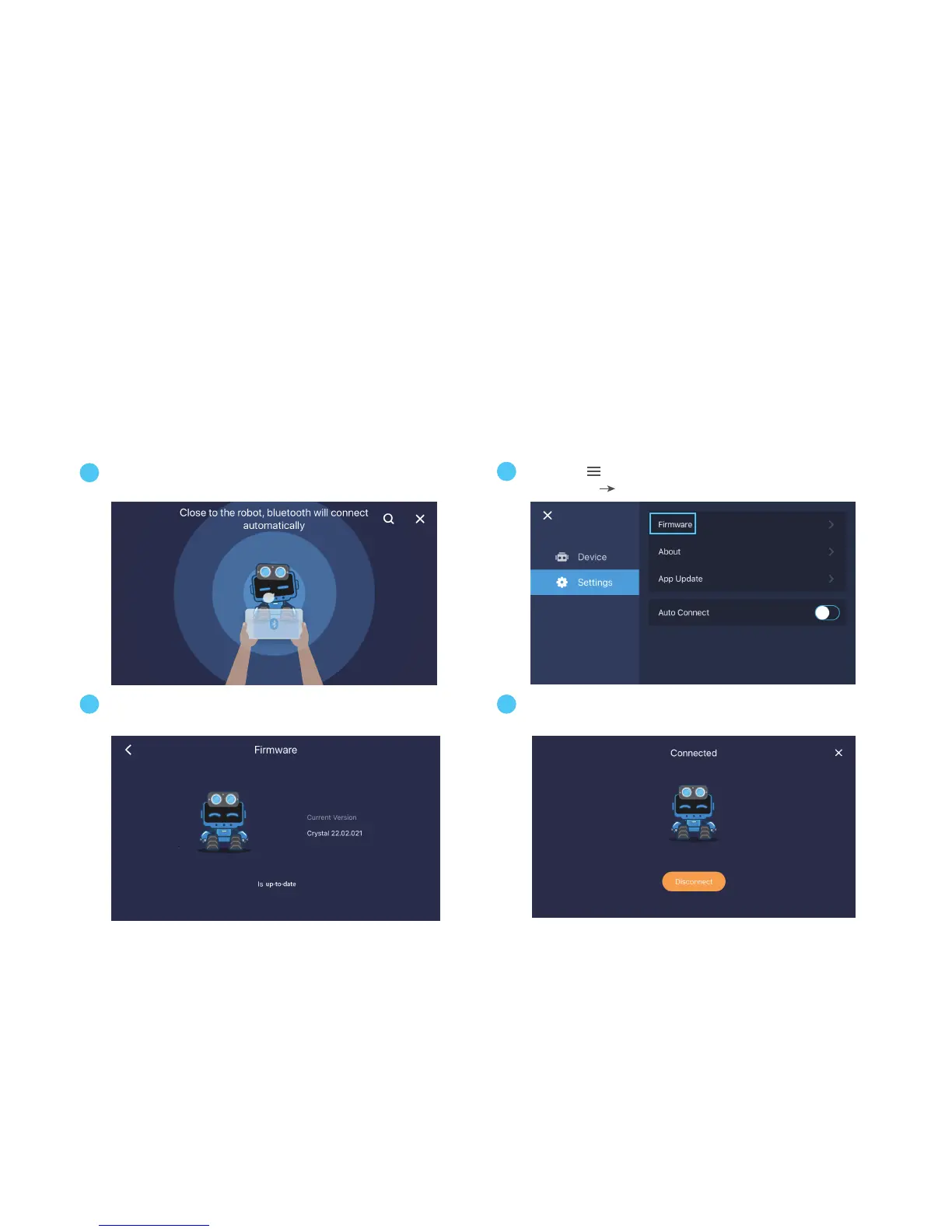
1. Update your Airblock firmware
To control your Airblock remotely with the Bluetooth controller, you need to update the firmware with the
Makeblock app first.
Open the Makeblock app and connect Airblock to
the app via Bluetooth.
Tap the icon at the top left corner and select
" Settings Firmware".
Disconnect the Bluetooth connection and exit the
app after the upgrade is complete.
Please verify the firmware is up-to-date. If it's not,
update it.
1
2
3 4


 To Next Page