2. Pair the controller with Airblock via Bluetooth
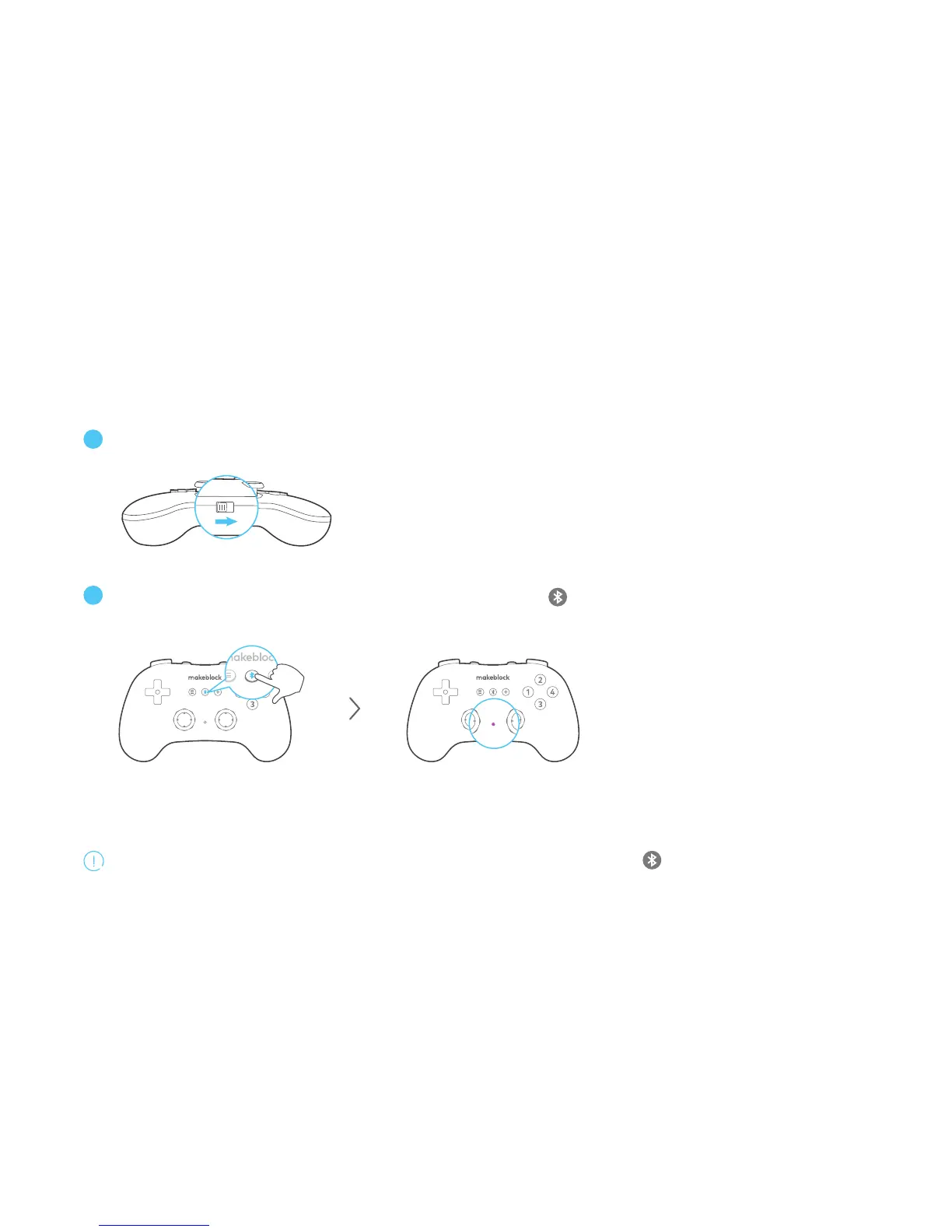
Turn on the Bluetooth controller and the indicator light starts blinking blue light slowly.
OFF
ON
Get the controller close to Airblock. Long press the button on the controller and don't release it until
the indicator light starts blinking rapidly. It will connect via Bluetooth automatically.
Long press the button until the
indicator starts blinking rapidly.
When the indicator turns solid on purple, it means
you've successfully paired the controller with Airblock.
When you need to connect another Airblock, you should long press the button again. Get the controller close
to the new device and it will connect via Bluetooth automatically.


 To Next Page