04
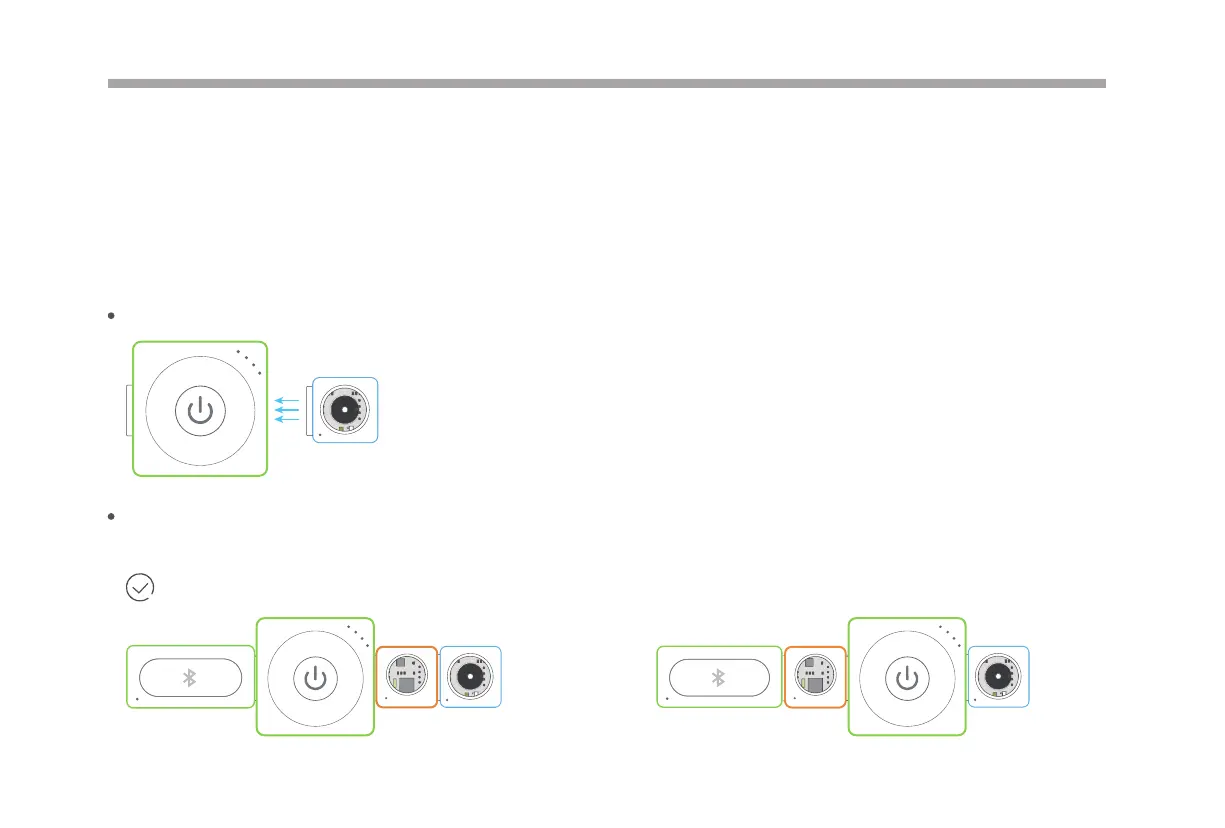
The input block (orange) must be connected on the left side of the output block (blue) when the Makeblock Neuron app or
mBlock is not in use.
Normal working!
mBlock is a graphical programming tool based on Scratch. It allows users to read sensor values, control the output of hardware blocks
and quickly get started programming Neuron.
Download mBlock and nd more information from: http://www.mblock.cc
mBlock
B
u
z
z
e
r
G
y
r
o
S
e
n
s
o
r
P
o
w
e
r
Bluetooth
Magnetically snap together, experience the magic of neuron.
Easy Connection
P
o
w
e
r
B
u
z
z
e
r
B
u
z
z
e
r
P
o
w
e
r
G
y
r
o
S
e
n
s
o
r
Bluetooth



 To Next Page