06
Provide power to other blocks.
Block Introductions
Energy & Communication Blocks
Power
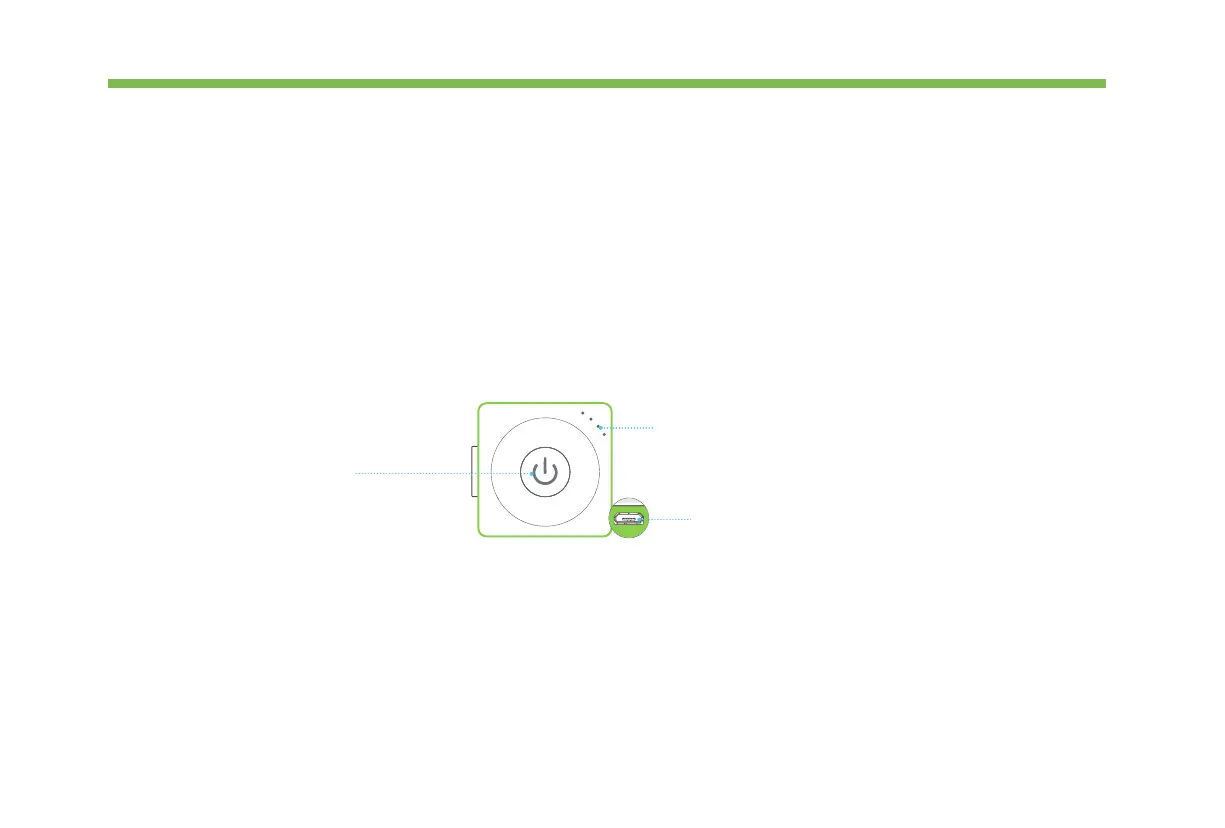
Appearance
Charge your power block
We recommend you to charge your power block when the last indicator is blinking.
Power Button
Power Indicator
Micro USB interface
Press to turn on. Press and hold
for about 3 seconds until all
LEDs go out to turn o.
Press the Power button to
display the current battery level.
Charge for power block.
P
o
w
e
r



 To Next Page