13
Charging
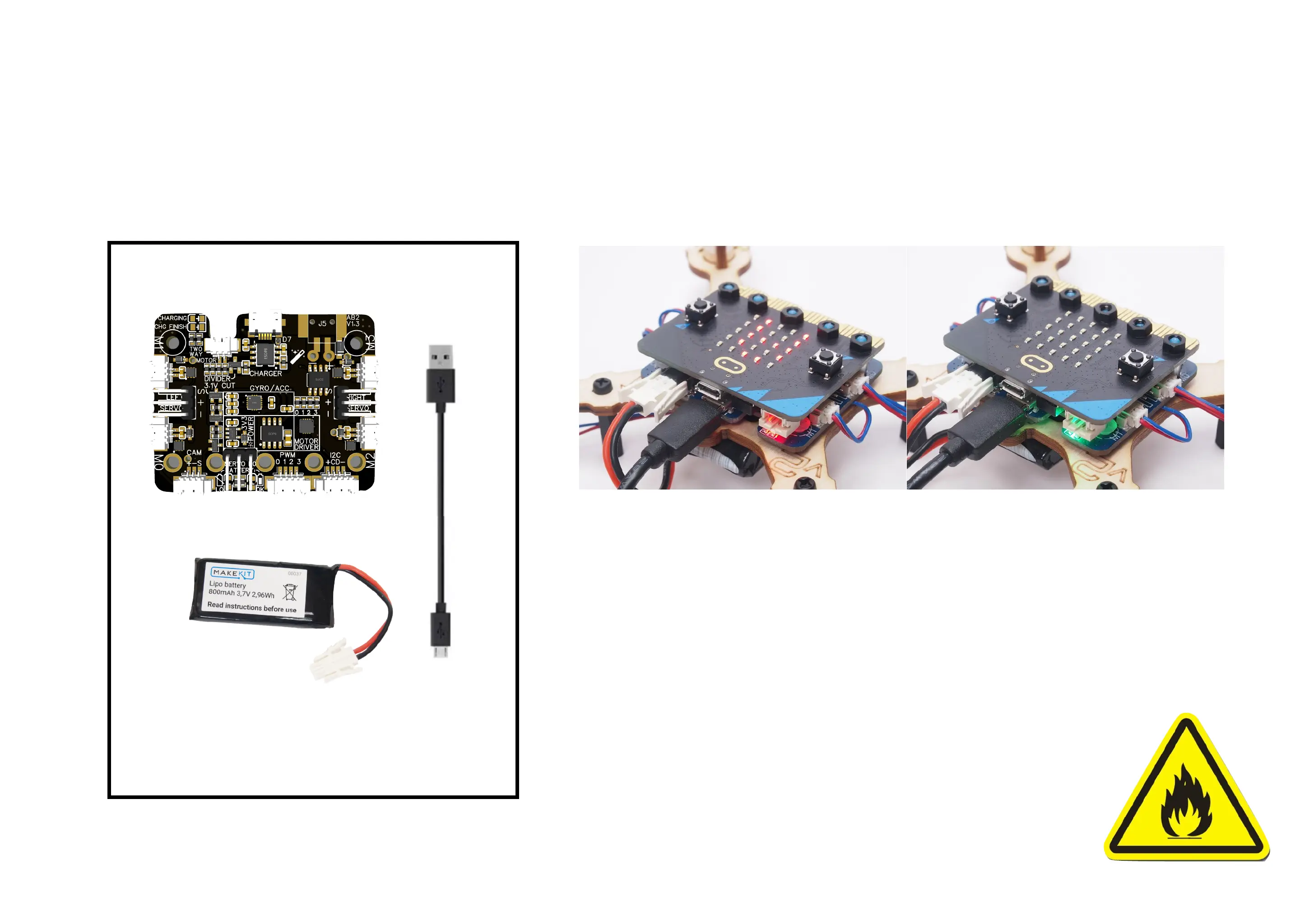
Parts:
Lithium (LiPo)-
battery
Air:bit control board
Micro USB-
Cable
1. The battery can be charge with or without the micro:bit connected.
2. Plug the big white battery plug into the grey connector
3. Connect the micro USB into the Airbit control board (not the microbit)
4. Connect the other end into a USB charge outlet
5. Red light indicates charging. Green light indicates charging finished.
It takes about 1 hour to charge.
6. To prevent battery drain, always unplug battery when not in use!
Fire hazard:
Never charge a Lithium battery unattended!


 To Next Page