
 Need help?
Do you have a question about the MakeKit Air:bit 2 and is the answer not in the manual?
Duration for building, coding, and flying the drone.
Recommendation for micro:bit V2 on drone and transmitter.
Setting unique radio channels for communication.
Essential safety advice for operating the drone.
Warnings about propellers causing injury to humans and animals.
Precautions for handling lithium batteries to prevent fire.
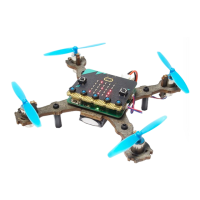
Labeled illustration of the Air:bit 2 drone and its parts.
Introduction to the five values controlling the drone.
Gathering flight control data.
Converting data for display on the micro:bit.
Transmitting collected data via radio.
Drone receiving signals and executing flight commands.
Guidance on starting a new project in the MakeCode editor.
Logic for managing the drone's throttle using buttons.
Logic for controlling roll and pitch via motion sensors.
Showing arming status using LED pixels.
Displaying roll and pitch angles on the micro:bit screen.
Visualizing throttle levels with LED pixels.
Optional task to make arming status pixels blink.
Implementing flight controls using functions.
Implementing flight controls using the map block.
Verifying code functionality in the MakeCode simulator.
Configuring radio group and sending values.
Demonstrating how to send flight data via radio.
Verifying gyroscope presence and function.
Verifying motor driver presence and function.
Solutions for motors not starting or lifting off.
Diagnosing and fixing issues with radio signal reception.
Implementing sideways rotation control using analog input.
 General
| Processor | ARM Cortex-M4F |
|---|---|
| Radio frequency | 2.4 GHz |
| Input voltage | 3.7V |
| Connectivity | Bluetooth |
| Radio protocol | Bluetooth Low Energy |
| Programming | MakeCode, Python |
| Sensors | Accelerometer, Gyroscope |

 To Next Page