22
Battery
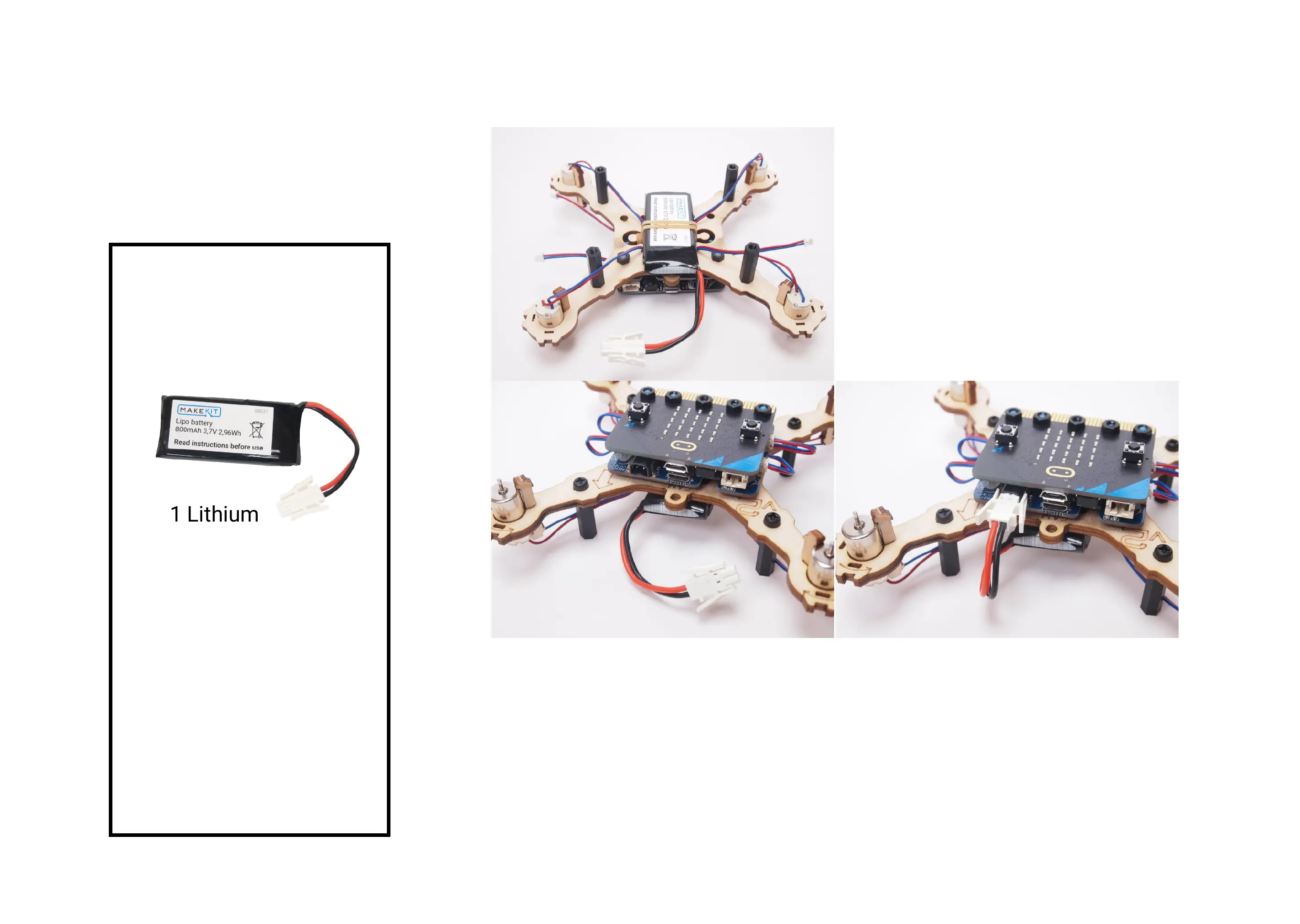
• Turn the drone upside down"
• Attach the battery under the rubber band, in the very center of the drone."
• To power the drone, connect the battery to the grey connector. "
• Disconnect the battery whenever you are not using or charging the drone.
The battery can suffer over discharge if connected for extensive time.
Parts:


 To Next Page