56
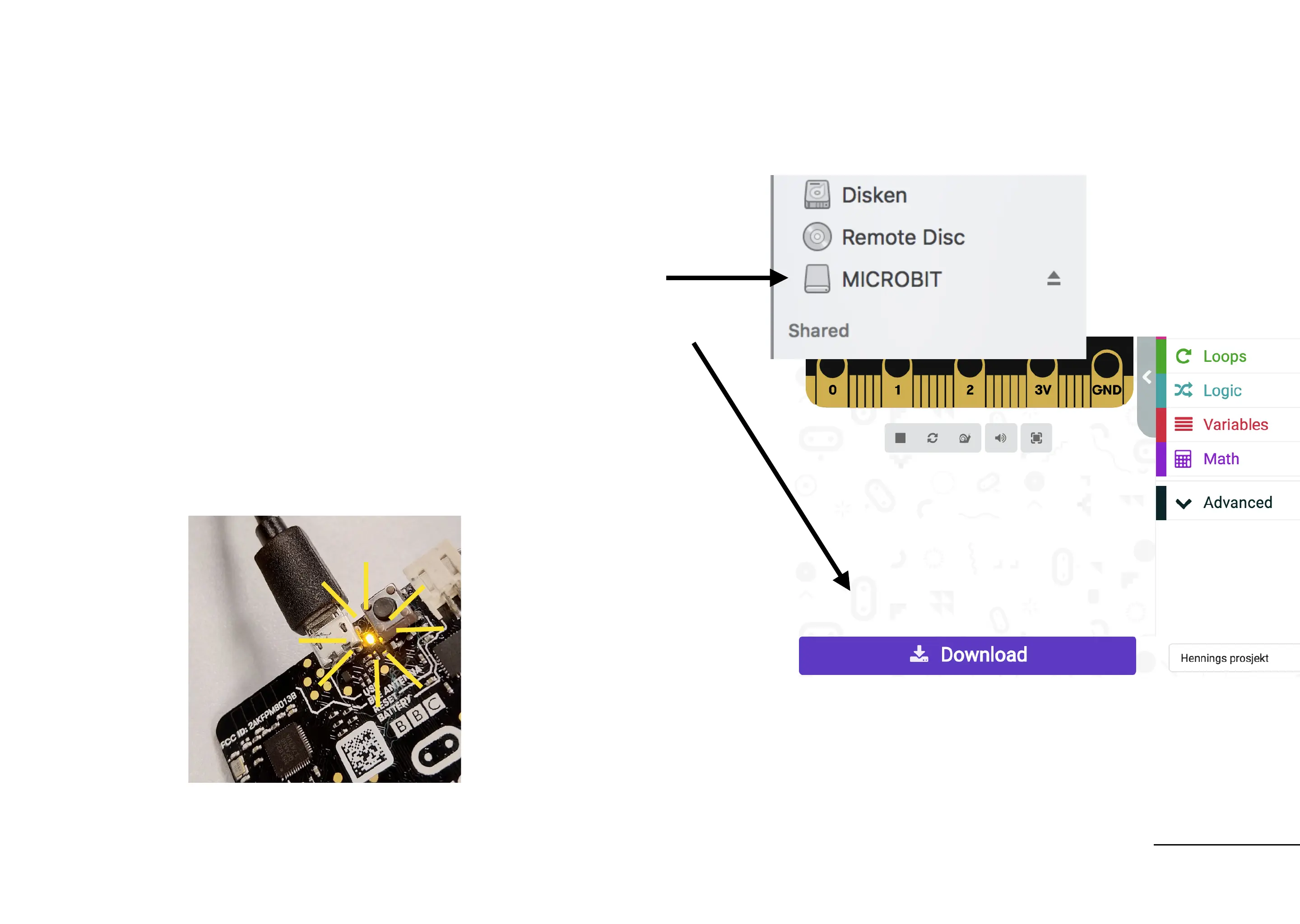
1. Connect your micro:bit to the micro
usb
2. Microbit appears as a drive
3. Press “Download” and copy the file to
the MICROBIT drive.
4. Watch the orange light on the back
and make sure it flashes when code
is downloaded
Download the code
Read more about connecting the micro:bit See the micro:bit introduction at makekit.no/docs


 To Next Page