34
M2 ASSEMBLY GUIDE
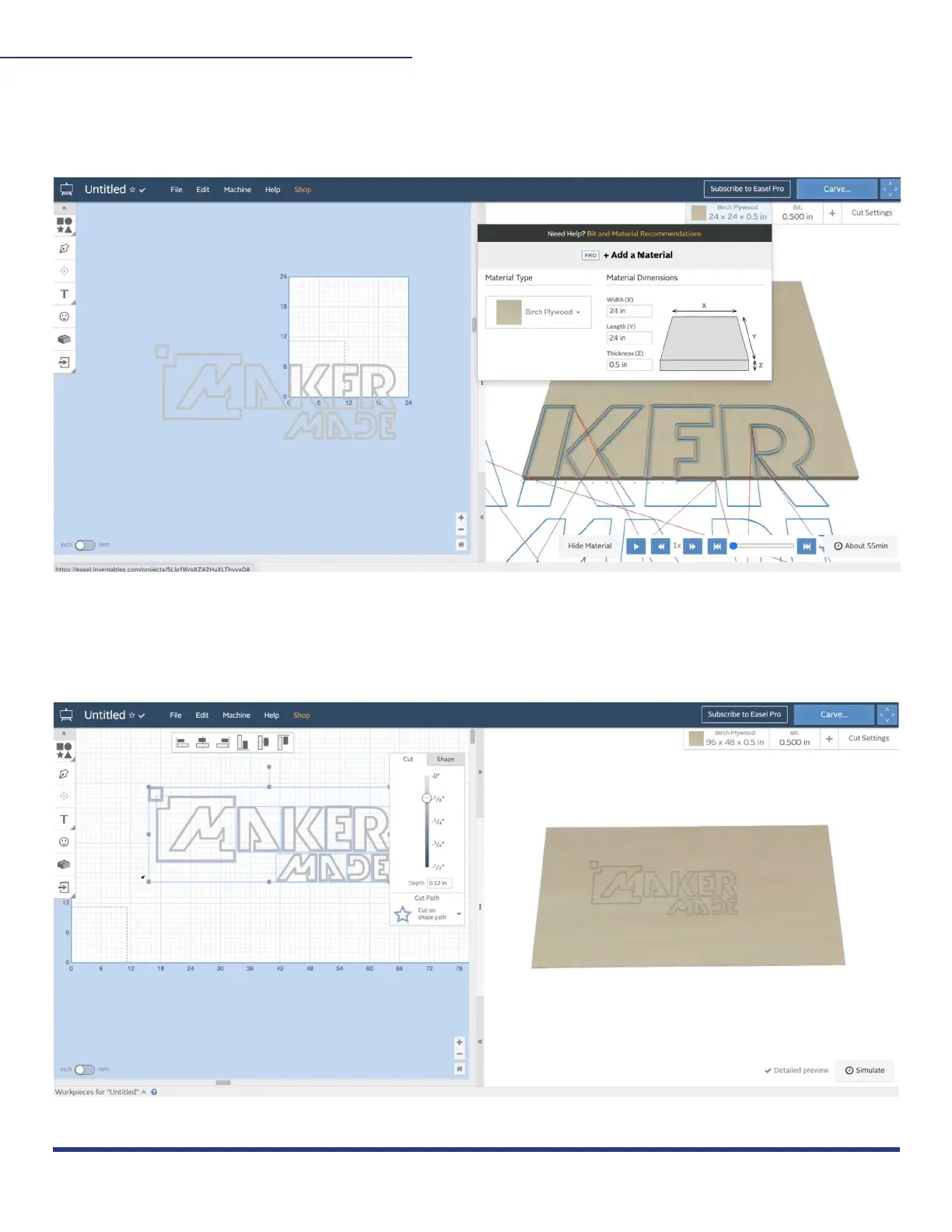
4. Material dimensions:
You can change material dimensions by clicking the “material” tab. Select the material you
are cutting and the size to save it in the Gcode.
5. Resize/move:
Once your model is selected, you can also resize it by dragging the small gray boxes around
your file. See section 8 for instructions on homing your file to (0,0).
This work is licensed under the creative commons Attribution
NonCommercial-NoDerivatives 4.0 International license. Last Updated 8.12.2020
Version 1.8


 To Next Page