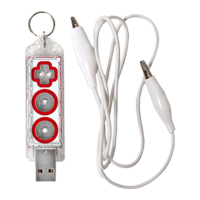
Try tapping the Play Button
Try unplugging the Makey Makey GO from your computer, then plug it back in
again.
If the object connected to the Makey Makey GO is your own body, then
perhaps you are sending a connection by touching your computer's metal
case, or by not wearing shoes. Take a step back and see what you are
touching.
Perhaps one of the objects connected to the Makey Makey GO that you think
is well insulated is not. For example, if you connect a banana to your Makey
Makey and it's sitting on a wooden cutting board, is that cutting board moist or
dry? If it's moist then perhaps your hand is sending a signal through the
moisture.
Is it raining? Is it extremely humid- are you in a rainforest? This can
sometimes cause porous materials, such as paper or clothing, to become
conductive.
It works sometimes, but not other times. :(
Your materials might not be conductive enough. For example, if your object is
a vegetable, does it have a dry skin?
If you are using a drawn graphite line from a pencil, make sure the line is
heavy and dark. Draw your line on a hard smooth surface, such as a table
without any grain in it. Take care in folding the paper, because it can
sometimes break the graphite connection. Once you are expert at drawing the
lines, you don't have to follow any rules, but if you can't get it to work try the
tips mentioned.


 To Previous Page
 Loading...