Need help?
Do you have a question about the Makita FS2500 and is the answer not in the manual?
Symbol indicating the necessity to consult the instruction manual before operating the tool.
Symbol denoting that the tool is equipped with double insulation for user safety.
Defines the tool's purpose for driving screws in wood, metal, and plastic materials.
Specifies connection requirements for single-phase AC power supply and double insulation benefits.
Details typical A-weighted noise levels (LPA, LWA) and uncertainty (K) as per EN62841.
Presents vibration emission values (a, K) for screwdriving without impact, measured per EN62841.
Emphasizes staying alert, using common sense, and wearing appropriate personal protective equipment.
Covers maintaining a clean, well-lit work area and ensuring children and bystanders are kept away.
Outlines critical electrical safety measures, including plug matching, cord care, and protection against moisture.
Guidelines for proper power tool usage, maintenance, and storage to ensure safety and longevity.
Essential safety precautions tailored for operating the screwdriver effectively and securely.
Guide to using the switch trigger for speed control and the reversing lever for rotation direction.
Information on activating the tool's lamp and utilizing the convenient hanging hook.
Step-by-step guide for removing and installing bits using the lock ring and magnetic socket bit.
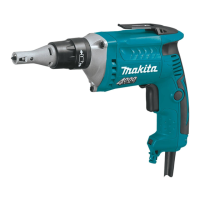
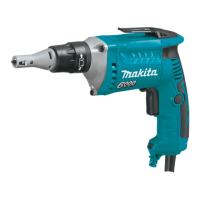
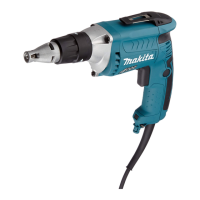
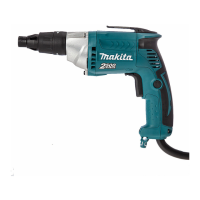
The Makita FS2500 Screwdriver is a double-insulated power tool designed for screw driving in wood, metal, and plastic. It is a corded electric screwdriver, meaning it requires a mains power supply for operation. The tool is designed for ease of use and safety, incorporating features such as depth adjustment, a reversing switch, and a built-in lamp for improved visibility.
The primary function of the Makita FS2500 is to drive screws efficiently and precisely. It operates by rotating a bit, which engages with a screw head to fasten it into a workpiece. The tool features a clutch mechanism that engages when forward pressure is applied to the screw head, ensuring that the bit only rotates when actively driving a screw. This helps prevent damage to the workpiece or the screw itself.
The screwdriver's speed is controlled by the pressure applied to the switch trigger; increasing pressure increases the rotational speed. For continuous operation, the switch trigger can be locked in the "ON" position using the lock button. To stop continuous operation, the trigger is pulled fully and then released.
A key feature of the FS2500 is its depth adjustment mechanism. This allows the user to set the precise depth to which a screw will be driven, preventing overtightening or under-driving. The depth is adjusted by turning a lock ring, with one full turn equating to a 1.5 mm change in depth. The recommended practice is to adjust the lock ring so that the distance between the tip of the locator and the screw head is approximately 1 mm, and then perform a trial drive to fine-tune the setting.
The tool also includes a reversing switch, which allows the direction of rotation to be changed. This is essential for removing screws or for backing out screws that have been driven too far. The reversing switch should only be operated when the tool has come to a complete stop to prevent damage.
For enhanced visibility in dimly lit work areas, the FS2500 is equipped with a built-in lamp. This lamp illuminates the workpiece when the trigger is pulled, improving accuracy and safety.
Operating the Makita FS2500 involves several user-friendly features. To start, the tool must be connected to a power supply of the same voltage as indicated on its nameplate. As a double-insulated tool, it can be used with sockets without an earth wire.
Before operation, users should always ensure the switch trigger actuates properly and returns to the "OFF" position when released. The bit is installed by inserting it into the tool until it goes as far as possible, then the locator is pushed firmly back onto the gear housing. When fitting a screw onto the bit, care must be taken not to push in on the screw, as this could engage the clutch and cause the screw to rotate unexpectedly.
To drive a screw, the screw is placed on the point of the bit, and the point of the screw is positioned on the workpiece. Pressure is then applied to the tool, and the switch trigger is pulled to start rotation. The tool should be withdrawn as soon as the clutch cuts in, indicating the screw has reached the set depth, and then the switch trigger released.
The reversing switch allows for quick changes in rotation direction, with one position for clockwise rotation (driving screws) and another for counterclockwise rotation (removing screws). It's crucial to ensure the tool is completely stopped before changing the direction of rotation to prevent damage.
A practical feature for convenience is the integrated hook, which allows the tool to be temporarily hung when not in immediate use, keeping it within easy reach and off the work surface.
Proper maintenance is crucial for ensuring the safety, reliability, and longevity of the Makita FS2500 Screwdriver. Before performing any inspection or maintenance, it is imperative to ensure the tool is switched off and unplugged from the power source.
Users are advised to keep cutting tools, such as the bits, sharp and clean. Properly maintained bits are less likely to bind and are easier to control, contributing to safer and more efficient operation.
The tool's handles and grasping surfaces should be kept dry, clean, and free from oil and grease. Slippery surfaces can compromise control of the tool, especially in unexpected situations.
For the built-in lamp, a dry cloth should be used to wipe dirt off the lens. Care must be taken not to scratch the lens, as this could reduce illumination.
The manual explicitly warns against using gasoline, benzine, thinner, alcohol, or similar substances for cleaning, as these can cause discoloration, deformation, or cracks in the tool's components.
Any repairs, maintenance, or adjustments beyond basic cleaning and bit changes should be performed by Makita Authorized or Factory Service Centers. This ensures that only genuine Makita replacement parts are used and that the work is carried out by qualified personnel, thereby maintaining the product's safety and reliability standards. Regular servicing by authorized centers helps to prevent potential hazards and extends the operational life of the tool.
 General
| Reverse | - |
|---|---|
| Handle shape | Pistol handle |
| Product type | Power screwdriver |
| Product color | Black, Blue |
| Built-in light | Yes |
| Power source | AC |
| Idle speed (max) | 2500 RPM |
| Sound power level | 94 dB |
| Screw diameter (max) | 6.5 mm |
| Sound pressure level | 83 dB |
| Sound level uncertainty | 3 dB |
| Vibration emission | 2.5 m/s² |
 Weight and Dimensions
| Depth | 280 mm |
|---|---|
| Width | 70 mm |
| Height | 207 mm |
| Weight | 1500 g |

 To Next Page