Need help?
Do you have a question about the makro Pointer and is the answer not in the manual?
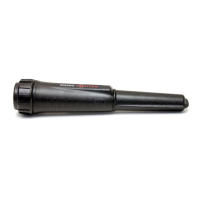
Details the On/Off, Vibration/Audio & LED, Speaker, and Sensitivity Control functions.
Highlights the 360° detection tip and the LED flashlight feature.
Shows the battery compartment and specifies the IP67 dust and waterproof rating.
Explains how to turn the device on/off and switch between audio, vibration, and combined modes.
Details how to increase sensitivity using the green button, noting 4 levels.
Describes lowering the sensitivity level using the red button.
Explains the detection area and how to scan efficiently in holes or horizontally.
Covers operating the LED flashlight and recognizing the low battery indicator.
Details the function of disconnecting magnetic transmission when switched off.
Mentions the inclusion of two hard-shell cases, one for digging.
Explains how the device alerts upon target detection and proximity.
Lists key technical data including frequency, sensitivity, dimensions, weight, and battery life.
 General
| Brand | makro |
|---|---|
| Model | Pointer |
| Category | Metal Detector |
| Language | English |

 To Next Page