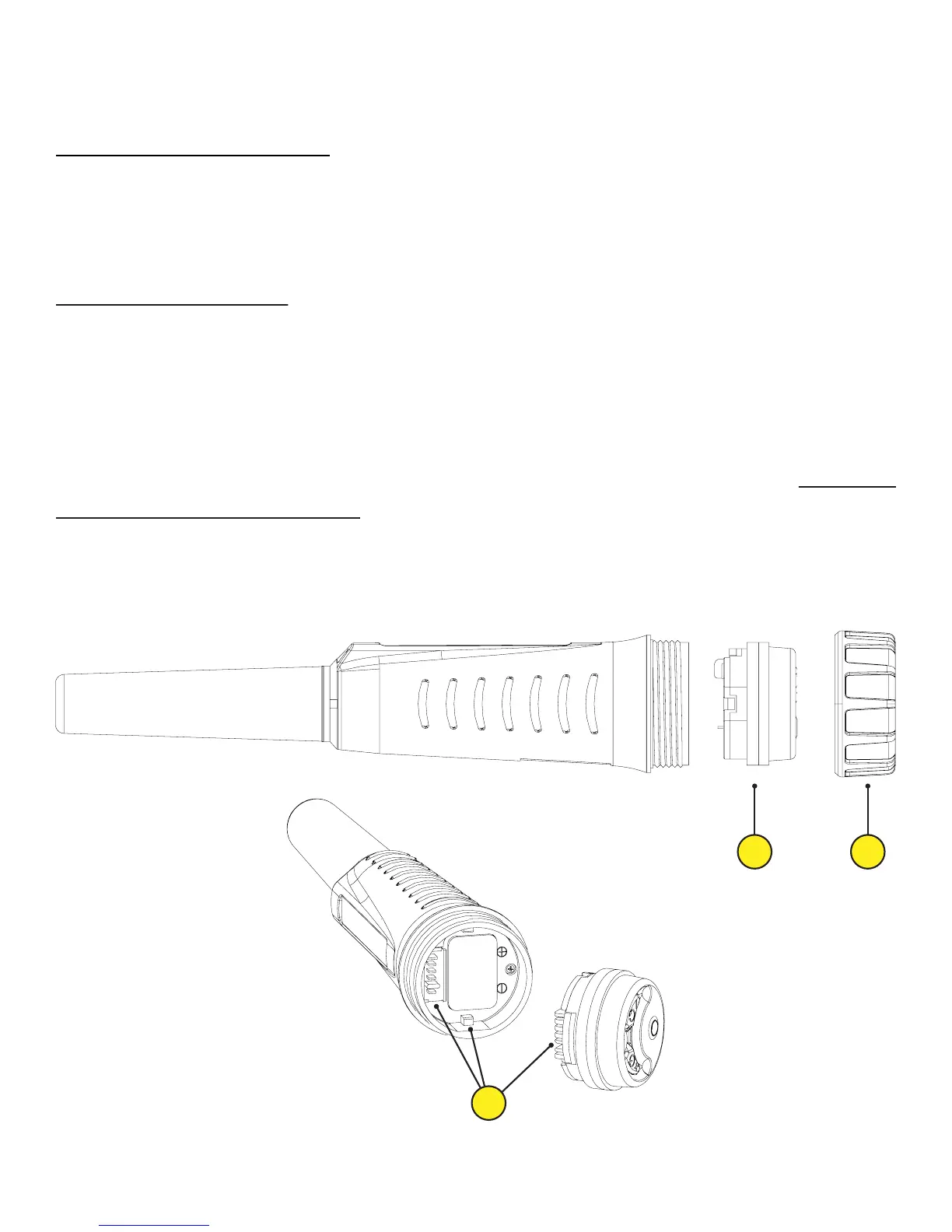
A) To install the battery, twist and remove the fastener marked with
number 1.
B) To remove the control unit marked with number 2 from the device, pull
WITHOUT TWISTING.
C) Insert the battery facing downwards paying attention to plus (+) and
minus (-) poles. The device will not work if the battery is not installed
correctly.
D) To mount the control unit (2) back on the device, align the contact pins
and the notches marked with number 3 and push to snap in. DO NOT
TWIST THE CONTROL UNIT!
E) Twist the fastener (1) and do not leave it loose to secure a water tight
seal.
Battery Installation
12
Battery
3


 To Next Page