5
2
1
011322
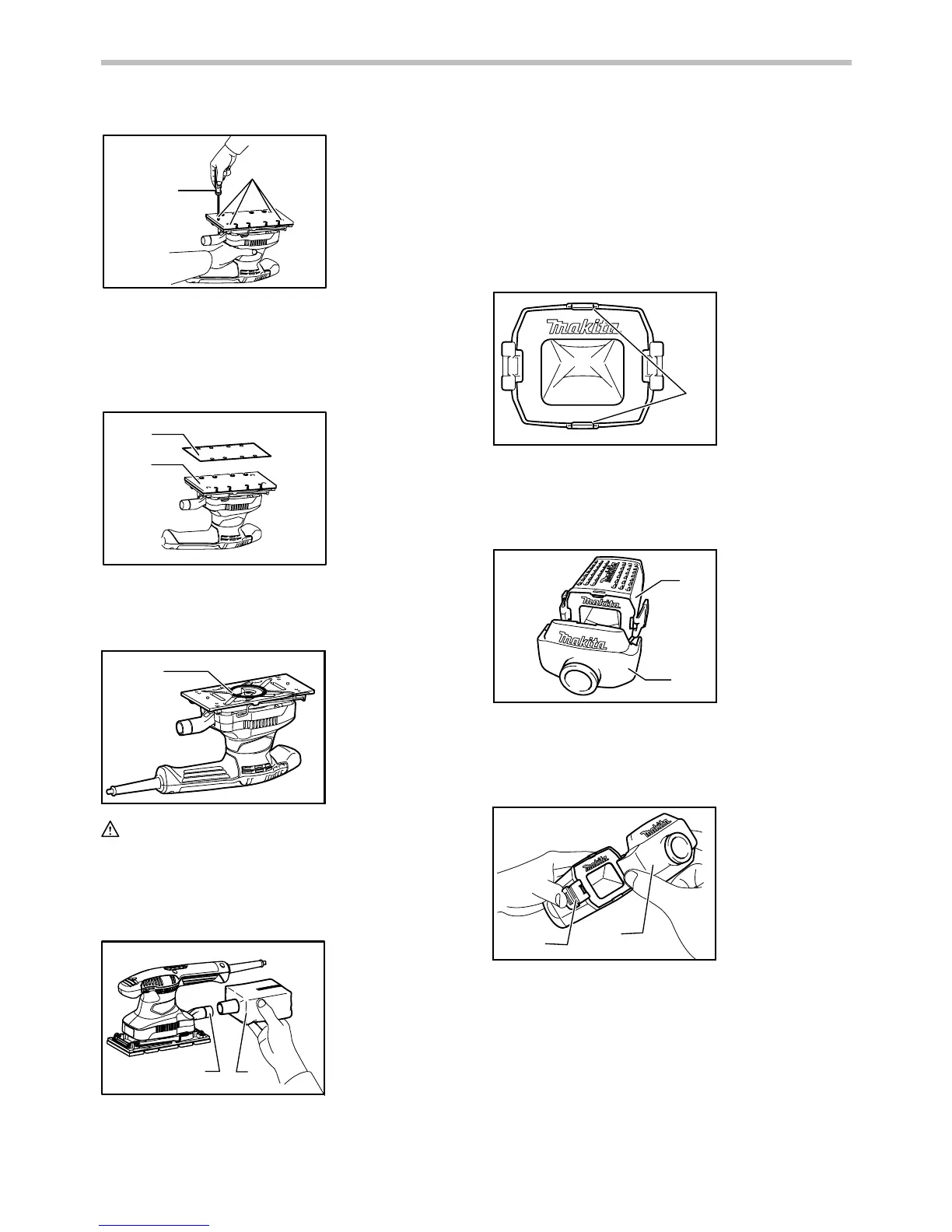
Remove the pad for the conventional type of abrasive
paper from the tool with a screwdriver. Install the pad for
the hook-and-loop type of abrasive paper (optional
accessory) on the tool. Tighten the screws firmly to
secure the pad.
1
2
011323
Remove all dirt or foreign matter from the pad. Attach the
paper to the pad, aligning the holes in the paper with
those in the pad.
1
011358
CAUTION:
• When removing the pad, O ring may come out of
the tool. When this occurs, return the O ring to the
original position and then install the pad.
Dust bag (optional accessory)
1
2
011324
Attach the dust bag onto the dust spout. The dust spout
is tapered. When attaching the dust bag, push it onto the
dust spout firmly as far as it will go to prevent it from
coming off during operation.
For the best results, empty the dust bag when it becomes
approximately half full, tapping it lightly to remove as
much dust as possible.
Installing filter (Optional accessory)
1
009094
Make sure that the logo on the cardboard lip and the logo
on the dust box are on the same side, then install the
filter by fitting the cardboard lip in the groove of each
holding tab.
1
2
009095
Make sure that the logo on the cardboard lip and the logo
on the dust nozzle are on the same side, then install the
dust nozzle on the dust box. Removing dust box and
filter.
1
2
009092
Remove the dust nozzle by pushing the two latches.
1. Latch
2. Dust nozzle
1. Dust box
2. Dust nozzle
1. Holding tab
1. Dust spout
2. Dust bag
1. O-ring
1. Abrasive paper
2. Pad
1. Screwdriver
2. Screws


 To Next Page