EasyManua.ls Logo

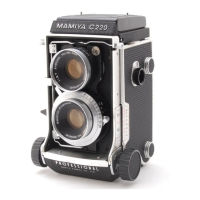
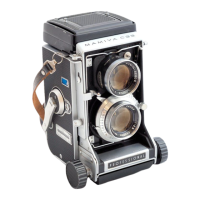
Mamiya Professional C220 - Changing Lenses; Lens Removal Procedure; Attaching a Lens; Lens Change Precautions

Mamiya Professional C220
10 pages
Print Icon
To Previous Page IconTo Previous Page
Loading...
@
Changing
Lenses
Turn
the
focusing
knob
(8)
and
retract
the
bellows
so
that
the
lens
catch
(22)
moves
closest
to
the
body.
Turn
the
lens
change
knob
(21)
counterclockwise
until
the
word
UN-
LOCK
appears
in
the
window.
Tip
the
camera
so
that
the
lens
faces
upward
and,
while
firmly
grasp-
ing
the
lens
barrel,
pinch
the
head
of
the
lens
catch,
press
the
head
toward
the
camera
body,
push
it
down
to
release
the
lens
catch,
and
remove
the
lens.
To
attach
another
lens
to
the
camera
body,
hook
the
lens
catch
as
it
was,
and
turn
the
lens
change
knob
until
the
lens
locks
in
place.
PRECAUTIONS
While
the
word
UNLOCK
appears
in
the
window
of
the
lens
change
knob,
|
the
portion
to
which
the
taking
lens
is
attached
is
protected
by
a
cover
from
the
camera
interior
to
shield
the
film
from
exposure
to
light,
and
a
red
warning
signal
is
visible
on
the
ground
glass
focusing
screen.
Should
this
cover
be
pushed
pur-
posely
or
inadvertently
while
the
lens
is
removed,
light
will
strike
the
film.
NEVER
PUSH
IT!
After:
changing
a
lens,
turn
the
lens
change
knob
(21)
until
the
word
LOCK
appears
in
the
window
;
other-
wise,
the
shutter
release
button
cannot
be
pressed.

Related product manuals