EasyManua.ls Logo

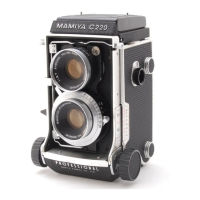
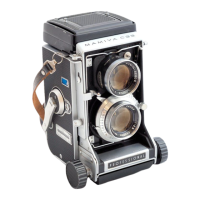
Mamiya Professional C220 - User Manual

Mamiya Professional C220
10 pages
Print Icon
To Next Page IconTo Next Page
Loading...
MAM
FYAC220
professional
INSTRUCTIONS
foun
eae
Seen
CONTENTS
Read
These
Instructions
Before
Using
Your
MAMIYA
C220
NOMENCLATURE.
sisien
rannin
nkan
aR
ewe
5
Opening
and
Closing
the
Back
Cover
............
7
Before
Loading
Film............:ccccecceee
eee
nereeeeeenees
7
Loading
and
Unloading
Film..............:.:cseeeeeee
9
Handling
the
Focusing
Hood................:..:eeeeees
11
Changing
the
Focusing
Hood
...eesececcreceeo
12
Taking
PICTURES
oo
linn
aironi
nee
e
rE
ke
ESE
EARS
13
Precautions
on
Shutter
Operations
...............
14
Using
the
Multiple
Exposure
Selector
............
14
When
No
Film
is
Loaded
in
the
Camera.........
15
Precautions
on
Close-Up
Photography
............
15
Exposure
COLE
CON.
msnen
bmi
A
ea
15
Correcting
Parallax
wend
h6
Reading
the
Distance
Scale
...........::.cseseeeeeee
ees
16
Photographing
by
Flash
Unit
............::eeeeeeeeee
17
Chahe
MELONES
YS.
bess
cnwagesadarn
men
anei
A
aree
18
Interchangeable
Lenses
and
Accessories
for
MAMIYA
C220,
sicir
osissa
i
tiee
n
Na
19
Angle
of
View
Changes
by
Interchanging
LONSES
urrita
r
e
EEE
E
EEEN
i
21
Specifications
of
Interchangeable
Lenses
......
22
Accessories
Depth
of
Field
Table
Question and Answer IconNeed help?

Do you have a question about the Mamiya Professional C220 and is the answer not in the manual?

Mamiya Professional C220 Specifications

General IconGeneral
BrandMamiya
ModelProfessional C220
CategoryDigital Camera
LanguageEnglish

Summary

Initial Camera Setup and Precautions

Pressure Plate and Film Selection

Adjust pressure plate for 120 or 220 film.

Film Loading and Back Cover

Correct spool insertion and back cover closure.

Close-Up Photography Advice

Manage exposure and parallax for close-ups.

Shutter Release Restrictions

Conditions that prevent shutter release.

Opening and Closing the Back Cover

Back Cover Operation Steps

How to open, close, and lock the back cover.

Film Loading Preparation

Film Type Compatibility

Camera accepts 120 or 220 roll film.

Loading and Unloading Film

Automatic Film Stopper Settings

Set stopper for 120 or 220 film.

Pressure Plate Adjustment for Film

Adjust pressure plate for film size (120/220).

Film Loading Procedure

Insert take-up spool and film roll.

Spool Change Knob Use

Operate spool knobs for proper loading.

Focusing Hood Operation

Using the Magnifying Glass

Spring up and use magnifying glass for focusing.

Sportsfinder Mode

Configure hood as a sportsfinder.

Changing the Focusing Hood

Removing the Focusing Hood

Loosen lock screw and pull hood upward.

Attaching a Focusing Hood

Align grooves and pins to attach hood.

Taking Pictures

Exposure Settings and Cocking

Set shutter speed and aperture, then cock shutter.

Shutter Release and Film Advance

Press shutter and wind film after each shot.

Winding Film After Exposure

How to wind film completely.

Shutter Operation Precautions

Shutter Release Lock Conditions

Avoid pressing release without cocking or film advance.

Multiple Exposure Selector Use

Manage single vs. multiple exposures.

Close-Up Photography Adjustments

Compensate for parallax and exposure.

Exposure Correction Scale

Use correction scale for exposure adjustment.

Correcting Parallax

Parallax Correction Scale Use

Use scale on screen for parallax correction.

Reading the Distance Scale

Distance Scale Function

Use scale for focusing or blind shooting.

Photographing by Flash Unit

Flash Unit Attachment

Attach grip holder and flash unit to camera.

Synchroflash M-X Selector

Set selector for M-class or electronic flash sync.

Changing Lenses

Lens Removal Procedure

Retract bellows, unlock, and remove lens.

Attaching a Lens

Hook lens catch and lock to attach lens.

Lens Change Precautions

Protect film from light when lens is removed.

Related product manuals