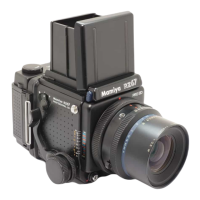
Removing/Attaching the Finder
After lowering the Magnifier, gently
squeeze the right and left panels of the
finder together while closing it.
Removing the Finder
To remove the Finder, push the right and
left release buttons towards the rear of the
Finder and while holding them in, lift the
front of the Finder.
These release buttons are equipped with
a safety mechanism so that they cannot be
removed merely by pushing them from the
Attaching the Finder
To attach the Finder, slide the Finder
Catches into the groove of the camera body,
and while holding in both Finder Release But-
tons, seat the front of the finder on the camera
body. The finder will lock in place after releas-
ing pressure from on the Release Buttons.



 To Next Page
 Loading...