12
SHUT DOWN ZONE 1 OR 2
1. Press MODE to select Zone 1 or Zone 2
2. Display FLASHES current temperature setting
3. Press Up until - - is displayed
4. Reverse process to restart the cooling of each zone
DIMMING
1. Press and HOLD Mode and push the Up button
2. Display will cycle through the ve brightness levels
FACTORY SETTINGS
When power is rst applied to fridge or when being
turned back on using the POWER button the fridge
should have the following factory programmed
settings.
Temperature Setting – ACTUAL
Battery Monitor – MED
Compressor Speed – ECO
LCD Brightness – 100%
CONSUMER SETTINGS
When power is disconnected from the fridge for
more than 10 minutes the system will return to
factory settings.
POWER INPUT
When connected to DC input the voltage is shown,
when connected to AC input the symbol of AC is
displayed
DOOR ALARM
If the door is let open fro more then 1 minute an
alarm will sound.
BATTERY MONITOR SETTING
1. Fridge to automatically restart once input voltage
is reached and is to retain all original settings
prior to monitor being activated
2. Audible beeping to be heard when monitor is
activated and the battery symbol will ash
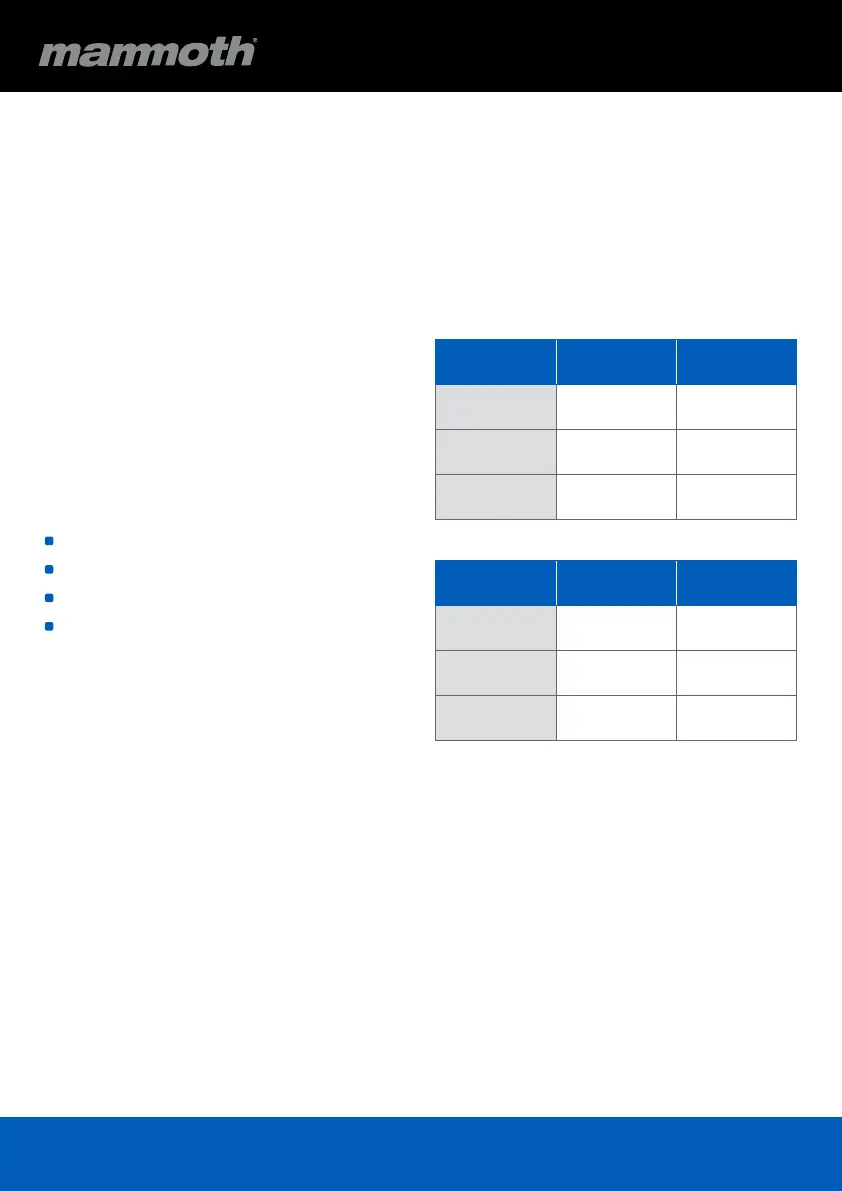
12V DC Input
Cut out Cut in
H (High) 12.0V 13.0V
M (Medium) 11.5V 12.5V
L (Low) 10.5V 11.5V
24V DC Input
Cut out Cut in
H (High) 24.0V 25.0V
M (Medium) 23.0V 24.0V
L (Low) 21.0V 22.0V


 To Next Page