EasyManua.ls Logo

Manfrotto MT190X3 - User Manual

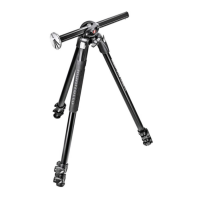
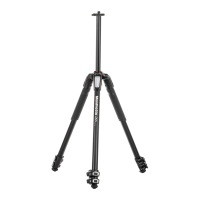
Manfrotto MT190X3
5 pages
Print Icon
To Next Page IconTo Next Page
Loading...
J RUE KOCN
Cod. 1039260 - 06/14 Copyright © 2014 Manfrotto Bassano Italy
160 cm 2 kg 7 kg
63” 4.4 lbs 15 lbs
INSTRUCTIONS
MT190X3
INTRODUCCIÓN
Diseñado para el aficionado avanzado y el
fotógrafo profesional, este es un trípode ex
-
tremadamente versátil, ideal para cámaras
pequeñas o de medio formato, digital o tipo
convencional.
CARACTERÍSTICAS CLAVE:
Columna central deslizante única que puede
funcionar tanto en vertical como en el plano
horizontal.
Cada pata puede ser configurada indepen
-
dientemente en 4 ángulos.
Nivel de burbuja.
Dos cubiertas térmicas de caucho para las
patas
Conector Easy-Link para fácil inserción de
brazos
Palancas de desbloqueo rápido que pueden
abrirse simultáneamente
Gancho para colgar un contrapeso o una
correa
CONFIGURACIÓN
Y
Abrir las 3 patas del trípode.
Para ajustar la altura del trípode, cada pata
tiene extensions telescópicas que pueden libe
-
rarse abriendo la pinza “A” sobre el collar de
bloqueo “B”.
Sujete las palancas con toda la palma de la
mano. Desbloquéelas todas a la vez.
TENGA CUIDADO de no lastimarse los
dedos al abrir la palanca (fig. 1A).
Cuando se consiga la altura requerida, cierre la
pinza de bloqueo “A”.
AJUSTE DEL ÁNGULO DE LA PATA
Cada pata se puede configurar en 4 ángulos
de apertura.
Para cambiar e lángulo de una pata, junte la
pata hacia el centro de la columna ligeramente
y presione hacia abajo el botón de bloqueo “C”
en la parte superior de la pata. Mientras man
-
tiene el botón hacia abajo, seleccione el nuevo
ángulo de la pata y luego libere el botón “C”
para bloquear en posición. El ángulo de cada
pata puede ser ajustado independientemente
de las otras dos patas. La última posición per
-
mite alcanzar el nivel del suelo.
AJUSTE DE LA ALTURA
DE LA COLUMNA CENTRAL
Para liberar la columna central “D”, desblo
-
quee el pomo “E” y ajuste la altura de la colum-
na como se desee. Apriete el pomo “E” para
bloquear la columna en posición.
PLACA DE SUJECIÓN PARA RÓTULAS
La placa de sujeción para rótulas "F" permite
tomas en ángulos muy bajos sin necesidad de
invertir la columna central.
-oprima el botón "Q" y extraiga la placa de su
-
jeción para rótulas "F"
-libere la palanca "E"
-retire la columna "D"
-monte la placa de sujeción para rótulas "F"
en el trípode oprimiéndola dentro del agujero
central de la parte superior del trípode hasta
que haga clic. Asegúrese que el botón "S"
quede alineado con la parte "V"
-bloquee la placa de sujeción para rótulas "F"
en posición apretando la palanca "E"
Ahora puede Ud. montar la rótula en la placa
para sujeción de rótulas "F".
Para evitar que la placa "F" con rótula y
cámara pueda caerse accidentalmente
del trípode dañando la cámara, es crucial que
la palanca de bloqueo "E" permanezca firme
-
mente apretada todo el tiempo.
Antes de desensamblar, primero quite la rótula
de la placa para sujeción de rótulas "F" y luego
quite la placa para sujeción de rótulas "F" del
trípode aflojando la palanca "E".
Nunca use la placa para sujeción de ró-
tulas "F" en la posición de abajo como
se muestra en fig. 1.
MONTANDO Y QUITANDO UNA RÓTULA
Quite el tapón “Z” (fig.1)
Monte la rótula en la placa situada en la parte
superior de la columna central utilizando el tor
-
nillo 3/8” (atornillando en sentido de las agujas
del reloj). Enseguida, suba la columna central
y con un desarmador pequeño, apriete el tor
-
nillo “M” contra la base de la rótula teniendo
cuidado de no forzar. Esta característica única
funciona especialmente bien con las rótulas
Manfrotto debido a la base especialmente di
-
señada para evitar que la rótula se desatornille
accidentalmente.
Para quitar la rótula, afloje el tornillo “M” y
desatornille la rótula de la columna (en senti
-
do contrario a las agujas del reloj). Enseguida
suba la columna central y con un desarmador
pequeño, apriete el tornillo “M” contra la base
de la rótula teniendo cuidado de no forzar.
NOTA
Para uso en exteriores, especialmente en con
-
diciones de viento, es posible estabilizar el
trípode: cuelgue un contrapeso (no proporcio
-
nado) del anillo “L”.
TRANSPORTE
El trípode tiene un gancho “L”, para una correa
de transporte opcional.
AJUSTE DE LA TENSIÓN
DEL BLOQUEO DE LA PATA
Si las extensions telescópicas de las patas se
deslizan incluso después de haber cerrado la
pinza de bloqueo “A”, será necesario ajustar la
tension de bloqueo. Para hacer esto:
-libere la pinza de bloqueo “A”
-gire el tornillo “P” en el sentido de las
agujas del reloj usando la llave especial
“N” proporcionada en una de las patas del
trípode.
Normalmente un tercio de vuelta sera sufi
-
ciente para conseguir la tensión de bloqueo
correcta.
MONTAJE DE ACCESORIOS
Quite el tapón “K”
El trípode tiene un agujero roscado de 3/8” “X”
(fig. 9) que se puede usar para montar acce
-
sorios, tales como los brazos Manfrotto para
soporte de luces, monitor etc).
MANTENIMIENTO
Para reemplazar el collar de bloqueo “B” (fig.
1), por favor usa una llave TORX número 25 (no
proporcionada con el producto).
1A 1B
2
3
4
5
6
7
8
9


















&


”B””A”




1A
”A”




”C”
”C”




”D””E”
”E”

  

"F"

- Q
•“F”
- "E"
- “D”
- "F"
"S"
"V"
- "E""F"

”F"
"F"
"E"


"E"
"F".
1"F"

   
”Z”(1B)•
3/8”



”M”


Manfrotto


”M”



”L”



”L”
 
”A”


- ”A”
- ”N”
”P”
1/3

 
”K”

3/8”(9)
Manfrotto

 
•"B"•1
No.25•(

1A 1B
2
3
4
5
6
7
8
9

󰆦󰁗󰆦󰀶
󰁖󰅶󰁉󰁉󰁠󰅰
、。
󰆗󰄹
󰅰󰆁󰅑
󰇵
󰅇󰅣4󰃻


Easy•Link•󰁉
󰁖

󰁉󰁠󰇧󰇵
󰆮
&
3󰅇。
󰅇󰁖
󰃻󰆨󰁠“B”
“A”。
󰂾󰄽󰄈󰅰。
󰁖。
󰅘。
󰅙“A”。
󰅇
󰅇󰅣4󰃻。
󰅇󰅰󰆁
󰅇󰁠󰅇
“C”。󰂾󰃕󰅇
󰅎“C”
。󰅇。
󰇬󰅣󰅇󰁱。
󰅰󰆁
󰅰󰆁“D”“E”
󰅰󰆁。“E”󰅰
󰆁。
󰂪󰆮
󰂪󰆮“F”󰀶
󰆨󰅰󰆁。
- “Q”󰂪󰆮“F”
- “E”
- 󰅰󰆁“D”
- 󰂪󰆮“F”
󰆲󰇧󰅑󰅡“S”󰁱
“V”󰂾
。•
- “E”󰂪󰆮“F”
。
󰂾󰂪󰂾󰂪󰆮“F”
。
󰅙󰆮󰁖󰂪󰆮
“F”󰀊
󰅵“E”󰅸
。
󰅎󰂪󰆮󰂪
󰅎“E”󰂪󰆮
“F”󰆲。
󰁉󰁠󰅣󰂪󰆮
“F”1。
󰆮󰂪
“Z”1
󰁉•3/8”•󰄭
󰂪󰆮󰂾󰅰󰆁。󰅎
󰅰󰆁󰁉“M”󰂾󰂪
󰇷󰆠󰀊󰁉。󰄤󰅶
󰁉󰁠󰂪󰀚󰄤󰆦
󰇷󰁖󰅙󰂪󰀊。
󰂪“M”󰂪
󰅰󰆙󰄭。
󰆠
󰂾󰁉󰁎󰂾󰁖󰁉
󰁉󰇧
󰂾“L”
󰂯
󰁖󰁉
“L”
󰅇󰄇
“A”󰅇
󰃻󰄇。•
󰄇
- “A”
- 󰁉󰅰󰅇󰆦󰁉
“N”󰄭󰆨“P”。
󰆨󰅎󰅼󰇡
󰄇。
󰆮
“K”
󰁖󰁉󰆮3/8”
X9󰁉󰁠󰅇󰄗
、。

“B”(1)󰁉
TORX•25(󰁱
)。
1A 1B
2
3
4
5
6
7
8
9
 
󰄴󰀂 󰂑 󰅀 󰃦   󰀷
 󰉦󰇵󰉊 󰊥 󰀕󰀉 󰀿󰉽, 
󰊜 󰋛󰀇 󰊜, 󰀖 󰁸󰋉 󰆺󰀂
󰂏󰇡  󰀊 󰅞 󰊜 󰀶
󰊢󰊢.
󰁯:
󰈞󰀂 󰀇 󰇞 󰅶  
 󰄵  
󰀂  4󰂏󰀂   󰁏󰀸

󰉦 󰁱
2󰀂   
   󰀑 󰀇󰂏 󰆺 󰆂
      󰀑 󰊜 󰆯
󰈳  
󰉡󰊭󰄴 󰈝   󰀑 

&
󰈝󰀇󰉦󰀂   󰉝󰅛.
󰈝󰀇󰉦󰀂 󰀇 󰁏󰀸󰊜, 
󰂏 󰀑 󰄴 󰀠  󰀸 B󰀂 
 A  󰁯 .
  󰀷󰄑  󰁾 󰋯,  
󰇈  󰉻󰁶.
󰁯󰀂󰊤:   󰀇 󰀇󰂏
 󰀂 󰊜 (fig. 1A 󰃳)
󰊜 󰀇 ,  A 󰀽󰊢.
  
󰀂  4󰀂   󰉝󰅘 󰀑
.
 󰊞󰀂  󰁏󰀸 󰊜,  󰇞 󰅶
󰊯  󰁱   󰀂 󰀜
󰈟 C  . 󰈟 
 󰇓, 󰊜    󰀽
󰊞  󰈟 C 󰉻󰁯 󰀽󰊢. 󰂏
 2 󰊞 󰊜  󰀶󰀉 󰁏󰀸󰀇
󰊢. 󰀠 󰂏   󰀊
󰊞 󰀇󰀏.
   
󰇞 󰅶 D 󰉻󰁯 󰊥, 󰈟 E
 󰊜 󰅶󰀂 󰀇 󰁏󰀽󰊢.
󰈟 E  󰁏 󰊜 󰀇  󰀽
󰊢.
  
󰊹  󰊐󰀇󰈝 F 󰇞 󰅶 󰂖󰂏
   󰀂 󰄩󰀇 
󰊜 󰊢
- 󰈟 Q  󰊹  󰊐󰀇󰈝 F
󰀝 .
-  E 󰉻󰁶
- 󰅶 D 󰀿󰊢
- 󰊹  󰊐󰀇󰈝 F 󰈝󰀇󰉦󰀂 
   󰆽  󰂏 
󰈟 "S" "V" 󰌢 󰅔󰊜 󰊢
-  "E" 󰁏 󰊹  󰊐󰀇󰈝 F󰀂 
󰅔 󰀽󰇆.
󰀇󰀿 󰊹  󰊐󰀇󰈝 F 󰊹 󰀠󰃯󰊜
 .
󰀂  󰀉󰊥 󰊐󰀇󰈝 F󰀂 󰊹
 󰅞 󰈝󰀇󰉦󰇞 󰁇 󰅞
   󰊥 󰇈
 "E" 󰊤 󰊜 󰀽󰇁
󰀇 󰁸󰊢.
 , 󰊹  󰊐󰀇󰈝 󰊹 󰀵
󰊞 󰀇󰋯  "E" 󰉻 󰊹  󰊐󰀇
󰈝  .
fig. 1󰄈 󰊹  󰊐󰀇󰈝 "F" 󰊜
󰉦󰂏 󰀸 󰊜󰂏 
    
󰅫 Z 󰊢 (fig.1)
󰅞 󰊹 󰇞 󰅶 󰀂 󰊐󰀇󰈝 󰀠󰃯
󰊜 󰊥 3/8  󰀇󰊢 (󰊹
󰊯 ). 󰀇󰋯 󰇞 󰅶
  󰀖 󰀇  M 󰊹
  󰁏 󰁯 󰀇 󰊞 󰌦 
󰊜󰂏  󰊢. 󰀇  󰊎󰇵 󰊹
󰀂 󰈞󰌢 󰀕󰀉 󰀇 󰀚 󰋎󰋚󰀇 ,
󰊹 󰀽󰀇 󰀽 󰊟 󰀂   
󰂏󰊜󰊥 󰄴 󰀏.
󰊹 󰊜 󰊥 M 󰌢
󰊞 󰋯  󰊯 󰊹  󰉻󰁶
.

 , 󰈞󰌢 󰀇  󰋚 󰈝
󰀇󰉦󰀂 󰂏󰂏  󰁲 󰀑: 󰉡
󰊭󰄴  L󰀂  󰁯 .

󰈝󰀇󰉦󰀂  L 󰀇󰊜 󰀇 󰈝
   󰀑.
   
󰀊 󰄴  󰀠 󰀇 󰇈  A 󰁏
󰀉 󰀇󰋯 󰀷󰌢 󰀜󰀇 󰉻, 󰀜 󰃲
 󰁏󰀽󰊥 󰊢. 󰀇 󰊥:
- 󰀜  A 󰁶.
- 󰊡 󰀿 󰇁 N 󰀇󰊜  P
󰊯 󰁶.
󰇼 3󰀂 1󰀽 󰁯 󰊗󰊞 󰆾󰀂
󰃲   󰄻󰊢.
 
󰅫 K 󰊢.
󰈝󰀇󰉦 3/8  X (fig. 9)
󰂏 󰀑 󰁏, 󰀇 󰀇󰊜 󰇞 
 󰊟 󰀑 󰊎󰇵 Arm 󰀠󰃯 󰊟
󰀑.
 
󰇈 󰅡 B (. 1) 󰄑󰊜 TORX
󰇁  25 󰊜. (󰀿󰉽 󰉦󰊡
 󰀑󰂏 .)
1A 1B
2
3
4
5
6
7
8
9
ВСТУПЛЕНИЕ
Разработанный для продвинутых любителей и
профессиональных фотографов, чрезвычайно
универсальный штатив идеально подходит для
цифровых и традиционных камер небольшого и
среднего форматов.
ОСНОВНЫЕ ХАРАКТЕРИСТИКИ:
Уникальная подвижная центральная колонна,
которая может использоваться в вертикальной
или горизонтальной плоскостях.
Каждая ножка может быть независимо уста-
новлена под 4 различными углами.
Пузырьковый уровень
Два резиновых утеплителя ножек
Разъем быстрого соединения для подсоедине-
ния рукояток.
Рычаги Quick Power Lock, позволяющие легко и
одновременно открывать все рычаги.
Крючок для подвешивания противовеса и кре-
пления ремня.
УСТАНОВКА и
Откройте 3 ножки штатива.
Для регулировки высоты штатива каждая ножка
имеет систему телескопического удлинения, для
удлинения необходимо повернуть рычаг A” на
фиксирующем хомуте “B”.
Возьмите рычага всей ладонью руки. Одновре-
менно отоприте все фиксирующие рычаги.
БУДЬТЕ АККУРАТНЫ, чтобы не прищемить
палец при открытии рычага (см. рис. 1A)
После достижения необходимой высоты, зафик-
сируйте “A”.
РЕГУЛИРОВКА УГЛА НОЖЕК
Каждая ножка может быть установлена под 4
различными углами. Для изменения угла ножки,
слегка закройте её в направлении центральной
колонны и потяните вниз фиксирующую рукоятку
“C”, расположенную в верхней части ножки.
Удерживая нижнюю часть, выберите новый угол
ножки и отпустите рукоятку “C” для фиксации
положения. Угол каждой ножки может регули-
роваться независимо от положения двух других
ножек. Последнее положение позволяет достичь
уровня земли.
РЕГУЛИРОВКА
ВЫСОТЫ ЦЕНТРАЛЬНОЙ КОЛОННЫ
Для того чтобы освободить центральную колонну
“D”, отоприте рукоятку “E” и установите колонну
на необходимую высоту. Затяните рукоятку “E” для
фиксации колонны в нужном положении.
ПЛОЩАДКА ДЛЯ
ПРИСОЕДИНЕНИЯ ГОЛОВКИ
Площадка для присоединения головки “F” позво-
ляет снимать с очень низких углов без необходи-
мости переворачивать центральную колонну.
-нажмите на кнопку “Q” и вытяните площадку для
присоединения головки “F”
-разблокируйте рычаг “E”
-снимите колонну “D”
-установите площадку для присоединения голов-
ки “F” на штатив, вставляя её с усилием в верхнее
отверстие плеча до щелчка, следя за тем, чтобы
кнопка “S” была выравнена с деталью “V
-зафиксируйте на месте площадку для присоеди-
нения головки “F”, затянув рычаг “E”
Теперь вы можете установить штативную головку
на площадку “F”.
Во избежание случайного падения пло-
щадки “F” с головкой и камерой и повреж-
дения камеры крайне важно, чтобы фикси-
рующий рычаг “E” был постоянно туго
затянут.
Перед разборкой сначала снимите головку с пло-
щадки, а затем снимайте с плеча головку для пло-
щадки, отпустив рычаг “E”.
Никогда не используйте площадку для при-
соединения головки “F” в нижнем положе-
нии так, как показано на рис. 1.
МОНТАЖ И СНЯТИЕ ГОЛОВКИ КАМЕРЫ
Снимите крышку “Z” (рис. 1)
Установите головку камеры на площадку, рас-
положенную на верхней части центральной
колонны при помощи монтажного винта 3/8” (за-
винчивайте площадку по часовой стрелке). Затем
поднимите центральную колонну и с помощью
маленькой отвертки закрутите винт “M” в основа-
нии головки, но не перетяните его. Эта уникаль-
ная характеристика особенно хорошо работает с
головками
Manfrotto, благодаря специально разработан-
ному основанию, которое не допускает возмож-
ность случайного развинчивания. Для того чтобы
снять головку, расслабьте винт “M” и отвинтите
головку с центральной колонны против часовой
стрелки.
ВНИМАНИЕ
При использовании штатива вне помещений,
особенно при сильном ветре, можно стабилизи-
ровать штатив: установите противовес (не входит
в комплект) сверху крючка “L
ПЕРЕВОЗКА
У штатива есть крючок “L для транспортировоч-
ного ремня (опция).
РЕГУЛИРОВКА НАПРЯЖЕНИЯ НОЖЕК
Если ножки с телескопическим удлинением сме-
щаются даже после фиксации рычага A”, необхо-
димо отрегулировать напряжение фиксации. Для
того чтобы это сделать:
-отпустите рычаг “A”
-поверните винт “P” по часовой стрелке при по-
мощи специального ключа “N” , расположенного
на одной из ножек штатива.
Как правило, достаточно одной трети поворота
для достижения правильного напряжения фик-
сации.
КРЕПЛЕНИЕ АКСЕССУАРОВ
Снимите крышку “K”
Штатив оснащен одной внутренней резьбой 3/8”
“X” (рис. 9) , которую можно использовать для
крепления аксессуаров, например, рукояток
Manfrotto, на которые, в свою очередь, можно
устанавливать осветительное оборудование, мо-
ниторы и т.д.
ТЕХНИЧЕСКОЕ ОБСЛУЖИВАНИЕ
Для замены фиксирующего хомута "В" (рис. 1) вос-
пользуйтесь торцевым ключом 25 (в комплект не
входит).
1A 1B
2
3
4
5
6
7
8
9

Question and Answer IconNeed help?

Do you have a question about the Manfrotto MT190X3 and is the answer not in the manual?

Summary

Introduction to Manfrotto MT190 X3

Key Features of MT190 X3 Tripod

Overview of the tripod's unique features and capabilities.

Tripod Setup and Operation

Setting Up the Tripod Legs

Instructions for opening and setting the tripod legs.

Adjusting Leg Angles

How to set each leg to its four different spread angles.

Adjusting Center Column Height

Steps to extend or retract the central column for desired height.

Attaching the Head Plate

Procedure for mounting the head attachment plate for low-angle shots.

Mounting and Removing Camera Head

Guide for attaching and detaching camera heads from the tripod.

Stabilizing the Tripod

Using the hook for counterweights in windy conditions.

Adjusting Leg Lock Tension

How to adjust the locking tension of telescopic leg extensions.

Attaching Accessories

Information on using the 3/8" thread for accessories.

Tripod Maintenance

Overview

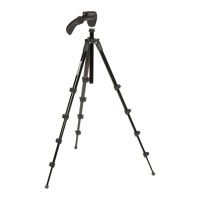
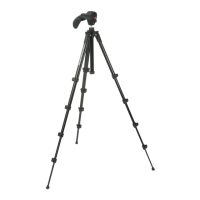
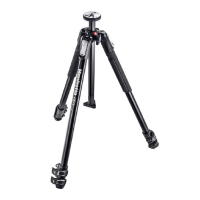
This document describes the Manfrotto MT190X3 tripod, a versatile support system designed for both advanced hobbyists and professional photographers. It is suitable for use with small and medium format cameras, whether digital or conventional. The tripod's design focuses on providing stability, flexibility, and ease of use in various shooting scenarios.

Function Description

The primary function of the Manfrotto MT190X3 is to provide a stable platform for cameras, enabling photographers to achieve sharp images and precise compositions. Its core feature is a unique sliding center column that can be operated in either a vertical or horizontal plane. This allows for extreme low-angle shots and overhead perspectives without the need for complex setups or additional accessories. The tripod's legs are independently adjustable, offering four angles of spread, which enhances stability on uneven terrain and allows for creative positioning. A spirit level is integrated to ensure accurate leveling of the camera.

The tripod incorporates Quick Power Lock levers, which are designed for rapid and simultaneous unlocking of all leg sections, facilitating quick height adjustments. For enhanced stability, especially in windy conditions or when using heavy equipment, the tripod includes a hook for hanging a counterweight. This hook also serves as an attachment point for a strap, making transportation more convenient. Additionally, the tripod features an Easy Link socket, a 3/8" female thread, which allows for the attachment of various accessories such as articulating arms to support lights, monitors, or other photographic tools, expanding its utility beyond just camera support.

Usage Features

Setting up the MT190X3 is straightforward. To open the tripod, the three legs are spread. Height adjustment is achieved by releasing the telescopic leg extensions. This is done by rotating the "A" levers located on the locking collars "B". The design allows users to grab all levers with the whole palm of the hand, simultaneously unlocking them for quick adjustments. A crucial safety note advises caution to avoid pinching fingers when opening the levers. Once the desired height is reached, the "A" levers are locked to secure the leg sections.

Leg angle adjustment is a key feature for adapting to different shooting environments. Each leg can be independently set at one of four angles of spread. To change a leg's angle, the leg is closed slightly towards the center column, and the locking button "C" at the top of the leg is pulled down. While holding the button down, the new leg angle is selected, and then the button "C" is released to lock it in position. This independent adjustment allows for precise leveling on uneven surfaces and enables very low-angle shooting, including achieving floor level.

The center column's height is adjusted by unlocking knob "E" to release the center column "D". Once the desired height is set, knob "E" is tightened to lock the column in place. The head attachment plate "F" is designed for very low-angle shots without reversing the center column. To use this feature, the button "Q" is pushed, and the head attachment plate "F" is pulled out. The lever "E" is unlocked, and the column "D" is removed. The head attachment plate "F" is then mounted directly onto the tripod by pressing it down into the top shoulder hole until a click is heard, ensuring that button "S" aligns with part "V". The plate "F" is then locked in position by tightening lever "E". After this, the camera head can be mounted onto the head attachment plate "F". A critical safety warning emphasizes that the locking lever "E" must remain tightly locked at all times to prevent the plate "F" with the head and camera from accidentally falling out, which could damage the camera.

Mounting a camera head involves removing the cap "Z" from the top of the center column. The camera head is then mounted onto the 3/8" mounting screw by turning it clockwise. To secure the head, the center column is raised, and screw "M" is tightened against the base of the head using a small screwdriver, taking care not to overtighten. This unique Manfrotto feature helps prevent the head from unscrewing accidentally. To remove the head, screw "M" is loosened, and the head is unscrewed counter-clockwise from the column.

For outdoor use, especially in windy conditions, the tripod can be stabilized by hanging a counterweight (not supplied) on the hook "L". This hook also serves as a convenient attachment point for an optional carrying strap, making the tripod easier to transport.

Maintenance Features

The Manfrotto MT190X3 includes provisions for maintenance to ensure its longevity and performance. One such feature is the leg lock tension adjustment. If the telescopic leg extensions begin to slip even after tightening the locking lever "A", the locking tension may need to be adjusted. This is done by releasing the lock lever "A" and then turning the screw "P" clockwise using the special key "N" provided on one of the tripod legs. Typically, a third of a turn is sufficient to achieve the correct locking tension.

For disassembling the head attachment plate, it is important to first remove the camera head from the head attachment plate, and then remove the head attachment plate "F" from the shoulder by loosening the lever "E". A safety warning advises against using the head attachment plate "F" in the bottom position as shown in figure 1.

In the event that a locking collar "B" needs to be replaced, the manual specifies the use of a TORX key number 25, which is not supplied with the product. This indicates that certain components are designed for user-serviceability with the correct tools, allowing for ongoing maintenance and part replacement to extend the tripod's lifespan.

Manfrotto MT190X3 Specifications

General IconGeneral
PurposeDigital/film cameras
MaterialAluminum
Mounting3/8\
Product colorBlack
Number of legs3 leg(s)
Number of leg sections3
Maximum weight capacity7 kg
Footprint diameter (max)25 mm
Weight and Dimensions IconWeight and Dimensions
Weight2000 g
Height (max)1600 mm
Height (min)90 mm

Related product manuals