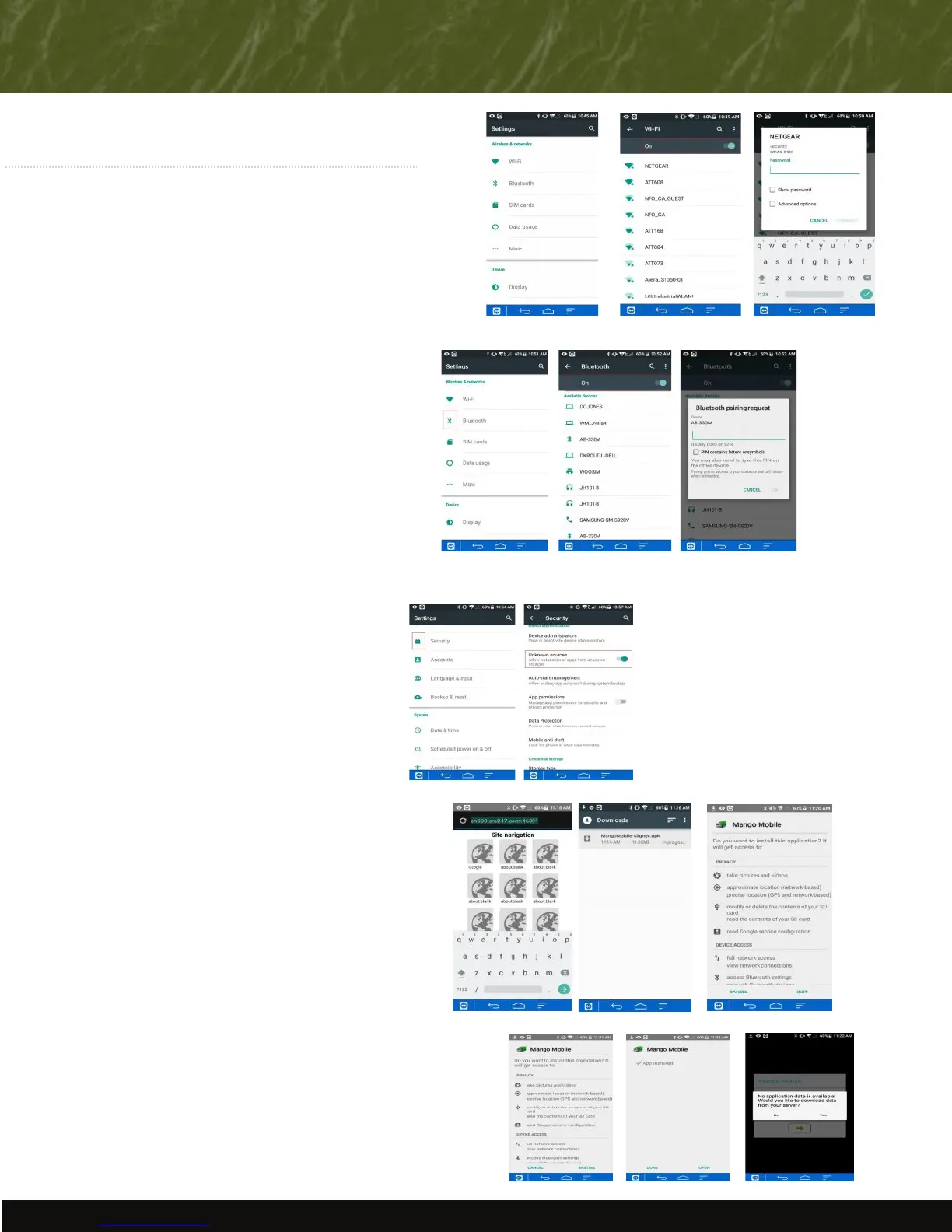
2) Navigate to the Sengs icon from the main screen.
3) Move the Wi-Fi slider to the “on” posion (to the right).
4) Select “Wi-Fi” and then select your access point.
5) Enter the security key for your connecon (if secured).
1) Navigate back to the Sengs screen select and slide the
Bluetooth slider to the ”on” posion (to the right)
2) Under “Available Devices”, choose your printer.
4) Enter your device’s PIN. The PIN will either be 1234 or 0000.
SETTING UP YOUR DEVICE
INSTALLING THE APPLICATION
3) If you are not sure which listed device is your printer,
print a test page to get the info. You can do this by turning
the printer OFF, then hold down the feed buon and turn
the printer ON. Once it is on, let go of the Feed buon and
the test page will print. Generally the name or model number
will be near the top.
1) When asked if you would like to install this applicaon, select “Next”
3) When asked if you would like to download data from your server,
select “Yes”
4) Enter your server informaon. For assistance, contact Advantage Route
Systems at the phone number below.
3. Security
1) Navigate back to the Sengs icon and access the
Security icon
2) Slide “Unknown Sources” slider to “on” posion
This step is necessary in order to allow you to receive
updates from Route Manager, as these updates are not
available in your Google Play Store.
2) Select Install then “open”
Note: You will need to complete these steps if you are
using a Bluetooth printer such as the PTB2/3 or BT4.
2. Seng Up Bluetooth
1. Seng Up Wi-Fi
Advantage Route Systems, Inc. - 3201 Liberty Square Parkway Turlock, CA 95380 USA - 1.209.632.1122 - Toll Free (USA) 888.294.7688 - www.AdvantageRoute.com - Sales@AdvantageRoute.com
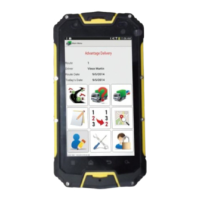
1) Turn the power on to your device.
1. Download
1) Open a new web browser
2) Type your download server into the web addres bar
3) The download screen will appear and show progress of
download. Wait unl complete.
RMA Server: sh003.ars247.com:46001
RM2000 Server: sh003.ars247.com:46101
2. Install
All devices purchased through Advantage Route Systems will have already
completed the steps below.


 To Next Page
 Loading...