P a s s w o r d S e t t i n g s
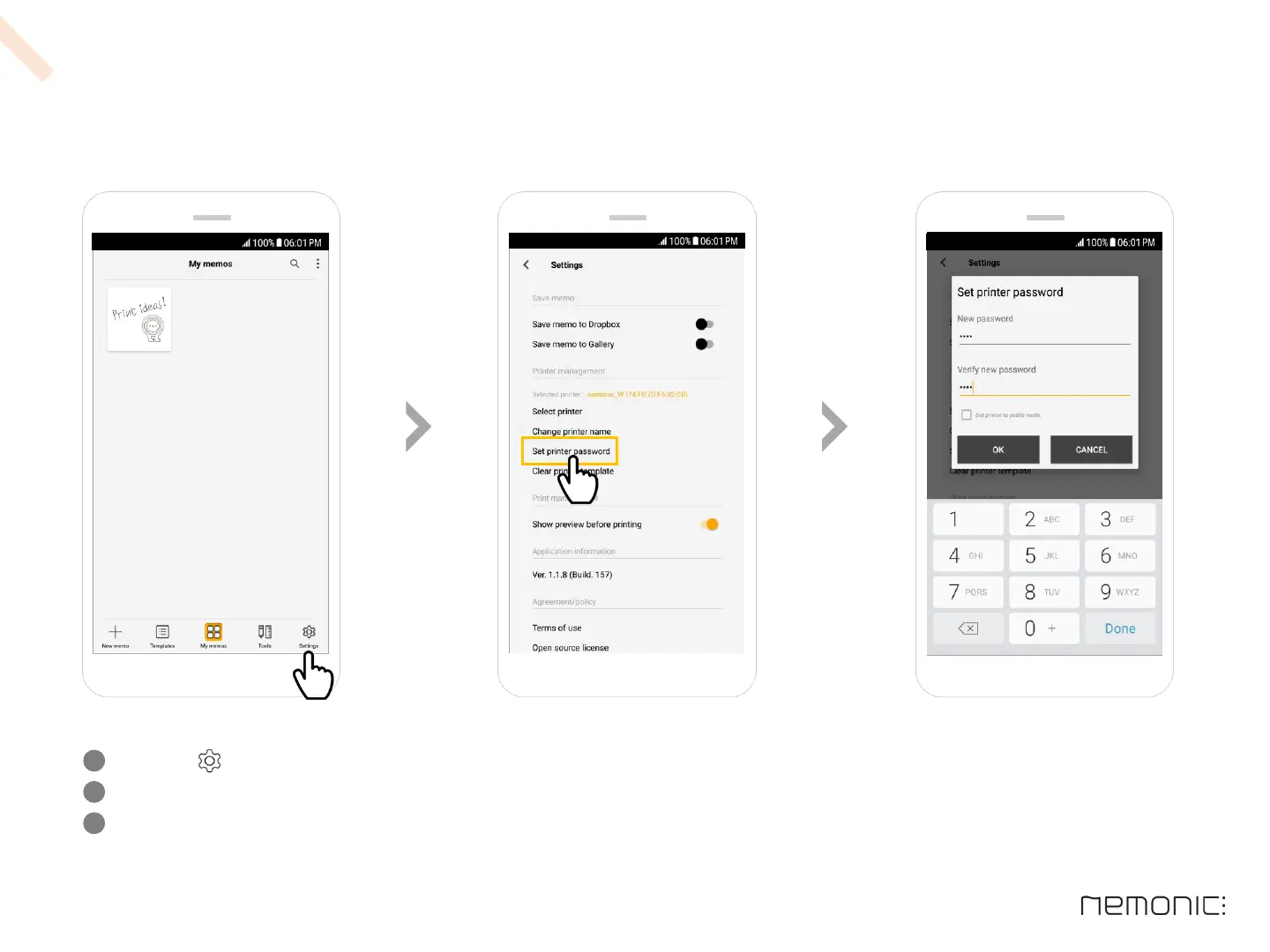
Click the Settings button on the bottom right.
Click Set printer password in the settings window.
Enter password (4 digits), enter the same password again in the ‘Verify password’ box and press OK
(If you want to disable password, check the ‘Set printer to public mode’ checkbox and press OK.)
1
2
3
12
How to use the Android app



 To Next Page