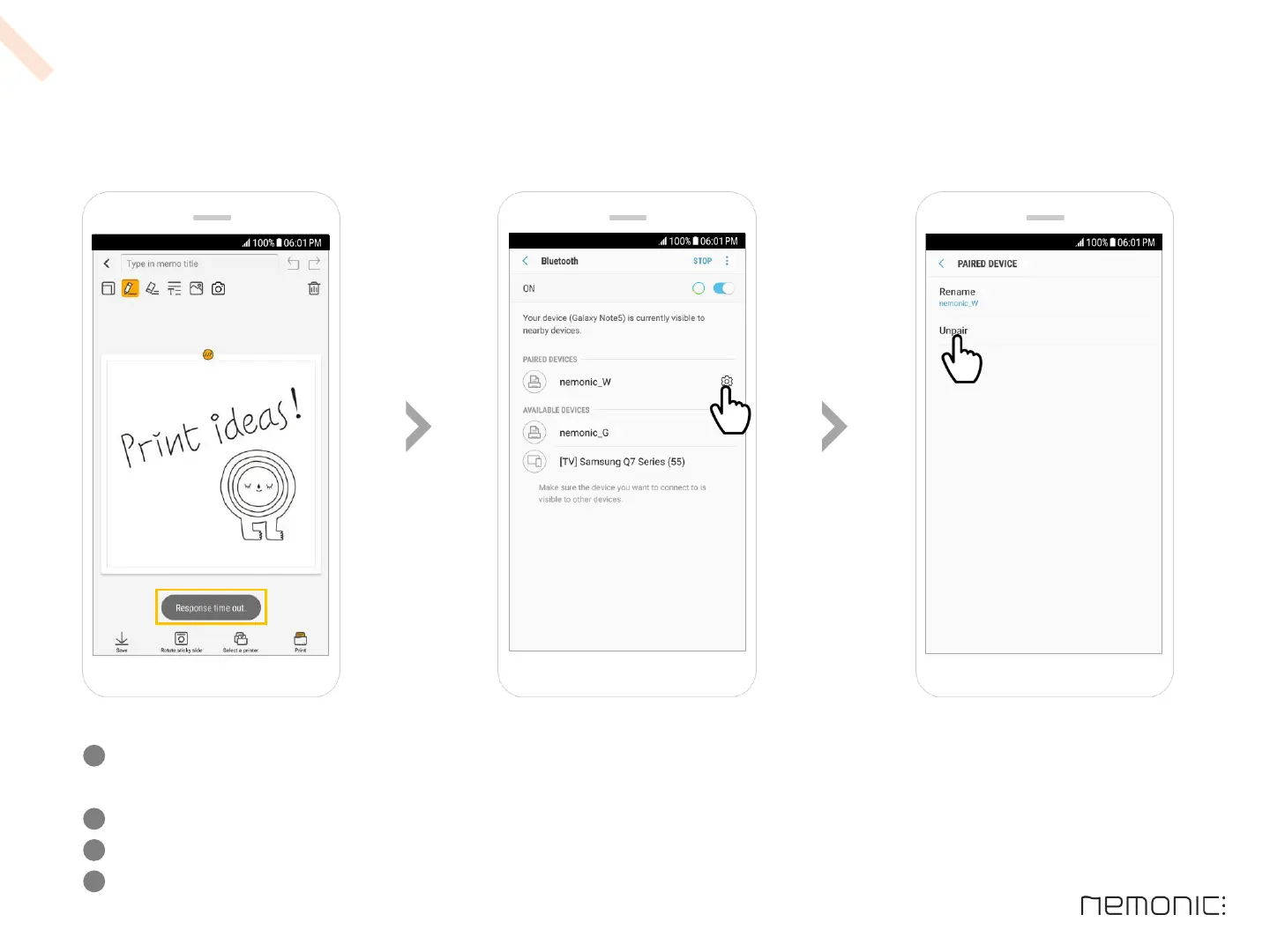
What to do if R e s p o n s e t i m e o u t . appears
If the ‘Response time out.’ appears continuously, refer to the below and delete existing printer history
Check if the selected printer is powered on
Check again after turning the power of printer or Bluetooth off & on
If the message still appears, unpair the paired nemonic on the Settings > Connection > Bluetooth
menu of the Android device & try again
1
2
3
13
-
How to use the Android app


 To Next Page