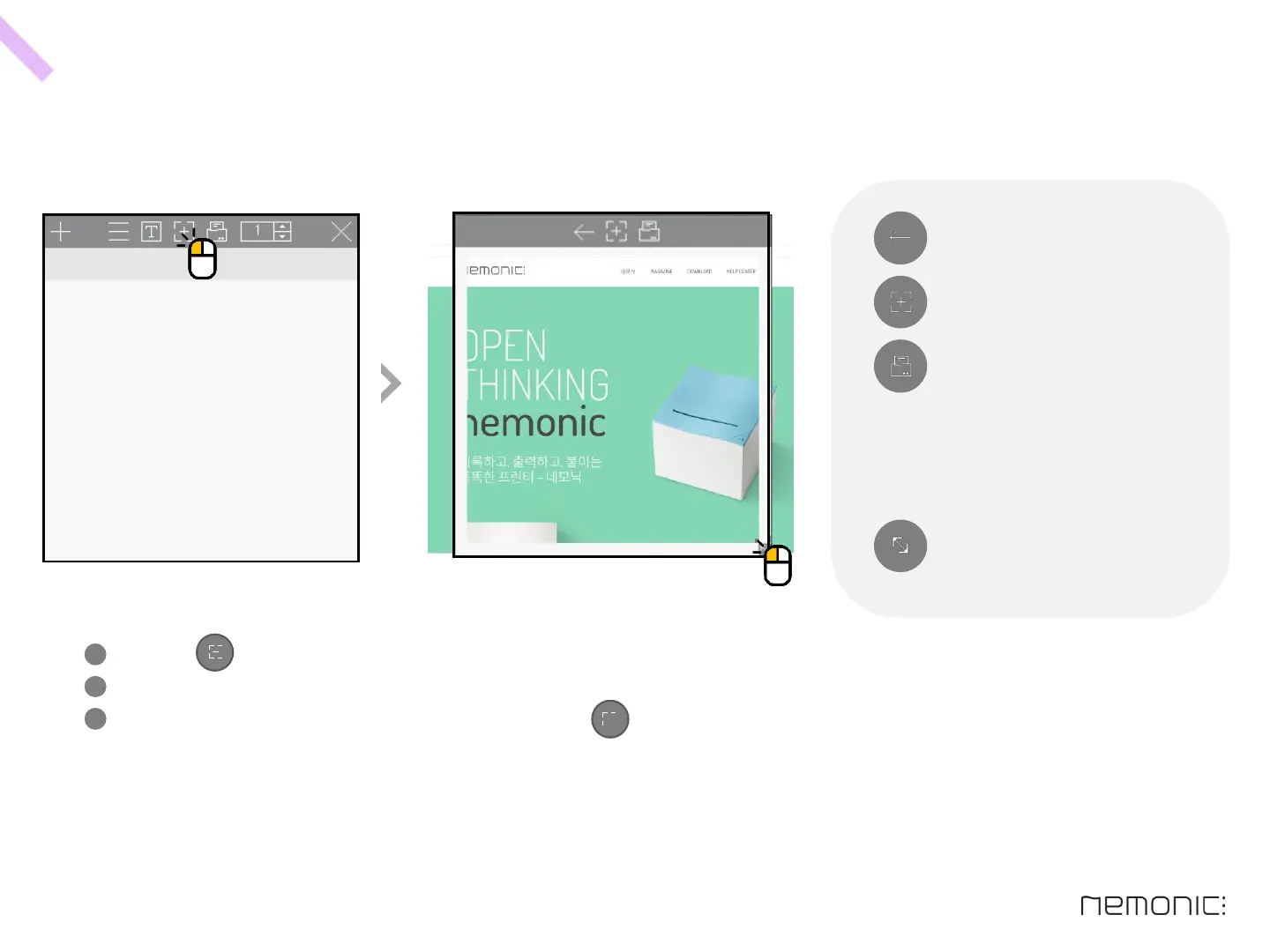
Click the ‘Capture screen’ button on the menu bar.
Adjust the screen capture area by dragging the icon at bottom right corner.
Move the window to the screen to capture, click the ‘Capture screen’ button on the menu bar.
The screenshot will be applied to your current memo.
H o w t o m a k e s c r e e n c a p t u r e s
Icon description
Adjust size of screen capture area.
(Adjusted according to the paper size
proportion)
Cancel (Switch to default)
Capture current area
Capture current area & print
34
1
2
3
How to use the PC program


 To Next Page