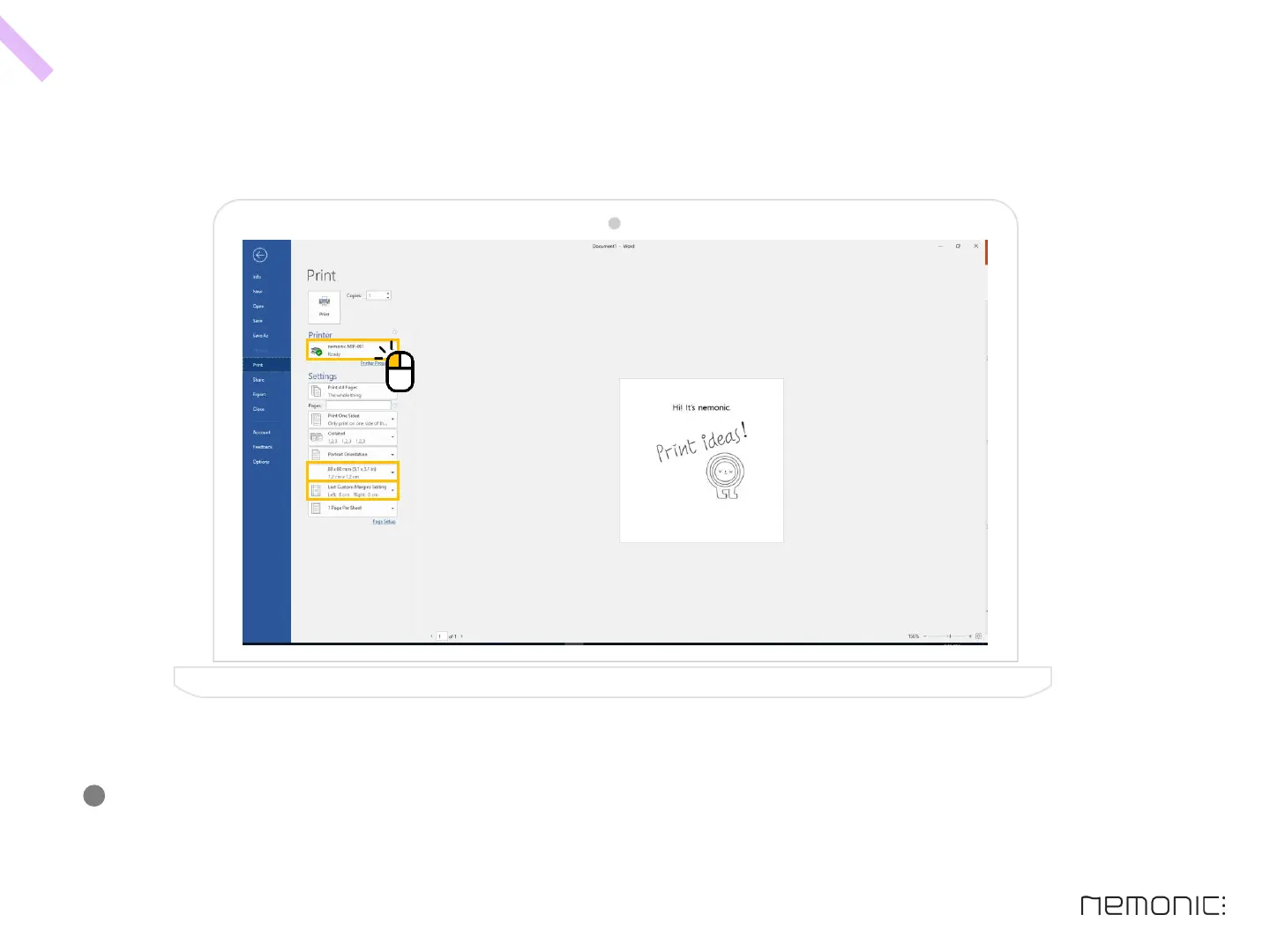
H o w t o p r i n t u s i n g a n o t h e r p ro g r a m (ex: Microsoft PowerPoint, Word) - 1
At the print preview, select nemonic MIP-001 as printer, set paper size as 80x80mm and set all margin to 0.
By doing so, you should be able to print correctly.
(Paper size can be changed as the following: 80x80mm, 80x105mm, 80x56mm, 80x136mm)
-
38
How to use the PC program


 To Next Page