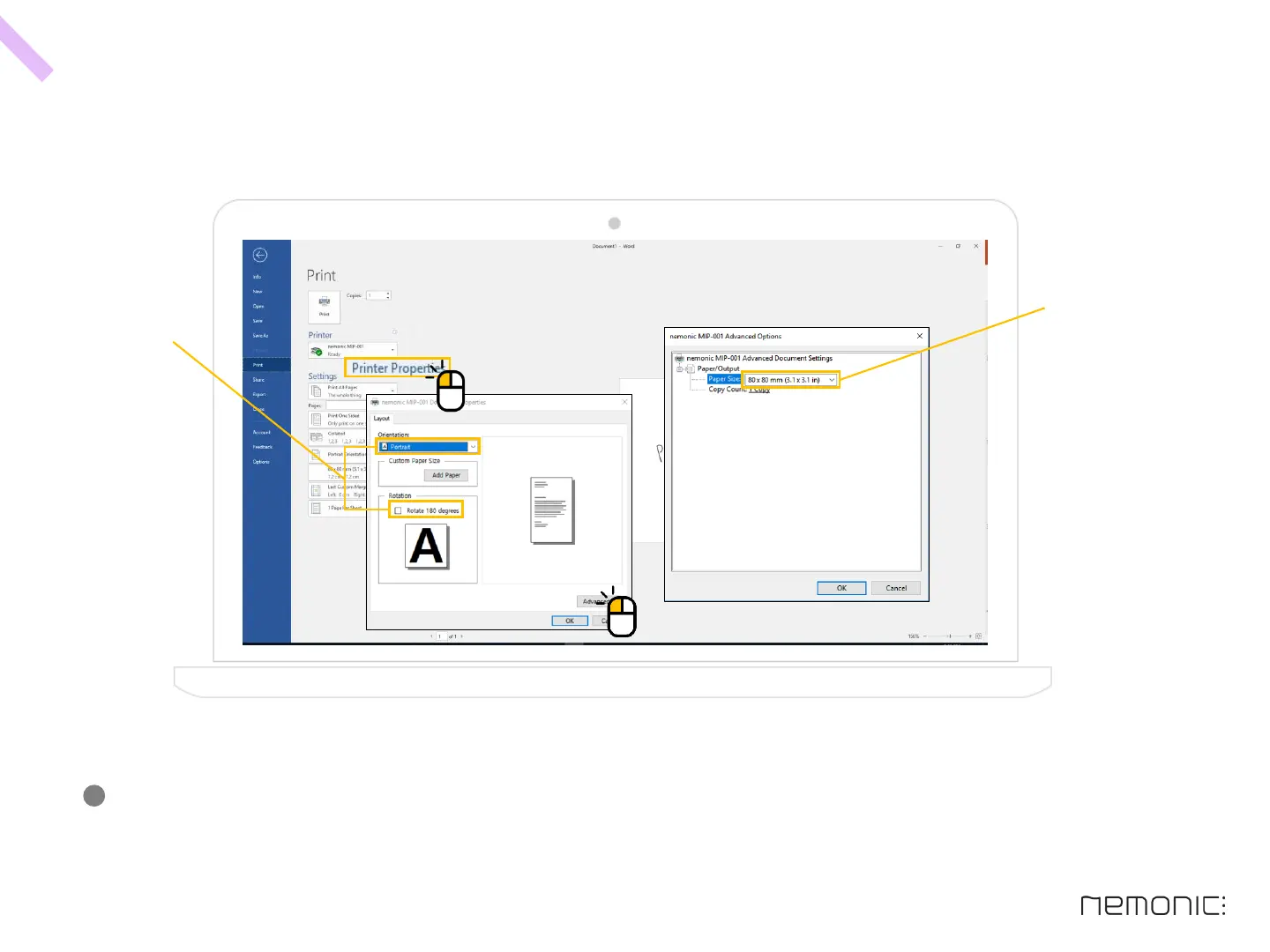
H o w t o p r i n t u s i n g a n o t h e r p ro g r a m (ex: Microsoft PowerPoint, Word) - 2
How to use the PC program
At the print preview, select nemonic MIP-001 as printer, set paper size as 80x80mm and set all margin to 0
and then you can print properly.
(Paper size can be changed as the following: 80x80mm, 80x105mm, 80x56mm, 80x136mm)
-
39
Change paper orientation
( = Change sticky side)
Change paper size


 To Next Page